 Installation guide
 Owner’s manual




What is the disadvantage of a low profile microwave?
A low-profile over-the-range microwave like the Whirlpool WML55011HS5 saves space, but the tradeoff is less interior height and overall capacity, so large bowls, tall mugs, and big casserole dishes may not fit as easily. Installation and venting choices can also be more limiting than a full-size hood.
Common disadvantages (what you notice day to day)
- Smaller usable cooking space: low-profile designs typically have less interior height, which limits tall items.
- Less flexibility for large cookware: big covered dishes and high-sided containers are more likely to hit the ceiling.
- More frequent splatter cleanup: tighter clearance can mean more steam and splatter on the ceiling and walls.
- Over-the-range access: reaching in to remove hot food can be awkward depending on your range height.
- Vent performance depends on setup: recirculating vs. ducted venting can change how well smoke and odors are handled.
Capacity and fit: quick comparison
| Feature | Low-profile microwave/hood combo | Standard over-the-range microwave |
|---|---|---|
| Interior height | Lower | Higher |
| Fits tall items | Less often | More often |
| Best for | Small kitchens, light microwave use | Frequent cooking, larger dishes |
Installation and venting considerations
For the WML55011HS5, the installation steps and venting design requirements matter because the unit mounts to wall studs and an upper cabinet, and the vent path needs to match your kitchen layout. Use the WML55011HS5 installation guide to confirm venting options, mounting plate placement, and cabinet cutouts before you commit.
What to check before buying or replacing
- Measure the tallest dish you use (including cover) and compare to the microwave’s interior clearance.
- Confirm whether you need ducted venting or recirculating venting.
- Verify your cabinet depth and the mounting location over a range up to 36 inches wide.
- Plan for safe lifting and mounting; these installs often require two people.
Why it matters
Low-profile microwaves are a great space-saver, but the reduced cavity height and venting constraints can affect everyday convenience, cooking results, and how well your hood function performs.
Last updated: January 2026
What is the average lifespan of a whirlpool microwave?
A Whirlpool microwave like model WML55011HS5 typically lasts 7 to 10 years with normal household use. Heavy daily use, poor ventilation, and power issues can shorten lifespan; good airflow and basic care often help it reach the upper end of that range.
What affects lifespan the most
- Usage load: multiple long cook cycles per day wear components faster than light reheating.
- Ventilation and heat: keeping the top vent airflow clear helps protect internal electronics.
- Power quality: frequent breaker trips, surges, or a shared circuit can stress the control system.
- Door use: slamming the door can damage door switches and latches over time.
- Cleaning habits: grease buildup can lead to odors, smoke, and overheating.
Typical failure points (and what they look like)
| Symptom | Common area involved | What to check first |
|---|---|---|
| Runs but does not heat | High-voltage system | Heating components and related wiring (service-level repair) |
| Dead, no display | Power supply path | Outlet, breaker, then internal fuse |
| Starts then stops | Door switch circuit | Door alignment, latch feel, switch operation |
| Loud hum or buzzing | High-voltage components | Stop using and schedule service |
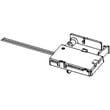
For model WML55011HS5, the internal fuse is a common “no power” checkpoint; see the microwave fuse W11707984 if you are matching parts.
Care tips that help you reach 10 years
- Keep the grease filters clean so airflow stays strong; replace if damaged (see grease filter W11213913).
- Avoid running the microwave empty; it can overheat components.
- Use microwave-safe cookware only; never use metal or foil that can cause arcing.
- Wipe splatters promptly to prevent baked-on residue and odors.
- Make sure the installation allows proper venting and clearances; confirm in the WML55011HS5 installation guide.
Why it matters
Microwave/hood combos work in a hot, greasy environment above the range. Good airflow and clean filters reduce heat stress on the control panel, fan system, and high-voltage components, which directly impacts service life.
Last updated: January 2026
What are common problems with whirlpool microwaves?
Common problems we see with Whirlpool microwaves like model WML55011HS5 include not operating at all (power, door, or fuse issues), running but not heating (high-voltage component failure), sparking inside the cavity (food debris or a damaged cover), and turntable or vent fan problems. Use the WML55011HS5 user guide troubleshooting steps first.
Most common symptoms and what they usually point to
- Microwave will not operate: tripped breaker, blown household fuse, door not fully closed, or an internal fuse.
- Runs but does not heat: high-voltage system problem (often the magnetron or high-voltage diode).
- Sparking or arcing: splatter buildup, metal in the cavity, or a damaged waveguide cover.
- Turntable not rotating: turntable not seated correctly, worn drive parts, or a binding roller path.
- Buttons or display acting up: control panel or touch interface issue.
Quick checks you can do safely (before parts)
- Confirm power: reset the household breaker or replace the household fuse if needed.
- Check the door: close it firmly; if the display shows a door message, open and close the door, then start.
- Do a simple heat test: heat 1 cup of cold water for 2 minutes on 100% power; if it stays cold, focus on heating-circuit troubleshooting.
- Inspect for arcing causes: remove any metal, clean splatter, and check for visible burn marks.
Parts that commonly relate to these problems (WML55011HS5)
| Symptom | Common part involved | Example part for this model |
|---|---|---|
| Dead/no power | Internal fuse | Microwave fuse W11707984 |
| Runs but no heat | High-voltage diode or magnetron | Microwave high-voltage diode W11256462, magnetron W11402082 |
| Sparking near side/top | Waveguide cover damage | Jenn-air microwave waveguide cover W11193296 |
Why it matters
Microwave/hood combos combine cooking and ventilation; a “no heat” complaint can be a cooking failure, while a “won’t start” complaint is often a door or power-supply safety issue. Starting with the model-specific checks helps avoid unnecessary part replacement.
Last updated: January 2026





