




How to do a hard reset on Whirlpool microwave?
To hard reset a Whirlpool microwave like model WMH53521HZ06, we unplug the unit (or switch off the breaker) for about 2 minutes, then restore power and reset the clock. This clears many control glitches without changing normal cooking settings.
Hard reset steps (power cycle)
- Press Cancel/Off to stop any cooking cycle.
- Unplug the microwave; if it’s hardwired, turn OFF the kitchen breaker.
- Wait 2 minutes (we use 5 minutes if the display was frozen).
- Restore power.
- Set the clock and test Cook Time for 30 seconds with a cup of water.
If the display comes back but buttons still do not respond
These checks target common over-the-range microwave issues like a stuck keypad, door switch problem, or a blown fuse.
- Confirm the door closes firmly and the latch clicks.
- Open and close the door 3 to 5 times to re-seat the interlock.
- If the unit is completely dead after reset, check the house outlet and breaker first.
- If power is good but the microwave is dead, a blown fuse is a common cause; see microwave fuse W11707984.
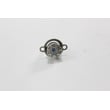
- If the microwave runs but will not heat, high-voltage components can be involved; a common part in that circuit is the gaoxin-hvd c W11256462.
Quick symptom guide
| Symptom after reset | Most likely area | What we do next |
|---|---|---|
| No display, no interior light | Power supply or fuse | Verify outlet/breaker, then check fuse |
| Display works, keypad erratic | User interface or control | Inspect keypad, consider control parts |
| Runs but does not heat | High-voltage circuit | Stop using and have it serviced |
| Starts when door closes or will not start | Door interlock | Inspect latch and interlock switches |
Why it matters
A hard reset fixes many “software-like” glitches (frozen display, random beeps, unresponsive keys). If the problem returns immediately, the issue is usually hardware related (door interlock, control board, or fuse), and repeated resets will not solve it.
Last updated: February 2026
How can I tell what size my microwave is?
For your Whirlpool WMH53521HZ06 microwave/hood combo, “size” usually means two things: the outside dimensions (to confirm it fits your cabinet space) and the inside capacity (cubic feet) for cooking room. This model type is a 2.1 cu. ft. over-the-range microwave.
What to measure (and how)
Use a tape measure and record measurements in inches.
- Width: measure left-to-right across the front of the microwave
- Height: measure bottom-to-top of the microwave body (not the cabinet)
- Depth: measure front-to-back; note whether you include the door handle
- Cabinet opening: measure the space between cabinets and the clearance above the range
- Vent setup: note if you vent outside or recirculate (it affects fit and duct alignment)
Quick reference: outside size vs. inside capacity
| What you’re checking | How it’s listed | Why it matters |
|---|---|---|
| Outside dimensions | Width x height x depth (in.) | Confirms it fits your cabinet and mounting space |
| Inside capacity | Cubic feet (cu. ft.) | Tells how much cooking space you have |
Why “2.1 cu. ft.” does not tell you the outside size
Capacity is the usable cooking volume inside the cavity. Two microwaves can both be 2.1 cu. ft. but have different exterior depths or heights due to the door design, venting, and control panel layout.
If you’re measuring because you need a replacement part
If your goal is fitment for a common part (like the under-microwave light), match by model number first, then confirm the part listing.
- For the cooktop light, see the microwave/hood light bulb 8206232A
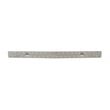
- For airflow and appearance at the top front, see the microwave vent grille (black) W10701697
- For mounting alignment, see the microwave mounting plate W11025649
Why it matters
Correct sizing prevents cabinet interference, door clearance problems, and venting misalignment; it also helps you choose compatible Whirlpool parts for the WMH53521HZ06.
Last updated: February 2026
What is the average lifespan of a whirlpool microwave?
Most Whirlpool microwaves, including the Whirlpool WMH53521HZ06 microwave/hood combo, typically last 7 to 10 years with normal household use. With lighter use and good airflow, many run 10 to 15 years; heavy daily use can shorten life to 4 to 6 years.
Typical lifespan by usage
| Usage pattern | What “normal” looks like | Typical lifespan |
|---|---|---|
| Light | Reheating, short cook times | 10 to 15 years |
| Average | Daily reheating plus some cooking | 7 to 10 years |
| Heavy | Multiple long cook cycles per day | 4 to 6 years |
What usually fails first (and what to check)
In over-the-range units like this 2.1 cubic foot microwave hood, the most common issues are often electrical or door-safety related, not the cooking cavity itself.
- No power or dead display: check the house breaker, then test the microwave fuse W11707984
- Runs but does not heat: high-voltage components can be involved; a common suspect is the gaoxin-hvd c W11256462
- Intermittent operation or stops when door moves: inspect the door latch and interlock system
- Dim or out cooktop light: replace the microwave/hood light bulb 8206232A
- Poor venting or grease buildup: clean or replace the filter W10208631A
Maintenance that extends microwave life
These habits reduce heat stress on the control board, cooling fan, and door switches.
- Keep the grease filter clean so airflow stays strong
- Leave clearance around the vent grille; do not block exhaust
- Wipe splatters promptly to prevent arcing and odor buildup
- Use microwave-safe cookware only (no metal, no foil contact)
- Avoid running the microwave empty
Why it matters
Microwaves often “wear out” from heat and vibration affecting the control area and door safety switches. Simple upkeep (especially ventilation and filter cleaning) helps the WMH53521HZ06 run cooler, which directly improves long-term reliability.
Last updated: February 2026
What are common problems with whirlpool microwaves?
Common problems on a Whirlpool microwave like model WMH53521HZ06 include not heating, not powering on, sparking inside the cavity, weak venting or noisy fan, and turntable or keypad issues. Many symptoms trace back to door interlocks, a blown fuse, or a failed high-voltage component.
Most common symptoms and what they usually mean
- Microwave runs but does not heat: often a high-voltage diode, capacitor, or magnetron circuit issue (high-voltage parts require advanced service).
- Dead display or no power: outlet or breaker issue, blown internal fuse, or door switch/interlock problem.
- Starts then stops, or blows the breaker: shorted high-voltage component, failing door interlock switches, or wiring damage.
- Sparking or arcing: food splatter, metal in the cavity, damaged waveguide cover, or a burned cavity spot.
- Turntable not rotating: failed drive motor/coupler, control issue, or the tray is not seated correctly.
Quick checks we recommend first (safe, no disassembly)
- Confirm the outlet works by plugging in a small appliance.
- Make sure the door closes firmly and latches without resistance.
- Remove the turntable, clean the roller area, then reseat the tray.
- Clean grease filters and confirm the vent grille is not blocked.
- If you see sparking, stop using the microwave and inspect for metal, heavy splatter, or a damaged waveguide cover.
Parts that commonly fix these problems on WMH53521HZ06
| Symptom | Common suspect part | Example part for this model |
|---|---|---|
| No power, dead display | Internal fuse | Microwave fuse W11707984 |
| Runs but no heat | High-voltage diode | Gaoxin-hvd c W11256462 |
| Door won’t start or acts intermittent | Door interlock assembly | Assembly, interlock (includes switches) W11197766 |
| Dim or out hood light | Hood light bulb | Microwave/hood light bulb 8206232A |
Why it matters
Microwave/hood combos use high voltage for heating and safety interlocks to prevent operation with the door open. When heating or power problems show up, the safest path is to rule out simple causes first, then move to model-correct replacement parts.
Last updated: February 2026


