- Kenmore refrigerator water filters
- Whirlpool refrigerator water filters
- Samsung refrigerator water filters
- GE refrigerator water filters
- LG refrigerator water filters
- Frigidaire refrigerator water filters
- KitchenAid refrigerator water filters
- Maytag refrigerator water filters
- Kenmore Elite refrigerator water filters
- Estate refrigerator water filters
- GE Profile refrigerator water filters
- Amana refrigerator water filters
- Bosch refrigerator water filters
- Dacor refrigerator water filters
- Electrolux refrigerator water filters
Top DIY repair help
View All Repair Categories
Appliances
Lawn & Garden
Power Tools
Home Improvement
Sports & Leisure
Heating & Cooling
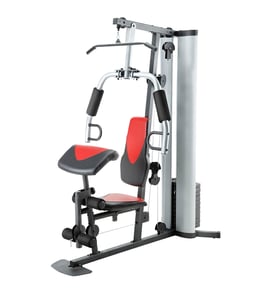
Image Weight system Parts — Browse All Models
Image makes many different types of weight systems so you can find the model that best fits in your home and suits your fitness needs. Image weight systems are sturdy machines but equipment failures can happen at any time. When you need repair parts for your Image weight system, you can trust Sears PartsDirect to have the replacement parts needed to fix your home gym.
Browse by Category
Weight Systems

 Owner’s manual
Frequently bought Image parts
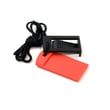
Treadmill Safety Key
Part #119038
This item is not returnable
$3.66
21% OFF Phone Price : $4.66

Qty

Image Treadmill Walking Belt
In Stock
$49.80
11% OFF Phone Price : $55.80
Qty
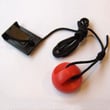
Treadmill Safety Key Assembly
Part #208603
This item is not returnable
In Stock
$5.47
15% OFF Phone Price : $6.47
Qty
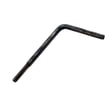
Treadmill Walking Belt Alignment Tool
Part #128457
This item is not returnable
In Stock
$2.82
26% OFF Phone Price : $3.82
Qty
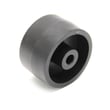
Proform Exercise Equipment Transport Wheel
Part #148803
This item is not returnable
In Stock
$2.99
Qty
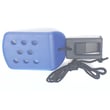
Treadmill Safety Key Assembly
Part #160695
This item is not returnable
In Stock
$5.99
Qty
Popular maintenance items for Weight Systems
Treadmill Walking Belt Alignment Tool
Part #128457
This item is not returnable
In Stock
$2.82
26% OFF Phone Price : $3.82
Qty
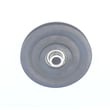
Weight System Cable Pulley
Part #226917
This item is not returnable
In Stock
$13.82
13% OFF Phone Price : $15.82
Qty
Proform Exercise Equipment Transport Wheel
Part #148803
This item is not returnable
In Stock
$2.99
Qty
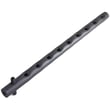
Weight System Weight Selector
In Stock
$66.69
8% OFF Phone Price : $72.69
Qty
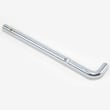
Weight System Weight Pin
In Stock
$17.60
10% OFF Phone Price : $19.60
Qty
Toyostove Exercise Equipment Magnet
Part #113842
This item is not returnable
In Stock
$2.17
Qty
Toning exercise routines to use on your Image weight system
- Always consult with your physician before beginning any fitness routine on your weight system.
- Start by stretching muscles and exercising lightly before beginning your muscle toning routine to avoid injury. A thorough warm-up routine increases your body temperature, heart rate and circulation in preparation for muscle toning.
- To tone muscles, set weights to work your muscles at a moderate percentage of their capacity such as 50 percent.
- Start with a moderate number of repetitions and increase the number of repetitions with each set that you complete.
- Complete as many sets of 15 to 20 repetitions as possible without extreme discomfort. Rest for 1 minute between sets.
- Tone muscles by completing more sets of 15 to 20 repetitions rather than by increasing the weight while completing sets.
Tightening the cables on your Image weight system
- Cables stretch over time so inspect the slack in all weight system resistance cables before using the weight system each time.
- Tighten any loose cables to eliminate slack before using the weight system. Don't overtighten the cables.
- To tighten cables that use a bolt and locknut adjustment, slide the cable stop away from the cable clip. Use a pair of pliers or a screwdriver to tighten the locknut on the bolt that goes into the cable clip to shorten the cable and remove slack. Slide the cable stop against the cable clip.
- To remove slack from a cable with adjustable sets of holds in a U-bracket, remove the nut and bolt that hold the adjustable cable pulley in place and move the bolt up to hold the pulley in a higher set of holes to remove cable slack. Reinstall the nut and tighten it firmly to hold the bolt and pulley in place.
Parts & More
Bottom-Mount Refrigerator
Dehumidifier
Dvd Player
Exercise Cycle
Front-Engine Lawn Tractor
Gas Line Trimmer
Grass Catcher Attachment
Parts
Riding Mowers & Tractors
Room Air Conditioner
Small Appliance
Top-Mount Refrigerator