- Kenmore refrigerator water filters
- Whirlpool refrigerator water filters
- Samsung refrigerator water filters
- GE refrigerator water filters
- LG refrigerator water filters
- Frigidaire refrigerator water filters
- KitchenAid refrigerator water filters
- Maytag refrigerator water filters
- Kenmore Elite refrigerator water filters
- Estate refrigerator water filters
- GE Profile refrigerator water filters
- Amana refrigerator water filters
- Bosch refrigerator water filters
- Dacor refrigerator water filters
- Electrolux refrigerator water filters
Top DIY repair help
View All Repair Categories
Appliances
Lawn & Garden
Power Tools
Home Improvement
Sports & Leisure
Heating & Cooling
Kodak Office Parts — Browse All Models
Kodak office products are built to last and have a reputation for reliability. Keeping your Kodak office equipment working in top condition is essential to your business. When you need replacement parts for your Kodak office equipment, you can find what you need at Sears PartsDirect.

Kodak 300/300W printer
Kodak M150+ printer
Kodak 150+ printer
Kodak 150 PRINTER computer battery reference
Kodak COLOR 4/330C printer
Kodak KAR-400 printer
Kodak 150 printer
Popular maintenance items for Office
Remote Commander (rm-x400)
In Stock
$25.03
19% OFF Phone Price : $31.03

Qty


Agri-fab Lawn & Garden Equipment Washer
Part #44008
This item is not returnable
In Stock
$2.74
27% OFF Phone Price : $3.74
Qty
Sears Central Air Conditioner Wall Control Thermostat
In Stock
$25.59
25% OFF Was : $34.12
Qty
Sears White-rodgers Thermostat
In Stock
$16.80
40% OFF Was : $28.00
Qty

Spring(9142)
In Stock
$29.13
Qty
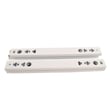
Refrigerator Drawer Slide Rail Assembly
In Stock
$42.92
12% OFF Phone Price : $48.92
Qty
Common Kodak printer error messages
- Access Denied. The printer feature that you want to use is restricted by a function lock. Disable the function lock to use the feature.
- Calibrate. The color calibration function failed. Turn the machine off and wait a few seconds, then turn it on again. Perform the color calibration function using the control panel. If the printer still won't calibrate the color, replace the belt unit.
- Cartridge Error. The toner cartridge isn't installed correctly. Remove the toner cartridge and install it correctly.
- Belt End Soon. The belt is nearly worn out. Install a replacement belt unit.
Troubleshooting tips for your Kodak printer when it won't print documents
- Check printer power supply. Make sure that the printer is plugged into a working electrical outlet or power strip. Make sure the printer is powered on.
- Check the printer data connection. Make sure that the printer cable is plugged into the computer and the printer or that the Blue Tooth settings for the printer are configured properly and working.
- Check your computer settings. Make sure that you're sending the data to the correct printer.
- Reboot the computer and printer to reset controls on both devices.
Parts & More
Air Compressor
Bottom-Mount Refrigerator
Dishwasher
Dryer
Electric Chainsaw
Front-Engine Lawn Tractor
Gas Line Trimmer
Gas Snowblower
Gas Walk-Behind Mower
Side-By-Side Refrigerator
Table Saw
Upright Vacuum