- Kenmore refrigerator water filters
- Whirlpool refrigerator water filters
- Samsung refrigerator water filters
- GE refrigerator water filters
- LG refrigerator water filters
- Frigidaire refrigerator water filters
- KitchenAid refrigerator water filters
- Maytag refrigerator water filters
- Kenmore Elite refrigerator water filters
- Estate refrigerator water filters
- GE Profile refrigerator water filters
- Amana refrigerator water filters
- Bosch refrigerator water filters
- Dacor refrigerator water filters
- Electrolux refrigerator water filters
Top DIY repair help
View All Repair Categories
Appliances
Lawn & Garden
Power Tools
Home Improvement
Sports & Leisure
Heating & Cooling
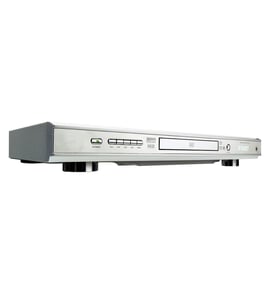
Zenith Video equipment Parts — Browse All Models
Zenith video equipment sets the standard for excellence in video and sound playback. You'll enjoy clear video and rich sound when playing videos on your Zenith video equipment. When your Zenith video equipment isn't performing as it should, find the replacement parts you need to fix the problem at Sears PartsDirect.

Zenith SJ7775BG vcr
Shop Parts
33 Parts
 Owner’s manual
Zenith SJ7765BG vcr
Shop Parts
33 Parts
Zenith VRE205 vcr
Shop Parts
10 Parts
Zenith VR3200 vcr
Shop Parts
10 Parts
Zenith VR4000 vcr
Shop Parts
11 Parts
Frequently bought Zenith parts

Hand Insert
In Stock
$119.00

Qty

Television Speaker
In Stock
$232.96
Qty
Control Ke
In Stock
$40.69
Qty
Television Power Cord
In Stock
$38.05
Qty
Zenith X-drvboard
In Stock
$265.98
Qty
Zenith Pcb Assembly
In Stock
$49.15
Qty
Popular maintenance items for Video Equipment
Ic
In Stock
$30.60
Qty
Filter
In Stock
$21.77
Qty
Switch Slide
In Stock
$16.50
Qty
Magnavox Owner's Manual
In Stock
$10.03
Qty
Ic
In Stock
$29.76
Qty
Pcb Assembly
In Stock
$96.35
Qty
Troubleshooting your Zenith video equipment when it won't power up
- If you're using the remote control to attempt to power up the video equipment, try using the power button on the video equipment.
- If the video equipment won't power up when you press the power button, check the power cord. Plug the video equipment power cord securely into the electrical wall outlet if the outlet cord plug is loose.
- If the video equipment power cord is properly plugged into the electrical wall outlet, check the electrical outlet for power by plugging a different item into the wall outlet. If the wall outlet is dead, reset the house circuit breaker for the wall outlet. Have an electrician repair the wall outlet if it remains dead after resetting the house circuit breaker.
- If you have the video equipment plugged into a surge protector, check for a tripped circuit breaker on the surge protector. Reset the surge protector circuit breaker if it's tripped.
- If the video equipment is getting power through the power cord but won't power up, you may need to replace the power control board in the video equipment.
Steps to take when the television won't play your Zenith video equipment's video
- Check the television settings and select the correct video input source on the television if necessary.
- Check the HDMI or video cable connections on the back of the video equipment and the television. Reconnect any loose cables. Connect the cables correctly if the cables were connected to the wrong jacks.
- Check the DVD disc or video cassette to make sure it's inserted in the tray properly. The label of the DVD disc should be facing upward.
- Check the DVD disc for deposits or scratches. Clean the DVD disc thoroughly if you find spills or deposits on the disc.
- Reset the video equipment's control board by unplugging the video equipment from the electrical wall outlet for several minutes. Plug the video equipment power cord back in to the electrical outlet and attempt to play the DVD disc or video cassette again.
Parts & More
Bottom-Mount Refrigerator
Electric Range
Faucet Water Filter
Front-Engine Lawn Tractor
Gas Pressure Washer
Household Fan
Lawn Vacuum
Table Saw
Top-Mount Refrigerator
Upright Freezer
Washer
Water Heater