- Kenmore refrigerator water filters
- Whirlpool refrigerator water filters
- Samsung refrigerator water filters
- GE refrigerator water filters
- LG refrigerator water filters
- Frigidaire refrigerator water filters
- KitchenAid refrigerator water filters
- Maytag refrigerator water filters
- Kenmore Elite refrigerator water filters
- Estate refrigerator water filters
- GE Profile refrigerator water filters
- Amana refrigerator water filters
- Bosch refrigerator water filters
- Dacor refrigerator water filters
- Electrolux refrigerator water filters
Top DIY repair help
View All Repair Categories
Appliances
Lawn & Garden
Power Tools
Home Improvement
Sports & Leisure
Heating & Cooling
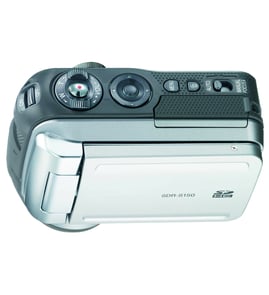
Sharp Digital camcorder Parts — Browse All Models
Sharp is a leading manufacturer of digital camcorders used in the United States. Sharp digital camcorders offer convenient features and accurate video recording so you can easily capture the memories that you want to preserve forever. When your Sharp digital camcorder isn't working as it should, find the replacement parts you need to fix the problem at Sears PartsDirect.


 Owner’s manual
Frequently bought Sharp parts

Panasonic Motor
In Stock
$42.99

Qty

Magnavox Power Tran
Part #003091000174
This item is not returnable
In Stock
$2.16
Qty
Picture Tu
In Stock
$386.50
Qty
Sharp Panel Assembly
In Stock
$72.24
45% OFF Was : $131.49
Qty
Picture Tube
Part #12VCAP4
Replaced by #12VCXP4
Manufacturer substitution
This part replaces 12VCAP4. Substitute parts can look different from the original.
In Stock
$104.99
Qty
Magnavox Capacitor
Part #46-20868-3
This item is not returnable
In Stock
$9.33
Qty
Popular maintenance items for Digital Camcorders
Piece F
Part #420877501
This item is not returnable
In Stock
$7.74
Qty
Ic
In Stock
$62.37
Qty
Washer A
Part #420873901
This item is not returnable
In Stock
$3.54
Qty
Piece F
Part #420875001
This item is not returnable
In Stock
$7.22
Qty
Im Rubber,
Part #427728001
This item is not returnable
In Stock
$5.80
Qty
Light
In Stock
$25.27
Qty
Playing Sharp digital camcorder video using the audio/video cable
- Connect the audio/video cable to audio/video out jacks on your camcorder. Connect the other end of the audio/video cable to audio/video in jacks on your television.
- Turn on your television and select line input to play video from the camcorder.
- Connect your digital camcorder to a power source such as a battery pack, AC adapter or car battery cord.
- Turn on the camcorder power button and select the VCR or Camera playback mode on the camcorder.
- Start playback or begin recording to send the video signal to the television.
Battery care tips for your Sharp digital camcorder
- Charge the camcorder battery only with the specified battery charger for your model of camcorder. Charging the battery with a different charger can cause battery damage.
- Only charge the battery in an environment where ambient temperature is above 32-degrees F and below 104-degrees F. Charging the battery outside that temperature range can cause battery damage.
- Don't get the battery near extreme heat sources such as fire or heaters.
- Never attempt to disassemble the battery pack. Replace the battery pack if it gets damaged or it won't recharge.
Parts & More
Bottom-Mount Refrigerator
Electric Leaf Blower
Front-Tine Tiller
Gas Walk-Behind Mower
Outdoor Grill
Parts
Receiver
Side-By-Side Refrigerator