- Kenmore refrigerator water filters
- Whirlpool refrigerator water filters
- Samsung refrigerator water filters
- GE refrigerator water filters
- LG refrigerator water filters
- Frigidaire refrigerator water filters
- KitchenAid refrigerator water filters
- Maytag refrigerator water filters
- Kenmore Elite refrigerator water filters
- Estate refrigerator water filters
- GE Profile refrigerator water filters
- Amana refrigerator water filters
- Bosch refrigerator water filters
- Dacor refrigerator water filters
- Electrolux refrigerator water filters
Top DIY repair help
View All Repair Categories
Appliances
Lawn & Garden
Power Tools
Home Improvement
Sports & Leisure
Heating & Cooling
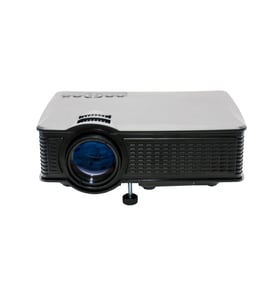
PhoneMate Office Parts — Browse All Models
Don't let Phonemate office equipment failures get you down. Whether it's your printers or your projectors that need repair, you can trust Sears PartsDirect to have the Phonemate office equipment replacement parts you need to get your products going again fast.

PhoneMate 1Q4220 cordless phone reference
PhoneMate 1Q800 cordless phone reference
Popular maintenance items for Office
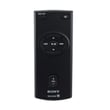
Remote Commander (rm-x400)
In Stock
$25.03
19% OFF Phone Price : $31.03

Qty

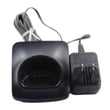
Panasonic Handset Char
In Stock
$53.50
Qty

Agri-fab Lawn & Garden Equipment Washer
Part #44008
This item is not returnable
In Stock
$2.74
27% OFF Phone Price : $3.74
Qty
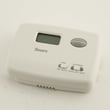
Sears Central Air Conditioner Wall Control Thermostat
In Stock
$34.12
66% OFF Was : $99.77
Qty
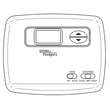
Sears White-rodgers Thermostat
In Stock
$28.00
27% OFF Was : $38.37
Qty
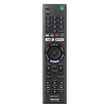
Remote Control(rmt-tx300u) (
In Stock
$22.46
Qty
Finding parts for your Phonemate office products
Use the full model number on your office equipment to find the right replacement parts for your product. You may find the model number on the back or the bottom cover of the equipment.
Key your full model number into the search bar to return a list of compatible parts and a set of exploded parts drawings for your product. Select the replacement parts you need for your equipment using the exploded parts diagram drawings as a guide if necessary.
If you don't find the replacement parts you need on the parts listing or parts diagram, refer to the owner's manual for your office equipment for help. The owner's manual often provide information and part numbers for replacement parts for the equipment.
If you can't find information for ordering replacement parts in the owner's manual, call the manufacturer for help.
Safely installing Phonemate office equipment
Before installing office equipment, read the owner's manual and follow all safety precautions outlined in the manual. Gather tools need for unpacking, assembly and installation.
Carefully unpack the equipment. Use caution when cutting cardboard boxes using box cutters. Wears gloves to protect your hands when installing office equipment.
Follow assembly instructions carefully to make sure office equipment is safely and properly assembled. Tighten all fasteners firmly. Install all safety devices and labels.
Position the office equipment in an area away from extreme heat sources and sources of liquids such as water coolers and coffee makers. Leave proper clearance on all sides of the equipment to ensure proper air flow through control and operation components.
Use a surge protector to prevent equipment damage from power surges that can occur in electrical lines during storms.
Parts & More
Electric Leaf Blower
Front-Engine Lawn Tractor
Furnace
Gas Line Trimmer
Gas Snowblower
Gas Walk-Behind Mower
Parts
Radial Arm Saw
Rear-Engine Riding Mower
Side-By-Side Refrigerator
Upright Freezer