- Kenmore refrigerator water filters
- Whirlpool refrigerator water filters
- Samsung refrigerator water filters
- GE refrigerator water filters
- LG refrigerator water filters
- Frigidaire refrigerator water filters
- KitchenAid refrigerator water filters
- Maytag refrigerator water filters
- Kenmore Elite refrigerator water filters
- Estate refrigerator water filters
- GE Profile refrigerator water filters
- Amana refrigerator water filters
- Bosch refrigerator water filters
- Dacor refrigerator water filters
- Electrolux refrigerator water filters
Top DIY repair help
View All Repair Categories
Appliances
Lawn & Garden
Power Tools
Home Improvement
Sports & Leisure
Heating & Cooling
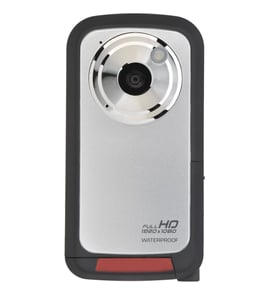
Panasonic Camcorder Parts — Browse All Models
Panasonic camcorders have a reputation for rugged dependability. Although Panasonic camcorders rarely break down, those infrequent failures can occur at any time. When a camcorder failure happens, get the repair parts you need to fix your Panasonic camcorder at Sears PartsDirect.
Browse by Category
Camcorders

 Owner’s manual
Frequently bought Panasonic parts
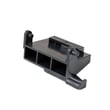
Panasonic Open Lever
Part #F82565X00AP
This item is not returnable
In Stock
$35.03

Qty

Panasonic Cook Tray
In Stock
$48.77
11% OFF Phone Price : $54.77
Qty
Panasonic Canoe Clip
Part #F90804W00AP
This item is not returnable
In Stock
$12.90
13% OFF Phone Price : $14.90
Qty
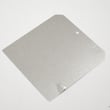
Panasonic Cover
Part #F20555K00AP
This item is not returnable
In Stock
$12.90
13% OFF Phone Price : $14.90
Qty
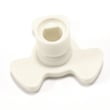
Panasonic Tt Couplng
Part #F21315Y00AP
This item is not returnable
In Stock
$15.62
11% OFF Phone Price : $17.62
Qty
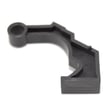
Panasonic Hook Lever
Part #F31384650AP
This item is not returnable
In Stock
$7.38
Qty
Popular maintenance items for Camcorders

Cover-drum
In Stock
$26.75
Qty
Opti.block
In Stock
$55.52
Qty
Pin Dia1
Part #366948102
This item is not returnable
In Stock
$7.84
Qty
Radiation
In Stock
$10.31
Qty
Cab.asy
In Stock
$47.99
Qty
Plate,defl
Part #263881601
This item is not returnable
In Stock
$6.36
Qty
Dubbing video from your Panasonic camcorder to a VCR
- Connect the audio/video cord to the audio and video outlet jacks on your camcorder. Connect the other end of the audio/video cord to the audio in and video in jacks on the back of your VCR.
- Insert a pre-recorded take into the camcorder and power the camcorder on.
- Turn the VCR on and set the input signal selector to the Line In source.
- Press Play and Record then Pause on the VCR to set up the VCR for recording the video signal from the camcorder.
- Find the beginning of the video that you want to record on the tape in the camcorder. Press Play on the camcorder then press the Pause button on the VCR to play the camcorder tape and record the camcorder video signal on the VCR.
Cleaning the eyepiece on your Panasonic camcorder
- Turn the camcorder power off and unplug the power cord. Pull the battery pack off the camcorder.
- Turn the eyepiece 1/8 of a turn counterclockwise to release it from the camcorder body and pull the eyepiece free from the camcorder. Set the eyepiece on a padded surface.
- Remove any lint or dust particles from the eyepiece lens using a soft, clean, lint-free cloth. Be careful not to scratch the eyepiece lens surface while cleaning.
- Clean the body of the eyepiece using a soft cloth moistened with mild detergent and water. Rinse off detergent residue from the eyepiece body using a damp cloth moistened with plain water. Dry the eyepiece body thoroughly with a dry, soft cloth.
- Position the eyepiece on the camcorder body and line up the marks on the eyepiece body with the grooves in the eyepiece receptacle on the camcorder body. Attach the eyepiece to the camcorder and rotate the eyepiece 1/8 turn clockwise to lock the eyepiece in place.
Parts & More
Bottom-Mount Refrigerator
Countertop Microwave
Electric Range
Front-Engine Lawn Tractor
Gas Walk-Behind Mower
Log Splitter
Range Hood
Room Air Conditioner
Side-By-Side Refrigerator
Water Heater