- Kenmore refrigerator water filters
- Whirlpool refrigerator water filters
- Samsung refrigerator water filters
- GE refrigerator water filters
- LG refrigerator water filters
- Frigidaire refrigerator water filters
- KitchenAid refrigerator water filters
- Maytag refrigerator water filters
- Kenmore Elite refrigerator water filters
- Estate refrigerator water filters
- GE Profile refrigerator water filters
- Amana refrigerator water filters
- Bosch refrigerator water filters
- Dacor refrigerator water filters
- Electrolux refrigerator water filters
Top DIY repair help
View All Repair Categories
Appliances
Lawn & Garden
Power Tools
Home Improvement
Sports & Leisure
Heating & Cooling
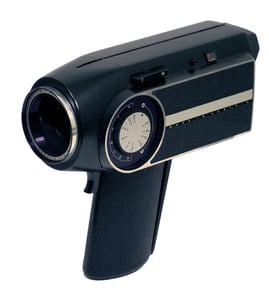
Hitachi 8mm camcorder Parts — Browse All Models
Hitachi 8mm camcorders are packed with the advanced features that you look for in a recording device. Precision lenses in Hitachi 8mm camcorders help capture images and action accurately and clearly. When your Hitachi 8mm camcorder needs repair, find the replacement parts you need at Sears PartsDirect.
Browse by Category
8mm Camcorders

 Owner’s manual
Frequently bought Hitachi parts

Hitachi Flat Belt
In Stock
$11.28

Qty

Hitachi Sq Cut Bel
In Stock
$10.26
Qty
Hitachi Transformer
In Stock
$76.08
Qty
Hitachi Cathode Ray Tube Assembly
In Stock
$131.49
Qty
Hitachi Home Electronics Integrated Circuit
In Stock
$10.74
Qty
Hitachi Sq Cut Bel
In Stock
$10.26
Qty
Popular maintenance items for 8mm Camcorders
Roller Assembly
In Stock
$17.01
Qty
Washer,poly;
Part #370143621
This item is not returnable
In Stock
$2.16
Qty
Head
In Stock
$120.11
Qty
Ic
In Stock
$18.74
Qty
Coil Spring
Part #372686501
This item is not returnable
In Stock
$2.16
Qty
Gear(a),dece
Part #373118101
This item is not returnable
In Stock
$7.06
Qty
Dubbing video from your Hitachi 8mm camcorder to a VCR
- Connect the audio/video cord to the audio and video outlet jacks on your camcorder. Connect the other end of the audio/video cord to the audio in and video in jacks on the back of your VCR.
- Insert a pre-recorded take into the camcorder and power the camcorder on.
- Turn the VCR on and set the input signal selector to the Line In source.
- Press Play and Record then Pause on the VCR to set up the VCR for recording the video signal from the camcorder.
- Find the beginning of the video that you want to record on the tape in the camcorder. Press Play on the camcorder then press the Pause button on the VCR to play the camcorder tape and record the camcorder video signal on the VCR.
Cleaning the eyepiece on your Hitachi 8mm camcorder
- Turn the camcorder power off and unplug the power cord. Pull the battery pack off the camcorder.
- Turn the eyepiece 1/8 of a turn counterclockwise to release it from the camcorder body and pull the eyepiece free from the camcorder. Set the eyepiece on a padded surface.
- Remove any lint or dust particles from the eyepiece lens using a soft, clean, lint-free cloth. Be careful not to scratch the eyepiece lens surface while cleaning.
- Clean the body of the eyepiece using a soft cloth moistened with mild detergent and water. Rinse off detergent residue from the eyepiece body using a damp cloth moistened with plain water. Dry the eyepiece body thoroughly with a dry, soft cloth.
- Position the eyepiece on the camcorder body and line up the marks on the eyepiece body with the grooves in the eyepiece receptacle on the camcorder body. Attach the eyepiece to the camcorder and rotate the eyepiece 1/8 turn clockwise to lock the eyepiece in place.
Parts & More
Air Compressor
Bottom-Mount Refrigerator
Electric Line Trimmer
Front-Engine Lawn Tractor
Gas Range
Line Trimmer
Parts
Power Sander
Refrigerator
Room Air Conditioner
Side-By-Side Refrigerator
Trash Compactor
Weight System
Wet/Dry Vacuum