- Kenmore refrigerator water filters
- Whirlpool refrigerator water filters
- Samsung refrigerator water filters
- GE refrigerator water filters
- LG refrigerator water filters
- Frigidaire refrigerator water filters
- KitchenAid refrigerator water filters
- Maytag refrigerator water filters
- Kenmore Elite refrigerator water filters
- Estate refrigerator water filters
- GE Profile refrigerator water filters
- Amana refrigerator water filters
- Bosch refrigerator water filters
- Dacor refrigerator water filters
- Electrolux refrigerator water filters
Top DIY repair help
View All Repair Categories
Appliances
Lawn & Garden
Power Tools
Home Improvement
Sports & Leisure
Heating & Cooling
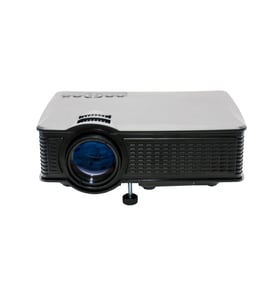
Empire Office Parts — Browse All Models
When you depend on Empire office products to keep your business going, you'll need to fix any equipment failures quickly. Although Empire office products rarely break down, you can never tell when a failure will occur. Sears PartsDirect has the Empire office product parts you need to fix any equipment failure.

Popular maintenance items for Office
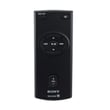
Remote Commander (rm-x400)
In Stock
$25.03
19% OFF Phone Price : $31.03

Qty


Agri-fab Lawn & Garden Equipment Washer
Part #44008
This item is not returnable
In Stock
$2.74
27% OFF Phone Price : $3.74
Qty
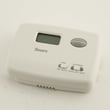
Sears Central Air Conditioner Wall Control Thermostat
In Stock
$25.59
25% OFF Was : $34.12
Qty
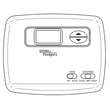
Sears White-rodgers Thermostat
In Stock
$16.80
40% OFF Was : $28.00
Qty

Spring(9142)
In Stock
$29.13
Qty
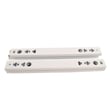
Refrigerator Drawer Slide Rail Assembly
In Stock
$42.92
12% OFF Phone Price : $48.92
Qty
Maintenance tips for your Empire office equipment
- Keep equipment positioned properly so cooling airflow reaches control boards in the unit. Many office machines have control boards that generate heat during operation. Failure to properly position equipment to ensure proper airflow can damage control boards and cause premature equipment failure.
- Clear paper jams quickly. Paper jams can cause excessive wear or damage to levers and other moving parts in the equipment.
- Clean the equipment regularly. Clean dust and dirt out of all air vent slots. Clean debris and residue out of internal equipment parts. Keep covers closed when equipment isn't in use.
- Have your equipment serviced by a technician periodically to prevent unexpected failures.
Common Empire printer error messages
- Access Denied. The printer feature that you want to use is restricted by a function lock. Disable the function lock to use the feature.
- Calibrate. The color calibration function failed. Turn the machine off and wait a few seconds, then turn it on again. Perform the color calibration function using the control panel. If the printer still won't calibrate the color, replace the belt unit.
- Cartridge Error. The toner cartridge isn't installed correctly. Remove the toner cartridge and install it correctly.
- Belt End Soon. The belt is nearly worn out. Install a replacement belt unit.
Parts & More
Bottom-Mount Refrigerator
Cooktop
Dishwasher
Downdraft Ventilation System
Front-Engine Lawn Tractor
Furnace
Gas Pressure Washer
Gas Snowblower
Gas Walk-Behind Mower
Laundry Center
Parts
Power Saw
Speaker