- Kenmore refrigerator water filters
- Whirlpool refrigerator water filters
- Samsung refrigerator water filters
- GE refrigerator water filters
- LG refrigerator water filters
- Frigidaire refrigerator water filters
- KitchenAid refrigerator water filters
- Maytag refrigerator water filters
- Kenmore Elite refrigerator water filters
- Estate refrigerator water filters
- GE Profile refrigerator water filters
- Amana refrigerator water filters
- Bosch refrigerator water filters
- Dacor refrigerator water filters
- Electrolux refrigerator water filters
Top DIY repair help
View All Repair Categories
Appliances
Lawn & Garden
Power Tools
Home Improvement
Sports & Leisure
Heating & Cooling
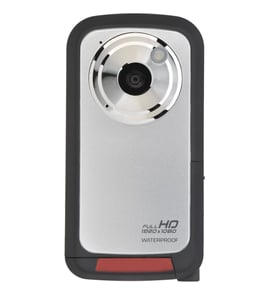
Canon Camcorder Parts — Browse All Models
Canon camcorders accurately record live action to digital storage so you can playback the recording any time. Canon builds camcorders with top-quality lenses and sensors to recordings come out bright and clear. When your Canon camcorder isn't working as it should, find the parts you need to fix the problem at Sears PartsDirect.
Browse by Category
Camcorders


Frequently bought Canon parts

Canon Service Manual
In Stock
$50.99

Qty

Popular maintenance items for Camcorders
Motor
In Stock
$92.51
Qty
Adaptor, A
In Stock
$44.19
Qty
Ret.claw
Part #417181801
This item is not returnable
In Stock
$7.22
Qty
Panasonic Br Frame
Part #VYK5J70
Replaced by #VYK5J70-1
Manufacturer substitution
This part replaces VYK5J70. Substitute parts can look different from the original.
In Stock
$20.50
Qty
Base Assembly
Part #X20244601
Replaced by #X-2024-460-1
Manufacturer substitution
This part replaces X20244601. Substitute parts can look different from the original.
This item is not returnable
In Stock
$6.36
Qty
Ic
In Stock
$43.10
Qty
Common Canon camcorder replacement parts
- Audio/video cable. The audio/video cable connects the camcorder to a television or home theater system so you can watch recorded video.
- Battery charger. The battery charger charges the camcorder battery.
- Drum. The drum allows the record head to spin freely.
- Video lens. The video lens allows light into the camcorder for recording images.
Maintenance tips for your Canon camcorder
- Use a soft, dry cloth the camcorder body and lens. Never use chemically treated cloth or volatile solvents such a paint thinner to clean the camcorder body or lens.
- Clean the LCD screen using a lens cleaning cloth.
- Condensation may form on the LCD screen when temperature changes suddenly. Wipe off condensation immediately using a soft, dry cloth.
- For long-term storage, store the camcorder in a dust-free location with low humidity and ambient temperatures not higher the 86-degrees F.
- After storage, clean the lens and LCD screen. Check that all camcorder functions are operating properly.
Parts & More
Central Air Conditioner
Cooktop
Dishwasher
Electric Range
Freestanding Freezer
Front-Engine Lawn Tractor
Gas Chainsaw
Gas Cooktop
Rear-Engine Riding Mower
Snow Blade
Walk-Behind Mower
Wall Oven/Microwave Combo
Weight System
Wine & Beverage Cooler