 Installation guide



What is the difference between 1.7 and 1.9 cu ft microwave?
A 1.9 cu ft microwave gives you 0.2 cu ft more interior cooking space than a 1.7 cu ft model, so larger plates and taller containers fit more comfortably. For Maytag MMV5219DS1, use the MMV5219DS1 installation guide to match the required cabinet opening, mounting, and venting.
What the extra 0.2 cu ft typically changes
- Fits larger cookware (wide dinner plates, casserole dishes)
- More clearance so food is less likely to touch the cavity walls
- Easier stirring and repositioning of containers
- Often a bit more usable turntable clearance (varies by model)
- No automatic increase in cooking power; wattage depends on the specific microwave
What to verify for an over-the-range replacement
Even when two over-the-range microwaves are close in capacity, installation requirements can differ. Confirm these items before you buy:
- Upper cabinet bolt pattern and bolt length guidance
- Wall mounting plate alignment and stud requirements
- Venting method (recirculating, roof venting, wall venting)
- Duct size and transition clearance requirements
Quick comparison
| Item | 1.7 cu ft | 1.9 cu ft |
|---|---|---|
| Interior capacity | Smaller | Larger |
| Large dish fit | Tighter | Easier |
| Exterior fit | Must be verified by install specs | Must be verified by install specs |
| Wattage | Model-specific | Model-specific |
Why it matters
Capacity affects day-to-day usability, but installation fit determines whether the microwave mounts safely and vents correctly. The MMV5219DS1 installation instructions also cover key venting design details (ducting, elbows, and clearances) that can prevent poor airflow and noisy operation.
Last updated: January 2026
What are the most common issues with MMV5219DS1?
The most common issues we see with the Maytag MMV5219DS1 microwave/hood combo are no heat, dead display or no power, door not latching or not starting, sparking inside the cavity, and weak or noisy venting. Many of these symptoms trace to door switches, a blown fuse, or airflow and filter problems.
Common MMV5219DS1 symptoms and likely causes
- Microwave runs but doesn’t heat: high-voltage component failure (often a diode or related heating circuit parts)
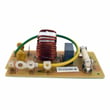
- No power, blank display, or unit goes dead: blown microwave fuse or a loose/failed fuse connection
- Won’t start, starts then stops, or door error behavior: worn or misaligned door interlock switches and latch parts
- Sparking or burning smell: damaged waveguide cover, metal in the cavity, or food splatter causing arcing
- Poor venting or loud airflow noise: clogged grease filter, blocked vent path, or blower issues
Quick checks we recommend first
- Confirm power: make sure the outlet is working and the breaker is fully reset.
- Check door closing: the door must close firmly; a weak latch or switch can prevent operation.
- Inspect the filter: clean or replace the grease filter if airflow is reduced.
- Look for arcing causes: remove any metal rack/foil contact, clean splatter, and inspect the waveguide cover.
- If it’s dead: a fuse check is a common next step (unplug first).
Parts that commonly fix these problems
| Symptom | Common part to check/replace | Example part on this model |
|---|---|---|
| Dead/no power | Fuse | Microwave fuse W11707984 |
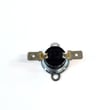
| Won’t start/door issues | Door interlock switch | Microwave door interlock switch W10269458 |
| Runs but no heat | High-voltage diode | Diode W11256462 |
| Sparking near right wall | Waveguide cover | Microwave waveguide cover W10533497 |
| Poor venting | Grease filter | Filter W10208631A |
Why it matters
Microwaves use door interlocks as a primary safety system; if a switch or latch is failing, the unit may not run at all or may blow the fuse. Heating and high-voltage issues can also mimic simple power problems, so matching the symptom to the right circuit saves time and avoids repeat failures.
Installation and service notes
For access panels, mounting, and venting configuration details specific to MMV5219DS1, follow the installation guide.
Last updated: March 2026
How do I find the model number on my MMV5219DS1?
On the Maytag MMV5219DS1 microwave/hood combo, we find the model number on the model and serial number plate located behind the microwave door on the front frame. Open the door and look along the front-facing frame area for the label.
Where to look (quick checklist)
- Open the microwave door fully
- Check the front frame (the face of the microwave opening)
- Look for a model and serial number plate or sticker
- Use a flashlight if the label is hard to see
- Write down the full model number and serial number exactly as shown
What the label looks like
Most microwave/hood combos use a small rating plate that includes both the model number and serial number. It is typically on the front frame behind the door (not inside the cooking cavity).
| Item on label | Why you need it |
|---|---|
| Model number (MMV5219DS1) | Ensures the correct Maytag parts and diagrams match your exact unit |
| Serial number | Helps identify production details when ordering certain parts |
Why it matters
Using the exact model number prevents ordering the wrong door switch, fuse, filter, or mounting hardware. Even small model variations can use different electrical parts and mounting components.
Tip for installation and replacement parts
If you are checking the model number for an over-the-range install or reinstall, the installation guide also references the model/serial plate location and the information you will need.
Last updated: March 2026





