 Installation guide
 Owner’s manual



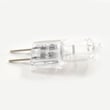

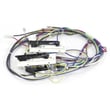

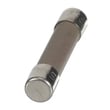
Does KitchenAid sell replacement parts?
Yes. For your KitchenAid KOCE500ESS08 wall oven/microwave combo, KitchenAid specifies using factory specified replacement parts so the part fits right and works right. You can also order model-matched replacement parts and accessories using the KOCE500ESS08 parts list and the owner's manual.
What “replacement parts” includes for this model
KitchenAid replacement parts can mean either internal repair parts (like controls and switches) or user-replaceable accessories.
Common examples for KOCE500ESS08 include:
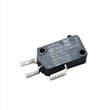
- Microwave safety parts such as the microwave door switch W10211972
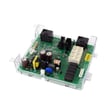
- Electronic components such as the control (with power supply) W11179310
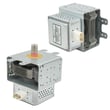
- Microwave heating components such as the magnetron W11346197
- Oven heating components such as the range bake element W11545804
- Microwave accessories (turntable parts, racks, trays) listed in the manual
How to make sure you get the right part
Use your full model number (KOCE500ESS08) and match the part by description and identifier.
Checklist before ordering:
- Confirm the model number on the appliance ID tag matches KOCE500ESS08
- Compare the part name and part ID to what you need (switch, control board, latch, sensor)
- Review any notes in the owner's manual about accessories and “factory specified parts”
- If you are replacing an electrical part, shut off power at the breaker before servicing
Quick guide: parts vs. accessories
| Item type | What it is | Typical examples |
|---|---|---|
| Repair part | Fixes a failure or restores operation | Control board, door switch, temperature sensor |
| Accessory | Improves use, replaces a removable item | Turntable, rack, baking tray, cleaner |
Why it matters
Microwave and wall oven combos rely on door interlocks, controls, and sensors to operate safely and heat correctly. Using factory specified parts helps maintain proper fit, electrical connections, and performance.
Last updated: February 2026
Why is the display not working on my KitchenAid microwave oven combo?
If the display on your KitchenAid KOCE500ESS08 wall oven/microwave combo is not working, the most common causes are a power interruption (the unit may show “PF” after power is restored), a control not completing its initial clock setup, or a failed control component. Start with a power reset and basic display checks from the owner's manual.
Quick checks that fix many “blank display” problems
- Confirm the unit has power at the breaker (double wall oven/microwave combos often use a dedicated circuit).
- If the display briefly lights and shows “PF”, set the clock and test operation.
- Touch CANCEL once, then try waking the control with a keypress.
- If the timer display is flashing 12:00, enter the time and touch START (the oven may not operate until this is done).
- If the microwave is not running, the upper microwave display can be blank by design when idle.
Power reset (safe first step)
- Turn the circuit breaker OFF for 2 to 5 minutes.
- Turn it ON.
- Watch for the display to light briefly and/or show PF, then set the clock.
When it points to a part problem
If the display stays completely dark after a confirmed power reset, the issue is typically in the control or power supply path.
Common parts involved on KOCE500ESS08 include:
- Control (with power supply) W11179310 (no display, dead control, intermittent power)
- Wiring connections or harness issues (loose plug, pinched wire during installation)
Symptom-to-likely-cause guide
| What you see | What it usually means | What to do next |
|---|---|---|
| “PF” appears | Power was interrupted | Set clock, test heating/cooking |
| 12:00 flashing | Clock not set | Enter time, press START |
| Microwave display blank only when idle | Normal behavior on combo models | Start a cook cycle to confirm |
| No lights, no display at all | Control/power supply or wiring issue | Inspect connections, consider control replacement |
Why it matters
A blank or unresponsive display can prevent normal operation and can also hide error prompts and timing information. Restoring stable power and completing the initial clock setup are the fastest ways to get the control working again.
Last updated: February 2026
What is the error code F1E5 on a KitchenAid microwave oven combo?
On the KitchenAid KOCE500ESS08 electric oven/microwave combo, error code F1E5 points to a control-related fault that is commonly triggered by an input or sensing problem (such as a door-interlock issue) or an overheating condition. Start with a safe power reset and a door-check before replacing parts; see the owner's manual.
Quick checks we recommend first
- Turn the unit off, then shut off power at the breaker for 1 minute and restore power.
- Open and close the microwave door firmly; confirm it latches smoothly and sits square.
- Remove any debris around the door edges and latch area; wipe with a damp cloth and dry.
- If the code appears during convection or combination cooking, let the unit cool completely and retry.
- If the display or keypad behaves erratically (random beeps, unresponsive keys), suspect an electronic control issue.
Parts that commonly relate to F1E5 symptoms
If the code returns after a reset and door check, these model-listed parts are common suspects depending on symptoms:
| Symptom you see | Most likely area | Example part on this model |
|---|---|---|
| Code appears when closing/opening door, unit will not start | Door interlock circuit | Microwave door switch W10211972 |
| Dead display, intermittent power, repeated fault codes | Main control/power supply | Control (with power supply) W11179310 |
| Poor heating plus fault behavior during microwave operation | High-voltage system | Magnetron W11346197 |
Why it matters
The microwave door interlock system is a primary safety circuit; if the control does not see the correct door-switch signals, it can stop operation and post a fault. Overheating or unstable power to the control can also cause false inputs and repeated error codes.
When to stop and get service
- The breaker trips, you smell burning, or you see arcing.
- The unit runs with the door not fully latched.
- F1E5 returns immediately after a reset and basic door inspection.
Last updated: February 2026
Can you replace the microwave on a wall oven microwave combo?
On the KitchenAid KOCE500ESS08 wall oven/microwave combo, the microwave section is not designed to be swapped out as a separate, standalone appliance. In practice, you either repair the microwave components inside the combo, or replace the entire built-in combination unit; see the installation guide for how the unit is installed as one assembly.
What you can do instead (repair options)
If the microwave side is failing, we focus on diagnosing and replacing the failed component(s) rather than trying to replace the whole microwave cavity.
Common repair paths include:
- Replace a failed door interlock switch if the unit will not start or stops when the door is moved (see microwave door switch W10211972).
- Replace the magnetron if the microwave runs but does not heat (see magnetron W11346197).
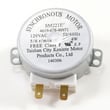
- Replace the turntable motor if the tray does not rotate (see microwave turntable motor W10911403).
- Replace the waveguide cover if it is burned, arcing, or damaged (see o mica plate W10915651).
- Check wiring connections and harness routing if symptoms are intermittent (the combo uses multiple harnesses and control connections).
Quick checks before ordering parts
Always shut off power at the breaker before accessing internal components.
- Confirm the display is on and not showing a power interruption message (often shown after power loss).
- Verify the door closes firmly and the latch area is not loose or misaligned.
- Listen for the cooling fan and normal relay clicks when starting a cook cycle.
- If the microwave runs with no heat, stop using it and move to component-level diagnosis.
- Use the diagnostic and settings info in the owner's manual to confirm features like turntable settings.
Repair vs. replace: what typically makes sense
| Situation | Usually best next step |
|---|---|
| No start, door-related symptoms | Test/replace door switch or latch-related parts |
| Runs but no heat | Diagnose high-voltage components (often magnetron-related) |
| Multiple failures, heavy damage, or major cabinet issues | Replace the full combo unit |
Why it matters
A built-in combo is installed, wired, and secured as a single appliance in the cabinet cutout. That design makes “microwave-only replacement” impractical; targeted part replacement is the normal, cost-effective fix.
Last updated: February 2026

