 Installation guide
 Owner’s manual




What are the most common issues with JVM6175DK1WW?
The most common issues we see with the GE JVM6175DK1WW microwave/hood combo are no heat, the unit not powering on, the turntable not rotating, and vent or light problems. These symptoms usually trace to door-interlock parts, thermal cut-offs, or high-voltage components.
Common symptoms and what they usually point to
- Runs but does not heat: magnetron, high-voltage diode, or high-voltage capacitor
- Dead (no display, no response): thermal cut-off, noise filter, wiring, or control board
- Starts then stops: overheating protection (thermostat or thermal cut-off), cooling fan issue
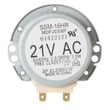
- Turntable not turning: turntable motor or coupler
- Door won’t close or won’t start when door is shut: latch body, switch lever, or door micro-switch
- Dim or out cooktop light: light bulb or lamp cover
Parts that commonly relate to these issues
If your symptom matches one of the items below, these model-compatible parts are common fixes:
| Symptom | Common part to check | Example part on this model page |
|---|---|---|
| No heat | Magnetron | Microwave magnetron WB27X11079 |
| No heat | High-voltage diode | Microwave high-voltage diode WB27X1160 |
| No heat | High-voltage capacitor | Microwave high-voltage capacitor WB27X10011 |
| Won’t start with door closed | Door switch | Micro-switch WB24X830 |
| Dead or stops mid-cycle | Thermal protection | Microwave thermal cut-off WB24X29270 |
| Turntable not rotating | Turntable motor | Microwave turntable motor WB26X10233 |
Quick checks we recommend first
- Confirm the door closes firmly and the latch feels solid (interlock issues are common).
- Try a different outlet; reset the kitchen breaker if it tripped.
- Listen for the cooling fan during cooking; poor airflow can trigger thermal cut-offs.
- If the turntable is the only issue, inspect the coupler and tray support for damage.
- For venting complaints, clean the grease filter regularly and replace the charcoal filter if you recirculate.
Why it matters
Microwave/hood combos like the JVM6175DK1WW rely on door interlocks and thermal safety devices to prevent unsafe operation. When those parts wear or overheat, the microwave may stop, go dead, or refuse to heat even though the display still works.
For model-specific operating details and maintenance steps (filters, light access, and venting setup), use the owner's manual.
Last updated: March 2026
What is the average lifespan of JVM6175DK1WW?
The average lifespan of the GE JVM6175DK1WW microwave/hood combo is 10 years with normal household use. Keeping the vent filters clean, ensuring good airflow, and fixing door-latch issues early helps the magnetron and control board last longer.
What affects lifespan most
- Ventilation and heat: Grease buildup and restricted airflow raise internal temperatures.
- Door closing and interlocks: A misaligned latch can stress safety switches.
- Power quality: Frequent surges and brownouts shorten electronic life.
- Usage patterns: Long cook times and repeated back-to-back cycles add wear.
- Cleaning habits: Food splatter and steam can damage interior surfaces and components.
Maintenance that extends service life
Use these practices for JVM6175DK1WW:
- Wash the grease filter regularly; replace if damaged (see microwave grease filter WB06X10596).
- Replace the charcoal filter on recirculating setups when odors linger (see microwave charcoal filter WB02X11536).
- Keep the intake and exhaust paths clear; do not block the top vents.
- Avoid running the microwave empty; it overheats the magnetron.
- Use cookware labeled microwave-safe to prevent arcing.
Common “end-of-life” symptoms and what they usually mean
| Symptom | Most common cause area | Typical next step |
|---|---|---|
| Runs but does not heat | High-voltage system | Diagnose heating circuit; many repairs involve pro service |
| Dead display/no power | Line fuse, noise filter, control | Check power supply path and connections |
| Stops mid-cycle | Overheat protection | Improve airflow; check thermostats/thermal cut-offs |
| Door won’t start unit | Interlock/latch system | Inspect latch and switches; replace worn parts |
Why it matters
A microwave/hood combo is both a cooking appliance and a ventilation system; when airflow is restricted, internal heat rises and shortens the life of key components like the magnetron, thermostats, and main board.
For model-specific care and filter access steps, follow the JVM6175DK1WW owner’s manual.
Last updated: March 2026
What is the difference between 1.7 and 1.9 cu ft microwave?
A 1.9 cu. ft. microwave gives you about 0.2 cu. ft. more usable cavity space than a 1.7 cu. ft. model, so it fits larger dishes more comfortably. For an over-the-range unit like GE model JVM6175DK1WW, exterior fit is often similar, but you should confirm cutout and mounting requirements in the JVM6175DK1WW installation guide.
What changes in real-world use
That extra 0.2 cu. ft. usually shows up as a little more room for wider or taller cookware.
- Better fit for larger casserole dishes and bigger dinner plates
- Less chance of food touching the side walls (helps reduce splatter and hot spots)
- More flexibility when using taller microwave-safe containers
- Slightly easier stirring and repositioning of food mid-cycle
What usually stays the same (especially over-the-range)
Many 1.7 and 1.9 cu. ft. over-the-range microwaves are designed to fit the same general space above a range, but the exact mounting plate position, cabinet cutout, and venting setup can differ by model.
| Feature | 1.7 cu. ft. (typical) | 1.9 cu. ft. (typical) |
|---|---|---|
| Interior capacity | Smaller | Larger |
| Exterior width | Often similar | Often similar |
| Wattage | Often similar | Sometimes higher |
| Vent fan | Varies by model | Varies by model |
How to choose the right size for your kitchen
Use these checks before you buy or swap models:
- Measure your largest plate or casserole (diameter and height)
- Confirm cabinet opening and clearance above the cooktop
- Verify venting type (recirculating vs. outside vent) and duct location
- Match mounting hardware requirements to your cabinet and wall studs
- Compare features you actually use (sensor cooking, fan speeds, lighting)
Why it matters
Capacity affects what you can heat without rotating, tilting, or splitting food into smaller portions. Fit and venting matter even more on microwave/hood combos because the mounting plate and duct alignment determine whether installation is straightforward or requires cabinet modifications.
Last updated: February 2026


