Owner’s manual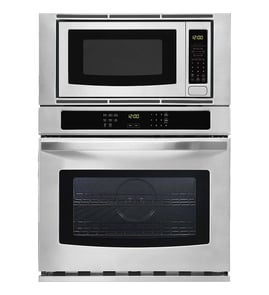

How to set clock on KitchenAid microwave oven combo?
To set the clock on your KitchenAid KBHC109JSS05 wall oven/microwave combo, touch CLOCK SET/START, enter the time using the number pads, then touch CLOCK SET/START (or START) again to save. This model uses a 12-hour clock and does not display a.m. or p.m.; see the KBHC109JSS05 owner's manual.
Steps to set the time
- Make sure the upper oven, lower oven, Timer, and any Timed Cooking are off.
- Touch CLOCK SET/START.
- Use the number pads to enter the time of day.
- Touch CLOCK SET/START or START to confirm.
- If you see a power-failure message (such as PF), clear it with CANCEL and then reset the clock.
If the clock is missing from the display
You can hide or show the time-of-day display from the control panel.
| What you want | What to do | What to expect |
|---|---|---|
| Remove time of day | Touch and hold CLOCK SET/START for 5 seconds | Time disappears from the display |
| Return time of day | Touch CLOCK SET/START | Time returns (usually without needing to reset) |
Why it matters
The clock setting affects how the control behaves after a power interruption and helps you use timed features accurately (Timer and Timed Cooking). If the time is wrong, cooking schedules and reminders can be off.
Last updated: January 2026
How to reset a KitchenAid wall oven?
To reset your KitchenAid KBHC109JSS05 wall oven/microwave combo, turn power off at the breaker for about 1 minute, then restore power. When power returns, the display may show a power-failure message; press the appropriate CANCEL key to clear it and reset the clock if needed (see the KBHC109JSS05 owner’s manual).
Quick reset steps (power cycle)
- Turn OFF the circuit breaker (or remove the fuse) that supplies the wall oven.
- Wait 60 seconds.
- Turn the breaker ON.
- If the display shows “PF id = 27” or “PF id = 30”, press LOWER OVEN CANCEL, UPPER OVEN CANCEL, or CANCEL OFF (varies by model) to clear it.
- Reset the clock if needed.
If the control panel seems “stuck” (not a full reset)
Sometimes the oven is not failed; it is locked or waiting for a cancel.
- Control Lock on: Touch and hold 3 CONTROL LOCK for about 3 seconds to unlock.
- “Err” on display: Press the appropriate CANCEL key, then re-enter the setting.
- “RETRY” flashes: Re-enter the selection; an invalid pad was touched.
What you should see after a successful reset
| Situation | What it means | What to do |
|---|---|---|
| Display lights up for ~5 seconds at power-up | Normal startup | Wait for prompts to finish |
| “PF id = 27” or “PF id = 30” | Power failure detected | Press CANCEL, reset clock |
| Display returns to time of day | Normal idle mode | Start cooking as usual |
Why it matters
A reset clears many temporary control glitches after a power interruption and helps restore normal keypad response, clock operation, and cooking functions without replacing parts.
Last updated: January 2026
Why is my KitchenAid oven display not showing?
If the display on your KitchenAid KBHC109JSS05 wall oven/microwave combo looks blank, the most common causes are a recent power interruption (the control may be waiting for a cancel/clock reset), a tripped breaker or loose power connection, or a failed control or fuse in the unit.
What to check first (fast, no tools)
- Confirm the unit has power: check the home breaker(s) for the wall oven and reset fully OFF then ON.
- Look for a power-failure message: when power is restored, the display can show a “PF” code that clears by pressing CANCEL and then resetting the clock (see the KBHC109JSS05 owner’s manual).
- Try a control reset: turn the breaker OFF for 5 minutes, then restore power.
- Press the correct cancel key: use LOWER OVEN CANCEL, UPPER OVEN CANCEL, or CANCEL OFF (varies by model).
- If the lower oven is not in use, its display can be blank by design; the upper display typically shows time of day when idle.
If the display is still blank (likely electrical or control issue)
A blank display after confirming power usually points to an internal power-supply problem (fuse, fuse holder, wiring) or a failed electronic control.
| Symptom | Most likely area | What we recommend |
|---|---|---|
| Completely dead, no lights, no response | Power supply to unit, internal fuse | Check breaker and wiring; test/replace fuse (black) WP4375321 if applicable |
| Display flickers or resets | Loose connection, failing component | Inspect connections; check terminal block and harness seating |
| Works sometimes, door-related behavior | Door switch circuit | Inspect/replace microwave door interlock switch W10211972 if symptoms match |
Why it matters
A blank display is often a power-interruption or power-delivery problem, but it can also be an internal fuse opening to protect the control. Restoring stable power and clearing a PF condition prevents unnecessary parts replacement and helps you pinpoint whether the issue is in the home supply or inside the appliance.
Last updated: January 2026