
Get free shipping on your order, with any water filter subscription. Find my filter

Open Hamburger Menu
Sears Parts Direct
Tips to find your model number

Jenn-Air JMW2430LL02 electric oven/microwave combo Parts

Here are the diagrams and repair parts for Jenn-Air JMW2430LL02 electric oven/microwave combo, as well as links to manuals and error code tables, if available.

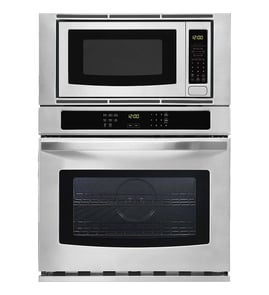
Jenn-Air JMW2430LL02 electric oven/microwave combo
By Schematic
By Part
SELECT DIAGRAM
?

This is the number corresponding to the part on the diagram / schematic

Browse Parts for JMW2430LL02 Electric Oven/Microwave Combo

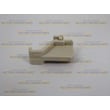
  • Microwave Door Interlock Switch for Jenn-Air JMW2430LL02 - Part W10211972

    Cabinet and stirrer parts diagram

    Switch

    Part #461967848881

    Replaced by #W10211972

    Info Icon
    Manufacturer substitution
    This part replaces 461967848881. Substitute parts can look different from the original.
    In Stock
    $37.39
    14% OFF Phone Price : $43.39Info Icon
    Minus Item
    Qty
    Plus Item
  • Blower, Mine for Jenn-Air JMW2430LL02 - Part W11598119

    Control panel parts diagram

    Blower

    Part #W11397930

    Replaced by #W11598119

    Info Icon
    Manufacturer substitution
    This part replaces W11397930. Substitute parts can look different from the original.
    In Stock
    $153.23
    10% OFF Was : $170.26Info Icon
    Minus Item
    Qty
    Plus Item
  • Appliance Silicone Sealant for Jenn-Air JMW2430LL02 - Part WP482338

    Optional parts (not included) diagram

    Adhesive

    Part #482338

    Replaced by #WP482338

    Info Icon
    Manufacturer substitution
    This part replaces 482338. Substitute parts can look different from the original.
    In Stock
    $21.65
    35% OFF Was : $33.32Info Icon
    Minus Item
    Qty
    Plus Item
  • Range High-limit Thermostat for Jenn-Air JMW2430LL02 - Part WP4449751

    Oven parts diagram

    Range High-limit Thermostat

    Part #4449751

    Replaced by #WP4449751

    Info Icon
    Manufacturer substitution
    This part replaces 4449751. Substitute parts can look different from the original.
    In Stock
    $123.71
    9% OFF Phone Price : $135.71Info Icon
    Minus Item
    Qty
    Plus Item
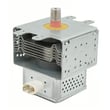
  • Magnetron 2m for Jenn-Air JMW2430LL02 - Part W11578959

    Cabinet and stirrer parts diagram

    Magnetron 2m

    Part #W11504545

    Replaced by #W11578959

    Info Icon
    Manufacturer substitution
    This part replaces W11504545. Substitute parts can look different from the original.
    In Stock
    $157.46
    Minus Item
    Qty
    Plus Item
  • Fuse for Jenn-Air JMW2430LL02 - Part W11188752

    Cabinet and stirrer parts diagram

    Fuse Mda 20a

    Part #241908600053

    Replaced by #W11188752

    Info Icon
    Manufacturer substitution
    This part replaces 241908600053. Substitute parts can look different from the original.
    This item is not returnable
    In Stock
    $11.41
    15% OFF Phone Price : $13.41Info Icon
    Minus Item
    Qty
    Plus Item
  • Interlock for Jenn-Air JMW2430LL02 - Part W11214928

    Cabinet and stirrer parts diagram

    Holder, Switch

    Part #W10876593

    Replaced by #W11214928

    Info Icon
    Manufacturer substitution
    This part replaces W10876593. Substitute parts can look different from the original.
    In Stock
    $48.16
    Minus Item
    Qty
    Plus Item
  • Microwave Turntable Tray Support for Jenn-Air JMW2430LL02 - Part W11110134

    Internal microwave parts diagram

    Microwave Turntable Tray Support

    Part #W10367316

    Replaced by #W11110134

    Info Icon
    Manufacturer substitution
    This part replaces W10367316. Substitute parts can look different from the original.
    In Stock
    $61.17
    9% OFF Phone Price : $67.17Info Icon
    Minus Item
    Qty
    Plus Item
  • Microwave Turntable Tray for Jenn-Air JMW2430LL02 - Part W11373838

    Internal microwave parts diagram

    Turntable, Glass

    Part #W11340343

    Replaced by #W11373838

    Info Icon
    Manufacturer substitution
    This part replaces W11340343. Substitute parts can look different from the original.
    In Stock
    $77.72
    7% OFF Phone Price : $83.72Info Icon
    Minus Item
    Qty
    Plus Item
  • Cooktop And Wall Oven Power Supply Board for Jenn-Air JMW2430LL02 - Part WPW10260060

    Control panel parts diagram

    Electronic Control Board

    Part #W10260060

    Replaced by #WPW10260060

    Info Icon
    Manufacturer substitution
    This part replaces W10260060. Substitute parts can look different from the original.
    In Stock
    $219.03
    5% OFF Phone Price : $231.03Info Icon
    Minus Item
    Qty
    Plus Item

Jenn-Air Electric Oven/Microwave Combo JMW2430LL02 FAQs

Common signs your JMW2430LL02 microwave is faulty include weak or uneven heating, unusual buzzing or grinding, burning smells, sparking, a door that does not latch cleanly, or a dead keypad or display. These symptoms often point to a failing safety interlock, turntable drive, or internal power components.

What you can check right away (safe checks)

  • Confirm the door closes fully and the latch feels solid (no sagging or bounce-back).
  • Listen for the normal hum plus fan; loud buzzing, rattling, or grinding is a red flag.
  • Watch the turntable; if it stops or jerks, heating can become uneven.
  • Check for arcing or sparks (stop using it immediately if you see this).
  • Note any burning smell, especially if it appears quickly after starting.

Symptoms and the most common causes

Symptom What it usually means What we typically replace
Runs but barely heats High-voltage system problem Inverter or related components
Starts then stops when door moves Door safety circuit issue Switch W10211972 or related door parts
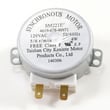
Turntable not rotating Turntable drive issue Microwave turntable motor W10911403 or tt drive ht W11179756
Completely dead (no lights) Power protection opened Fuse mda 20a W11188752 (and the cause)

Why it matters

A microwave that sparks, smells like burning, or has a door that will not latch correctly is a safety issue. The door interlock system is designed to prevent operation when the door is not fully secured, so ignoring door or switch symptoms can lead to bigger failures.

When to stop using it and schedule service

  • Sparking/arcing inside the cavity
  • Burning smell or visible smoke
  • Door will not close, latch, or stay aligned
  • Loud buzzing plus poor heating

Last updated: January 2026

A Jenn-Air wall oven typically lasts 15 years with normal household use and basic maintenance. For the Jenn-Air JMW2430LL02 wall oven/microwave combo, keeping airflow clear and fixing heating or cooling issues early helps you reach that expected lifespan.

Typical lifespan and what affects it

Most wall ovens land in a similar range, but real life depends on heat stress, ventilation, and how quickly small problems get corrected.

  • Typical wall oven lifespan: about 15 years
  • Heavy use (daily high-temp baking, frequent self-clean) can shorten life
  • Poor cabinet ventilation can overheat controls and wiring
  • Power surges can damage the electronic control board
  • Ignoring fan noise or weak heating often leads to bigger failures

Maintenance that helps you get the full 15 years

These are the highest-impact habits for a wall oven/microwave combo like JMW2430LL02.

  • Keep vents and trim areas free of grease and dust buildup
  • Avoid running self-clean back-to-back; let the oven cool fully between cycles
  • Use cookware that fits; oversized pans can block airflow and cause uneven baking
  • If the oven temperature seems off, address it early (don’t compensate by “guessing” hotter)
  • If you notice cooling fan noise or the unit runs hot, troubleshoot promptly

Parts that commonly influence longevity

When these parts start failing, performance drops and other components can be stressed.

Symptom Common area to check Example part for JMW2430LL02
Oven not heating evenly or takes too long to preheat Heating circuit Range bake element W11545804
Unit seems to run hot, fan noisy, or shuts down after heating Cooling/airflow Assembly, cooling fan W11344874
Random resets, dead display, or erratic operation Controls/power Electronic control board WPW10260060

Why it matters

A wall oven is built for long service, but heat and airflow are the deciding factors. Catching a weak bake element, failing cooling fan, or control issue early prevents secondary damage and helps the appliance reach its full expected life.

Last updated: January 2026

Jenn-Air cooking appliances commonly have heating problems (won’t heat or heats unevenly), control and display glitches, and fan or door-related issues. For the Jenn-Air JMW2430LL02 wall oven/microwave combo, the most frequent service-type failures involve the bake heating circuit, cooling airflow, and microwave door safety switching.

Common symptoms and what they usually point to

  • Oven not heating or slow to preheat: failed bake element, temperature control issue, or a safety thermostat opening
  • Uneven baking or hot spots: convection fan or airflow parts not moving air correctly
  • Unit shuts down or shows erratic behavior: control board or wiring harness connection problems
  • Microwave won’t run: door interlock switch not closing properly, fuse issue, or inverter problem
  • Loud fan noise or overheating cabinet: cooling fan or blower issue

Parts that commonly solve these problems on JMW2430LL02

Symptom Commonly involved part What it does
Oven won’t heat Range bake element W11545804 Provides heat for baking
Overheats or trips out Range high-limit thermostat WP4449751 Opens the circuit if temperatures get too high
Microwave won’t start Switch W10211972 Confirms the door is closed for safe operation
Random resets or dead display Electronic control board WPW10260060 Manages oven and microwave functions
Poor airflow or fan noise Assembly, cooling fan W11344874 Cools controls and moves air through the unit

Quick checks we recommend before replacing parts

  • Reset the breaker (turn it fully off, then on) to clear a control glitch.
  • Confirm the oven is set to Bake (not Delay Start, Sabbath, or a timed mode).
  • For uneven baking, test with an oven thermometer and try a different rack position.
  • For microwave issues, check that the door closes firmly and the latch area is clean.
  • If the unit overheats, stop using it until the cooling fan runs normally.

Why it matters

Heating, airflow, and door-safety circuits protect performance and safety. Catching a weak bake element, failing cooling fan, or worn door switch early helps prevent repeated shutdowns, poor cooking results, and additional component damage.

Last updated: January 2026

Repair guides for side-by-side refrigerators

How to replace an electronic control board on the back of a refrigerator

How to replace an electronic control board on the back of a refrigerator

If your refrigerator isn't running, an electronic control board failure could be the problem. A service technician can d…

Repair time and Difficulty

 15 minutes or less
How to replace a press-in door gasket in a side-by-side refrigerator

How to replace a press-in door gasket in a side-by-side refrigerator

The door gasket seals the gap around the door to keep the cold air in and the warm air out. Replace a worn or damaged do…

Repair time and Difficulty

 15 minutes or less
How to replace an ice maker in a side-by-side refrigerator

How to replace an ice maker in a side-by-side refrigerator

Learn how to replace the ice maker in a side-by-side refrigerator with these step-by-step instructions.…

Repair time and Difficulty

 30 minutes or less

Articles and videos for side-by-side refrigerators

How to reset the door alarm on a GE refrigerator

How to reset the door alarm on a GE refrigerator

Your fridge is tattling again. Here’s how to reset the door alarm on your GE refrigerator—and how to tell if the beeping…

How to Replace the Water Filter in a Kenmore Pro Refrigerator

How to Replace the Water Filter in a Kenmore Pro Refrigerator

Discover how easy it is to replace the water filter in a Kenmore Pro refrigerator.…

Common Refrigerator Ice Maker Problems and Solutions

Common Refrigerator Ice Maker Problems and Solutions

Find tips on how to fix the ice maker in your fridge when it isn't working or when it isn't working right.…