 Owner’s manual




Can I still use the microwave with the SE error?
Yes, you can use your Samsung SMH9207ST microwave again if the SE error clears after a power reset. Unplug the microwave (or switch off the breaker) for 1 to 2 minutes, restore power, and only cook if the keypad responds normally and the code stays off.
What the SE error usually means
SE commonly points to a stuck key or a keypad/control panel input problem. If the microwave beeps on its own, starts acting like buttons are being pressed, or the error returns quickly, treat it as an active control issue.
Safe checks to do before cooking
- Unplug the microwave for 1 to 2 minutes, then power it back on
- Press several keys; confirm they click and respond normally
- Try a short 10 to 20 second heat test with a cup of water
- Watch for the SE code returning during or after the test
- If the display is erratic, stop using it and disconnect power
When to stop using it and plan a repair
If the SE error comes back right away or the keypad is unresponsive, the microwave can start or run unexpectedly. In that case, disconnect power and follow the troubleshooting steps in the SMH9207ST owner's manual.
Common symptom-to-fix guide
| What you notice | What it points to | What we recommend |
|---|---|---|
| SE clears after reset and stays off | Temporary control glitch | Use normally; monitor for return |
| SE returns when you press keys | Keypad input problem | Inspect/replace the control interface |
| Random beeping or self-start behavior | Stuck key or control fault | Keep unplugged until repaired |
| SE returns after steam or heavy cooking | Moisture affecting keypad | Let it dry, then retest after reset |
Why it matters
The control panel is the “on/off switch” for the whole microwave. When it misreads inputs, it can cause unpredictable operation, so confirming stable keypad behavior before cooking protects your kitchen and the appliance.
Last updated: February 2026
How to hard reset a Samsung microwave?
To hard reset your Samsung SMH9207ST built-in microwave, we recommend a power reset: unplug the microwave (or switch the circuit breaker OFF) for 2 to 5 minutes, then restore power and set the clock. For model-specific button sequences, follow the SMH9207ST owner's manual.
Quick hard reset steps (recommended)
- Press Stop/Clear once to cancel cooking.
- Unplug the microwave, or turn the breaker OFF.
- Wait 2 to 5 minutes (this clears the control board memory).
- Restore power.
- Set the clock and test with a 30-second cup-of-water heat.
If the display is on but the keypad is acting up
A hard reset fixes many “frozen” control issues. If the problem returns right away, the issue is usually a stuck key, moisture on the keypad, or a failing control interface.
- Wipe the keypad dry and let it air out.
- Try holding Stop/Clear for 3 to 5 seconds (some Samsung models clear a fault state this way).
- If certain keys do not respond, inspect the microwave keypad DE34-00333A.
What a “hard reset” does (and does not do)
| Reset type | How you do it | What it fixes | What it will not fix |
|---|---|---|---|
| Power reset (hard reset) | Unplug or breaker OFF 2 to 5 minutes | Glitches, locked-up display, odd beeps | Bad door switch, failed heating circuit |
| Cancel/clear | Stop/Clear | Cancels a cook cycle | Persistent error conditions |
Why it matters
Microwaves like the SMH9207ST use an electronic control board; a full power reset is the fastest way to clear temporary logic faults before you spend time troubleshooting parts like the door interlock switch or high-voltage components.
Last updated: February 2026
What are common Samsung microwave problems?
Common problems on the Samsung SMH9207ST built-in microwave include not heating, not powering on, turntable issues, unusual noise, sparking, and keypad failures. We start with simple checks (power, settings, door fit), then test likely failed parts if symptoms persist; see the SMH9207ST owner's manual for model-specific operating and error guidance.
Most common symptoms and what they usually mean
- Runs but does not heat: door interlock issue, high-voltage component failure, or overheating protection open
- Dead (no display, no response): outlet/power supply issue, internal fuse, or control problem
- Turntable not spinning: turntable motor or mechanical obstruction
- Loud humming/buzzing: high-voltage section problem or cooling/vent fan issue
- Sparking/arcing: damaged waveguide cover area, metal in cavity, or food splatter buildup
- Buttons not working: keypad or control panel problem
Quick checks we recommend before replacing parts
- Confirm power: test the outlet with a lamp; reset the breaker if needed.
- Check the door: close it firmly; a misaligned door can prevent heating.
- Remove metal: no foil, metal-rimmed dishes, or twist ties.
- Clean the cavity: baked-on splatter can trigger arcing.
- Test with a cup of water: heat 1 cup for 60 seconds to confirm a true “no heat” condition.
Parts that commonly relate to these problems (SMH9207ST)
| Symptom | Common part area | Example part for this model |
|---|---|---|
| No heat (unit runs) | High-voltage circuit | Microwave high-voltage diode DE91-70063D |
| No heat or intermittent heat | High-voltage circuit | Microwave high-voltage capacitor DE96-00269A |
| Won’t start when door closes | Door safety circuit | Microwave door interlock switch 3405-001034 |
| Turntable not moving | Drive system | Microwave turntable motor DE31-10172C |
Why it matters
Microwaves use door interlocks and thermal protection to prevent unsafe operation. A “no heat” complaint can be a simple door-switch problem, but it can also involve high-voltage components that require careful testing and safe handling.
Last updated: February 2026
What is the card inside the Samsung microwave?
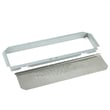
In the Samsung SMH9207ST built-in microwave, the “card” you’re seeing is typically the waveguide cover (also called the stirrer cover). It’s a thin, heat-resistant mica sheet that protects the waveguide and magnetron area from grease and food splatter; it is not cardboard.
What it does (and why it looks like cardboard)
Mica is a natural mineral that’s pressed into a thin sheet; it can look like stiff paper even though it’s microwave-safe and designed to stay in place during normal cooking.
- Shields the waveguide opening from splatter and steam
- Helps prevent arcing (sparks) caused by grease buildup near the opening
- Keeps debris away from high-voltage components behind the cavity wall
- Supports consistent heating by keeping the waveguide area clean
- Reduces the chance of interior damage from repeated sparking
When to replace the waveguide cover
Replace it when it’s damaged or contaminated; a bad cover commonly leads to sparking and poor heating performance.
| What you see | What it means | What to do |
|---|---|---|
| Burn marks or dark spots | Grease carbonized and overheated | Replace the cover; clean the cavity area |
| Cracks, holes, or missing pieces | Heat damage or arcing | Replace before using again |
| Sparking near the cover | Grease buildup or damaged mica | Stop use; clean; replace if marked |
| Cover missing | Waveguide exposed to splatter | Replace immediately |
Safe checks we recommend
- Unplug the microwave before inspecting the cover
- Do not run the microwave if you see arcing or a hole in the mica
- Clean the interior with mild soap and water; avoid soaking the mica sheet
- Use the diagrams and part identification in the SMH9207ST manual to confirm the correct cover for your exact version
Why it matters
A clean, intact mica waveguide cover helps your Samsung microwave heat properly and prevents arcing that can damage the cavity coating or components behind the wall.
Last updated: February 2026


