



Is the WMH31017Hz easy to use?
Yes. The Whirlpool WMH31017HZ08 microwave/hood combo is designed to be easy to use for everyday cooking because it relies on straightforward touchpad controls, common one-touch cooking options, and simple hood fan and light buttons. Exact button labels can vary by revision, but the day-to-day workflow is typically very simple.
What “easy to use” usually means on this model
Most owners find the learning curve short because the core tasks are consistent across Whirlpool over-the-range microwaves:
- Quick-start cooking (add time in set increments)
- One-touch presets for common foods (varies by control panel version)
- Dedicated hood fan speeds and cooktop light control
- Turntable cooking for even heating
- Basic timer and clock functions
Quick checks if the controls feel confusing
If the microwave seems harder to operate than expected, these are the most common causes we see:
- The control panel is not responding consistently (possible keypad or control issue)
- The door is not closing firmly, so the unit will not start (interlock system)
- The display is dim or flickering (power or control problem)
- The turntable is not rotating, which can make heating seem uneven
If the turntable is not moving, the microwave turntable motor W10642989 is one of the key components that drives rotation.
Common tasks and what to expect
| Task | What you should see | If it does not happen |
|---|---|---|
| Start heating | Interior light on, fan sound, countdown | Check door closure and power supply |
| Turntable rotation | Tray rotates smoothly | Inspect coupler/driver and motor |
| Hood fan | Fan runs at selected speed | Check fan settings and power |
| Cooktop light | Light turns on/off | Check bulb/lens/socket |
Why it matters
When a microwave/hood combo feels “hard to use,” it is often not the design; it is usually a door interlock, control panel, or turntable-drive issue that prevents normal one-touch operation. Fixing the underlying cause restores the simple, predictable controls Whirlpool designs these models around.
Last updated: January 2026
What is the average lifespan of a Whirlpool microwave?
A Whirlpool microwave, including the Whirlpool WMH31017HZ08 microwave/hood combo, typically lasts 7 to 10 years under normal household use. With consistent cleaning, good ventilation, and avoiding misuse (like running it empty), it can last longer; heavy use can shorten that range.
What affects lifespan most
- Daily run time: multiple long heat cycles per day wear components faster
- Heat and grease exposure (common for over-the-range units): cooking vapors can stress the control area and hood system
- Door use and slamming: impacts door switches and latch alignment
- Cleaning habits: grease buildup can restrict airflow and trap heat
- Power quality: frequent surges can damage the electronic control
Common “end-of-life” symptoms (and what they often point to)
| Symptom | What it often indicates | Example related part for WMH31017HZ08 |
|---|---|---|
| Runs but does not heat | High-voltage system issue | Magnetron W11391712 |
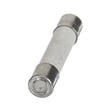
| Dead/no display | Blown fuse or control issue | Microwave fuse W11707984 |
| Intermittent running when door moves | Door interlock/switch problem | Assembly, lower interlock (includes switches) W11551761 |
| Loud hum, burning smell, arcing | Internal component or waveguide cover damage | (inspect before replacing parts) |
Why it matters
Knowing the typical 7 to 10 year lifespan helps you decide whether to troubleshoot and replace a specific part (like a fuse or interlock assembly) or plan for a full replacement, especially if multiple symptoms show up close together.
Tips to help your microwave last longer
- Keep the cavity and vents clean; wipe splatters before they carbonize
- Always use microwave-safe cookware; never use metal unless the cookware is labeled safe
- Do not run the microwave empty
- Use the hood fan when cooking on the range to reduce heat and grease exposure
- If it stops heating, avoid repeated retries; diagnose promptly to prevent further damage
For heating problems, we recommend starting with why is my microwave not heating.
Last updated: January 2026
What are common problems with Whirlpool microwaves?
For Whirlpool model WMH31017HZ08 microwave/hood combos, the most common problems we see are no heat, won’t start, sparking/arcing, a turntable that won’t rotate, and keypad or display issues. Many start with simple checks, but heating and “dead” symptoms often point to a failed electrical component.
Quick symptom checklist (start here)
- No heat but it runs: cooking time counts down, light/fan may work, food stays cold.
- Won’t start: display may be blank, or it has power but won’t run when you press Start.
- Sparking/arcing: flashes or popping sounds, often near the right-side waveguide area.
- Turntable not rotating: tray sits still or turns intermittently.
- Buttons not responding: some keys work, others do nothing, or the panel is erratic.
Likely causes and parts that commonly fix them
Microwaves contain high-voltage components; if you suspect a heating circuit failure, we recommend professional service.
| Problem | Common cause | Model-compatible part examples |
|---|---|---|
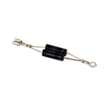
| Not heating | High-voltage diode, magnetron, capacitor, thermostat | Gaoxin-hvd c W11256462, magnetron W11391712, capacitor WPW10574736, microwave magnetron thermostat W10832024 |
| Won’t turn on / goes dead | Blown fuse, power issue, control board | Microwave fuse W11707984, electronic control W11552018 |
| Sparking/arcing | Grease/food debris, damaged waveguide cover | Cover, waveguide W11763417 |
| Turntable not rotating | Turntable motor or driver issue | Microwave turntable motor W10642989, driver, turntable W11245707 |
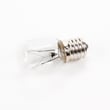
| Hood vent or lights acting up | Lamp or vent components | Lamp assembly 8206232A, microwave vent damper W10843943 |
Safe checks you can do before replacing parts
- Unplug the microwave (or switch off the breaker) for 2 minutes to reset the control.
- Confirm the door closes firmly; a misaligned door can prevent starting.
- Remove the turntable and roller ring; clean and reinstall so the tray sits flat.
- If you see sparking, stop immediately; clean the cavity and inspect the waveguide cover for burns.
- If the unit is dead, check the outlet with another device; then suspect the internal fuse.
Why it matters
A “no heat” microwave can still look normal from the outside, but the heating circuit is high-voltage and failures can cascade. Catching issues early (like a damaged waveguide cover or a weak door interlock) helps prevent repeat failures and nuisance fuse blowing.
Related DIY help: why is my microwave not heating, how to replace a microwave fuse
Last updated: January 2026


