Installation guide
 Owner’s manual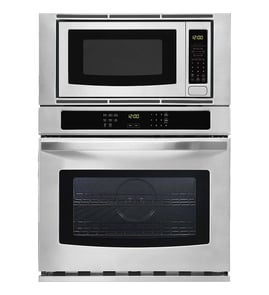





How do I reset a Kenmore microwave oven?
For the Kenmore 79047849407 wall oven/microwave combo, the correct “reset” is to clear the control with STOP/CLEAR and, if needed, restore power. After a power interruption, the display prompts you to press CLEAR and then CLOCK; follow the steps in the owner's manual.
Reset steps that work on model 79047849407
- Press STOP/CLEAR once to stop cooking.
- Press STOP/CLEAR twice to cancel a program during cooking.
- Press STOP/CLEAR to erase a programming mistake.
- If the door was opened and closed without starting a cycle within 3 minutes, press STOP/CLEAR to restore normal pad operation.
- If the control is unresponsive: turn the circuit breaker off, wait 1 minute, then turn it back on; set the clock afterward.
After a power outage: what to do
When power is restored, the display can prompt you to clear and reset the clock.
| Situation | What you do | Result |
|---|---|---|
| Power was interrupted | Press STOP/CLEAR, then press CLOCK and set the time | Restores normal operation and correct time display |
| Cooking was in progress | Press STOP/CLEAR and re-enter your cook settings | Clears the erased program and lets you start over |
If it still will not “reset”
These issues are not fixed by a reset and point to a different problem:
- No display or no interior light (check house breaker first).
- Turntable, fan, or heating does not run after power is confirmed.
- Door-related symptoms (won’t start, stops when door moves).
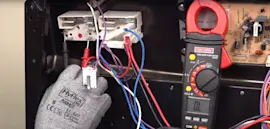
For door-related no-start problems, a failed interlock can be involved; the microwave door interlock switch 5304493153 is one of the door safety parts used on this model.
Why it matters
Using STOP/CLEAR and a brief power reset clears stuck programming and restores keypad operation after common timeouts; it also ensures the clock and cooking functions work correctly after a power loss.
Last updated: February 2026
How high should a wall oven microwave combo be?
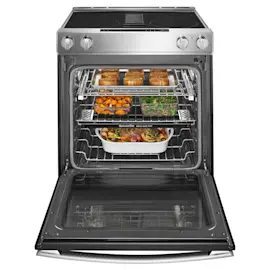
For the Kenmore 79047849407 wall oven/microwave combo, the installed height is set by the cabinet cutout and the required clearances, not a single universal “from-the-floor” number. Most installs place the unit so the oven is comfortable to use while still meeting the minimum spacing and electrical junction box requirements shown in the installation guide.
What determines the correct height
The right height is the one that matches the cutout dimensions and keeps the unit level and fully supported.
- Cabinet cutout height and width for your size (commonly 27-inch or 30-inch class)
- Minimum required clearances (including space for trim to sit flush)
- Electrical junction box location and access
- Door swing clearance so the door can open fully without hitting flooring or adjacent cabinetry
- User comfort (typical goal: oven racks land near waist to chest height)
Typical placement guidelines (practical)
We see most wall oven and microwave combo installs follow these common targets once the cutout is built correctly:
| Placement goal | Typical result |
|---|---|
| Comfortable loading/unloading | Center of oven cavity near mid-torso height |
| Safe door operation | Door opens without contacting toe-kick or flooring |
| Serviceability | Junction box remains accessible per the install layout |
Why it matters
If the combo is mounted too low or too high, you can end up with poor door clearance, heat and ventilation issues, or a unit that will not sit flush against the cabinet. Correct height also helps prevent racking and vibration that can affect cooking performance.
After installation: quick checks
Use these checks right after mounting:
- Confirm the unit is level side-to-side and front-to-back (shim as needed)
- Verify the trim sits tight to the cabinet with no gaps
- Open the door fully and confirm it clears surrounding surfaces
- Run a quick function test (microwave and bake) per the setup steps in the manual
For operating tips and control settings after install, use the owner's manual.
Last updated: February 2026
Why has my Kenmore microwave stopped working?
If the microwave section of your Kenmore 79047849407 wall oven/microwave combo stopped working, the most common causes are a power interruption, a door-safety interlock problem, or the controls needing to be cleared and reset. Start with a simple reset and door check before moving to parts diagnosis.
Quick checks we recommend first
- Make sure the unit has power; check the home breaker and that the outlet is working.
- Press STOP/CLEAR to cancel any stuck program; press twice to cancel during cooking.
- If the display shows a message after a power loss, clear it and reset the clock (power interruptions erase cooking programs).
- Open and close the door firmly; a misaligned latch can keep the microwave from starting.
- If certain cooking pads will not work after opening and closing the door, press STOP/CLEAR to restore normal operation.
What the symptoms usually mean
| What you notice | What it points to | What to do next |
|---|---|---|
| Display is blank and nothing runs | No power to the unit | Check breaker, outlet, and wiring connections (shut off power first) |
| Display works but microwave will not start | Door interlock not proving closed, or control not accepting input | Reseat/close door, clear with STOP/CLEAR, then test interlock switches |
| Light, fan, and turntable do not run | Power issue or safety circuit open | If power supply is good, move to interlock switch diagnosis |
| Time counts down very fast | Demo mode enabled | Turn off demo mode using steps in the owner's manual |
Parts that commonly cause a “dead” or “won’t start” microwave
Door interlock issues are a top cause because the microwave will not run unless the door switches prove the door is fully closed.
- Microwave door interlock switch 5304493153 (door safety switch)
- Switch 5304468224 (interlock switch and fuse assembly)
- Latch 5304503439 (latch body that helps actuate the switches)
- Switch 5304485407 (door release lever switch)
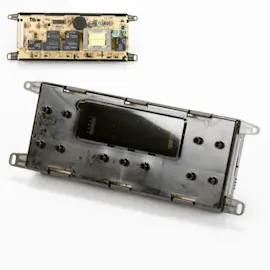
- Wall oven microwave electronic control board 5304440820 (if the display is erratic or unresponsive)
Why it matters
The door interlock system is a critical safety feature. If it is not closing correctly, the microwave is designed to stop working rather than operate unsafely. Clearing the controls and confirming solid door closure often restores operation; if not, the interlock components are the next most likely fix.
Last updated: February 2026