 Installation guide
 Owner’s manual





What is the difference between GE and GE Profile wall ovens?
GE and GE Profile wall ovens share core cooking functions, but GE Profile models typically add more premium features and design upgrades (more advanced controls, enhanced cooking modes, and higher-end styling). For your GE PT970SR2SS wall oven/microwave combo, the best way to confirm which features are included is to compare the feature list in the PT970SR2SS owner's manual to the Profile model you are considering.
Typical differences you’ll see
In most product lineups, GE Profile is positioned above standard GE Common upgrades include:
- More cooking modes (convection variations, precision modes, specialty settings)
- More advanced electronic controls and display options
- Extra convenience features (improved timers, programming, or sensor-driven cooking)
- More premium fit and finish (handles, trim, glass, stainless styling)
- Expanded self-clean options and cycle customization
Quick comparison (what to expect)
| Feature area | GE wall ovens | GE Profile wall ovens |
|---|---|---|
| Controls | Straightforward, essential settings | More advanced interface and programming |
| Cooking features | Standard bake and broil, basic convection on some models | More feature-rich convection and specialty modes |
| Cleaning | Standard self-clean options vary by model | More cycle options and convenience features |
| Design | Practical styling | More premium styling and finishes |
How to compare models the right way
Because features vary by model number (even within the same brand family), we recommend:
- Check the exact model number on the rating plate and paperwork
- Review the cooking modes and cleaning options listed in the PT970SR2SS owner's manual
- Compare electrical requirements and installation needs before swapping models
- If you see an error code during evaluation, use the GE combination wall oven and microwave error codes reference to interpret it
Why it matters
The “GE vs GE Profile” difference is mostly about features and user experience. If you want simpler operation, standard GE often fits well. If you want more cooking modes and premium controls, GE Profile is usually the better match.
Last updated: February 2026
What does f97 mean on my GE oven?
On the GE PT970SR2SS wall oven/microwave combo, an F97 code typically points to a cooling fan problem (most often the lower oven cooling fan not running or not being sensed). The oven may limit heating to protect the control area until airflow is restored; use the PT970SR2SS owner's manual for model-specific reset and diagnostic steps.
What to check first (safe, quick checks)
- Power reset: Turn the breaker off for 2 to 5 minutes, then restore power and see if F97 returns.
- Cooling airflow: Make sure the oven’s vent area is not blocked by foil, cabinet liners, or stored items.
- After-cook fan run: Start Bake for a few minutes, then cancel; the cooling fan often runs during and after heating.
- Listen for fan noise: A silent fan can indicate a failed motor, seized blade, or wiring issue.
- Check for overheating symptoms: Hot control panel, burning smell, or repeated shutdowns point to inadequate cooling.
Common causes and likely fixes
| What you notice | Most likely cause | Typical fix |
|---|---|---|
| F97 appears soon after starting Bake | Cooling fan not running | Inspect fan, wiring, and control output; replace failed fan motor if needed |
| Fan runs but F97 still shows | Fan speed feedback/sensing issue | Check harness connections; control board or sensor circuit may be involved |
| Intermittent F97 | Loose connection or failing motor | Reseat connectors; replace motor if noisy or inconsistent |
Parts that are often involved
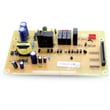
If diagnostics point to the electronic control not driving the fan correctly, the control board can be part of the repair path. For this model, see the wall oven control board WB27T11345.
Why it matters
The cooling fan protects the GE electronic control and surrounding cabinetry from excessive heat. When the oven cannot confirm proper cooling, it may stop heating or post F97 to prevent damage.
For additional code definitions and troubleshooting steps, use our GE combination wall oven and microwave error codes reference.
Last updated: February 2026
What are common problems with GE profile microwaves?
Common problems we see with GE Profile microwaves (including the microwave in the GE PT970SR2SS wall oven/microwave combo) are no heat, a dead display or keypad, a turntable that will not rotate, door-latch issues, and sparking or arcing. Many symptoms trace back to door interlock parts, high-voltage components, or a failing control.
Most common symptoms and what they usually point to
- Runs but does not heat: high-voltage diode, high-voltage capacitor, or magnetron
- Starts then stops when the door moves: door interlock switch or latch alignment
- Turntable not spinning: turntable motor or tray support problem
- Dead display or unresponsive keypad: control board, stuck key, or power supply issue
- Sparking/arcing: food splatter, damaged waveguide cover area, or metal contact inside the cavity
Quick checks we recommend first (safe, no disassembly)
- Confirm the unit is not in Demo or Control Lock mode (steps vary by model); check the PT970SR2SS owner’s manual.
- Kill power at the breaker for 2 to 5 minutes, then restore power (clears some control glitches).
- Clean the cavity and door sealing surfaces; dried grease can cause odor, smoke, and arcing.
- Verify the door closes firmly and evenly; a misaligned door can prevent proper interlock operation.
- Test with a cup of water for 60 seconds; note whether the fan runs, light comes on, and water warms.
Parts that commonly fix these issues on PT970SR2SS
| Symptom | Common suspect part | Example part for this model |
|---|---|---|
| No heat | Magnetron | Microwave magnetron WB27X10516 |
| No heat or weak heat | High-voltage diode | High-voltage diode WB27X10597 |
| No heat, humming, or intermittent heat | High-voltage capacitor | Microwave high-voltage capacitor WB27X10073 |
| Door-related starting/stopping | Door interlock switch | Monitor switch WB24X830 |
| Turntable not turning | Turntable motor | Microwave turntable motor WB26X172 |
Why it matters
Microwave “no heat” and door-interlock problems often involve high voltage and safety interlocks. Correct diagnosis prevents repeat failures and helps avoid replacing expensive parts unnecessarily.
When to use error codes
If your display shows an error, match it to the code list first; it narrows troubleshooting to the right circuit or sensor. Use our GE combination wall oven and microwave error codes reference.
Last updated: February 2026
What's the average lifespan of a GE microwave?
A GE microwave typically lasts about 8 years. Most units fall in the 5 to 10 year range depending on daily run time, ventilation, and how clean the cavity and door seals are. For the GE PT970SR2SS combo, the microwave section follows the same lifespan pattern.
Typical lifespan range (what to expect)
- Average: ~8 years
- Common range: 5 to 10 years
- Often lasts longer when: used for reheating (short cycles) more than long cook cycles
- Often fails sooner when: run empty, overheated by blocked vents, or door is slammed repeatedly
| Usage pattern | What it usually means | What you can do |
|---|---|---|
| Light (reheat only) | Longer life | Keep vents clear, wipe steam after use |
| Moderate (daily cooking) | Average life | Use microwave-safe covers, avoid long back-to-back runs |
| Heavy (multiple long cycles/day) | Shorter life | Allow cool-down time, keep intake/exhaust unobstructed |
Signs the microwave is nearing end of life
- Food heats unevenly or takes much longer than normal
- Loud humming, buzzing, or burning smell during operation
- Door does not close firmly or the latch feels loose
- Turntable stops turning (or turns intermittently)
- Unit runs but does not heat (common high-voltage component symptom)
Parts that commonly drive “replace vs. repair” decisions
Microwave heating and safety issues often trace back to a few key components. For this model, examples include the microwave magnetron WB27X10516 and the monitor switch WB24X830.
Why it matters
A weakening microwave can waste time and energy, and door-interlock problems can prevent operation entirely. Catching symptoms early helps you decide whether a targeted repair makes sense before multiple parts are affected.
For operating tips and model-specific care guidance, use the PT970SR2SS owner’s manual.
Last updated: February 2026
How do I reset the error code on my GE oven?
On the GE PT970SR2SS wall oven/microwave combo, we reset most error codes by clearing the display first, then doing a full power reset at the breaker. If the code returns right away, it is usually pointing to a real fault (keypad, sensor, control, or a microwave interlock issue).
Steps to reset the code (safe, no tools)
- Press Clear/Off (or Cancel/Off) once; wait 30 seconds.
- Turn OFF the wall oven circuit breaker for 1 to 5 minutes.
- Turn the breaker ON (reset/closed) and let the control boot up.
- Set the clock if prompted.
- Test Bake and Broil to see if the code stays cleared.
For model-specific control behavior and any “stuck key” guidance, use the PT970SR2SS owner’s manual.
If the error code comes back
A repeating code means the control is detecting a condition that is still present. These are the most common causes on a combo wall oven:
| What you notice | Likely area to check | Example part for this model |
|---|---|---|
| Code returns immediately, beeping, keys act “pressed” | Keypad or control input | Wall oven control board WB27T11345 |
| Oven heats poorly or overheats, temperature seems wrong | Temperature sensing circuit | Sensor circuit (varies by code) |
| Microwave side shows door-related errors or won’t run | Door interlock circuit | Monitor switch WB24X830 |
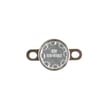
| Oven won’t heat after a high-heat event | Safety thermostat/thermal cutout | Wall oven safety thermostat WB24T10060 |
For code definitions and what they typically mean on GE combo units, use GE combination wall oven and microwave error codes.
Why it matters
Clearing the code can remove a one-time control glitch after a power blip, but a code that returns helps prevent unsafe heating, runaway temperatures, or microwave operation with a door-interlock problem.
Quick safety notes
- If you smell burning insulation, see arcing, or the breaker trips repeatedly: leave the breaker OFF.
- Microwave high-voltage components can retain a dangerous charge; we recommend a qualified technician for internal microwave repairs.
Last updated: February 2026
What are the dimensions of the GE PT970SR2SS?
For the GE PT970SR2SS wall oven/microwave combo, the installation guide provides the cabinet cutout dimensions (not the exact outside appliance dimensions). For a 30-inch cabinet, plan on a 30-inch cabinet width, a 23 1/2-inch minimum cutout depth, and a cutout height around 42 inches for the oven-with-microwave configuration; confirm your exact scenario in the PT970SR2SS installation guide.
Cutout dimensions you can use for planning
These are the key measurements shown for double ovens with an upper microwave (the configuration that matches this model type):
- Cabinet width (A): 30" (76.2 cm)
- Cutout width (B): 28 1/2" min to 28 5/8" max (72.4 to 72.7 cm)
- Cutout height (C): 42 5/16" min to 42 1/4" max (107.2 to 107.3 cm)
- Cutout depth: 23 1/2" (59.7 cm) minimum
- Clearance with door open (E): 21" (53.3 cm) minimum to adjacent corners/walls
| Measurement | 30" oven with microwave (cutout) | What it affects |
|---|---|---|
| Cutout width | 28 1/2" to 28 5/8" | Whether the unit fits between cabinet sides |
| Cutout height | 42 5/16" to 42 1/4" | Whether the unit fits vertically in the opening |
| Cutout depth (min) | 23 1/2" | Whether the cabinet is deep enough |
What to measure in your kitchen
Use these checks before ordering parts or scheduling installation:
- Measure the cutout width at the front and back (cabinets can taper).
- Measure cutout height on both sides (floors and platforms can be out of level).
- Confirm minimum depth to the back wall, accounting for wiring space.
- Verify the junction box location is on the right side as shown in the guide.
- Check door swing clearance so the oven door can open without hitting adjacent cabinetry.
Why it matters
Wall oven/microwave combos like the PT970SR2SS are designed to fit a very specific cabinet opening. Even a small mismatch in cutout width or height can prevent the trim from seating correctly, affect airflow, or make the unit difficult to secure safely.
Last updated: February 2026
Is the GE PT970SR2SS easy to use?
Yes. The GE PT970SR2SS wall oven and microwave combo is designed for straightforward daily use with familiar oven and microwave controls; once it’s installed and powered correctly, most cooking tasks are simple to start, adjust, and stop using the control panel described in the PT970SR2SS owner’s manual.
What “easy to use” typically means on this model
We see “easy to use” come down to a few practical things: clear control steps, predictable heating, and simple troubleshooting.
- Standard bake and broil style operation (set a mode, set a temperature, press start)
- Microwave door safety interlocks help the microwave run only when the door is properly closed
- Built-in troubleshooting guidance in the manual (helpful when a function will not start)
- Installation requires correct hard-wiring to a junction box, which prevents nuisance power issues later
Quick checks if it feels confusing or inconsistent
If the oven or microwave seems “hard to use,” it’s often a setup or basic operation issue rather than a major failure.
- Confirm the unit is hard-wired (direct-wired) to an approved junction box (no extension cord use)
- Make sure the household breaker is fully on (cycle it off, then on)
- Verify the oven controls are OFF when you are done cooking (recommended after installation checks)
- If the microwave will not start, check for a positive door close and listen for a firm latch click
- If the display shows a fault code, use the GE combination wall oven and microwave error codes reference to match the code to the next step
Common “easy vs. not easy” symptoms and what they point to
| What you notice | Most common cause | What to do next |
|---|---|---|
| Microwave will not run | Door not fully latched or interlock issue | Inspect door closure; if needed, test/replace the monitor switch WB24X830 |
| Oven heats unevenly | Convection airflow or sensor issue | Check rack placement and run a temperature check; service if persistent |
| No power or intermittent power | Wiring/junction box connection issue | Have a qualified electrician verify the junction box connections |
| Oven light out | Burned-out bulb or holder issue | Replace the oven lamp 40A15 (and inspect the lamp holder if needed) |
Why it matters
When the PT970SR2SS is installed to the correct electrical requirements and the door and safety switches are working properly, the controls behave predictably. That consistency is what makes the appliance feel “easy” day to day.
Last updated: February 2026