- Kenmore refrigerator water filters
- Whirlpool refrigerator water filters
- Samsung refrigerator water filters
- GE refrigerator water filters
- LG refrigerator water filters
- Frigidaire refrigerator water filters
- KitchenAid refrigerator water filters
- Maytag refrigerator water filters
- Kenmore Elite refrigerator water filters
- Estate refrigerator water filters
- GE Profile refrigerator water filters
- Amana refrigerator water filters
- Bosch refrigerator water filters
- Dacor refrigerator water filters
- Electrolux refrigerator water filters
Top DIY repair help
View All Repair Categories
Appliances
Lawn & Garden
Power Tools
Home Improvement
Sports & Leisure
Heating & Cooling

Kenmore HE5 steam front-load washer
These error code explanations can help you diagnose a problem with your Kenmore HE5 Steam front-load washer. For repair how-to help, visit the PartsDirect repair help section, which includes repair help for washing machines, other major appliances, lawn and garden equipment, garage door openers, vacuum cleaners and more. Search for your model number to find a complete list of replacement parts for your washer.
Error Codes
Error Code
F01
Condition
Main control board EEPROM error
Check / Repair
The Electrically Erasable Programmable Read-Only Memory (EEPROM) on the main electronic control board is corrupted. Unplug the washer for 5 minutes, restore power and see if the code clears. If not, the replace the main electronic control board.
Possible Parts Required
Main electronic control board
Error Code
F03
Condition
Heating element broken
Check / Repair
The heating element has an internal short circuit. Unplug the washer and replace the heating element.
Possible Parts Required
Heating element
Error Code
F06
Condition
Steamer failure
Check / Repair
Unplug the washer and check the wire harness connections between the steamer and the steamer electronic control board. Reconnect any loose wires or replace the wire harness if damaged. If the wire harness connections are okay, replace the steamer. To clear the error code and reset the washer, run the diagnostic test. To enter the diagnostic test, plug in the washer and close the door. With the tub empty and the control off, select any one key except Stop/Cancel or Control Lock and press the key in this pattern: press and hold for 3 seconds, release, press and hold for 3 seconds, release, press and hold for 3 seconds, release, press and hold for 3 seconds, release, press and hold for 3 seconds. After the 5th iteration, the control will display the last stored error code (F61). Press the same selected key to display and move past any other saved error codes. The control will save and display up to 4 error codes. After you display all of the saved error codes, press the same selected key again to enter the diagnostic test cycle. The version numbers of the control boards will display and then all green console LED lights will turn on for 5 seconds. The washer then begins the automatic test cycle. C:00 through C:09 will appear in the display as the test progresses. The diagnostic test ends after a few minutes and the control shuts off. You can then use the washer again.
Possible Parts Required
Steamer, wire harness
Error Code
F11
Condition
Motor control board failure
Check / Repair
Unplug the washer and check the wire harness connections between the motor control board and the main electronic control board. Reconnect any loose wires or replace the wire harness if damaged. If the wire connections are okay, replace the motor control board.
Possible Parts Required
Motor control board
Error Code
F20
Condition
Not filling
Check / Repair
Make sure the water supply faucets behind the washer are fully open. Check the water fill lines for kinks or freezing in the winter. Check the water inlet valves. If the valves don't open when activated, replace the water inlet valve assembly.
Possible Parts Required
Water inlet valve assembly
Error Code
F21
Condition
Will not drain
Check / Repair
The washer failed to drain within 8 minutes. Check the washer drain path for a clog or restriction. Clear the large item filter in the drain pump. If the drain pump doesn't drain the water when activated, replace it.
Possible Parts Required
Drain pump
Error Code
F22
Condition
Door lock failure
Check / Repair
Unplug the washer and check the wiring harness connections between the door lock assembly and the main control board. Reconnect any loose wires or replace the wire harness if damaged. If the wire connections are okay, replace the door lock assembly.
Possible Parts Required
Door lock assembly, wire harness
Error Code
F23
Condition
Heating element failure
Check / Repair
Unplug the washer and check the wire harness connections between the heating element and the main control board. Reconnect any loose wires or replace the wire harness if damaged. If the wire connections are okay, measure the resistance with a multimeter. You should measure about 15 ohms of resistance through the heating element. Replace the heating element if you measure infinite resistance because that means the element is broken.
Possible Parts Required
Heating element, wire harness
Error Code
F24
Condition
Water temperature sensor error
Check / Repair
Unplug the washer and check the wire harness connections between the temperature sensor and the display control board. Reconnect any loose wires or replace the wire harness if damaged. If the wire connections are okay, replace the temperature sensor.
Possible Parts Required
Temperature sensor, wire harness
Error Code
F25
Condition
Drive motor tachometer error
Check / Repair
Unplug the washer and check the wire harness connections between the motor control board and the drive motor. Check the wire harness connection between the motor control board and the main control board. Reconnect any loose wires or replace any damaged wire harness. If the wire connections are okay, replace the drive motor which includes the tachometer as an internal component. If the problem continues, replace the motor control board.
Possible Parts Required
Drive motor, motor control board, wire harness
Error Code
F26
Condition
Door switch error
Check / Repair
The control detects that the door hasn't opened for 3 consecutive cycles or the door switch indicates that the door is open with the door lock engaged. If you've run 3 consecutive cycles without opening the door, open and shut the door to clear the code. If the door switch detects the door open while locked, push on the door to make sure it's completely closed. Unplug the washer and check the wire harness connections between the door lock/switch assembly and the main electronic control board. Reconnect any loose wires or replace the wire harness if damaged. If the wire connections are okay, replace the door lock/switch assembly.
Possible Parts Required
Door lock/switch assembly, wire harness
Error Code
F27
Condition
Overflow
Check / Repair
The drain pump runs constantly in an effort to drain the water and the door stays locked. If the washer is overfilled, unplug the washer to see if water continues to fill the tub. Shut off the water supply and replace the water inlet valve assembly if the washer fills while unplugged. If the washer is empty when this code appears, unplug the washer and replace the water level pressure switch because it isn't accurately detecting water level.
Possible Parts Required
Water inlet valve assembly, water level pressure switch
Error Code
F28
Condition
Communication error between the main electronic control board and the motor control board
Check / Repair
Unplug the washer and check the wire harness connections between the main electronic control board and the motor control board. Check the wire harness connections between the motor control board and the drive motor. Reconnect any loose wires or replace any wire harness that you find damaged. If those wire connections are okay, check the wire connections between the door lock/switch assembly and the main electronic control board. Reconnect any loose wires or replace the wire harness if damaged. A bad door lock/switch also prevents the motor control board from getting power, resulting in the F28 code. Replace the door lock/switch assembly if damaged. Replace the motor control board if the wire connections and door lock/switch assembly are both okay.
Possible Parts Required
Motor control board, door lock/switch assembly, wire harness
Error Code
F29
Condition
Door unlock error
Check / Repair
Unplug the washer. To manually unlock and open the door, remove the bottom front service panel, reach up into the cabinet and pull down on the manual release tab on the bottom of the door lock/switch assembly then pull the door open. Check for foreign objects in the door lock receiver. Clear any debris or objects from the receiver. If the door lock receiver is clear, check the wire harness connections between the door lock/switch assembly and the main electronic control board. Reconnect any loose wires or replace the wire harness if damaged. If the wire connections are okay, replace the door lock/switch assembly.
Possible Parts Required
Door lock/switch assembly, wire harness
Error Code
F30
Condition
Dispenser system failure
Check / Repair
Unplug the washer and remove the top washer panel. Check the wire harness connections between the dispenser actuator and the main electronic control board. Reconnect any loose wires or replace the wire harness if damaged. If the wire connections are okay, check the actuator cam and levers. Replace any damaged linkage components. If the cams and levers are okay, replace the dispenser actuator.
Possible Parts Required
Dispenser actuator, dispenser actuator cam and levers, wire harness
Error Code
F31 or F42
Condition
Motor control board failure
Check / Repair
Unplug the washer and check the wire harness connections between the motor control board and the drive motor. Reconnect any loose wires or replace the wire harness if damaged. If the wire harness connections are okay, replace the motor control board.
Possible Parts Required
Motor control board, wire harness
Error Code
F32 or F35
Condition
Water level sensor failure
Check / Repair
Unplug the washer and check the wire harness connections between the main electronic control board and the water level sensor. Reconnect any loose wires or replace the wire harness if damaged. If the wire harness connections are okay, replace the water level sensor.
Possible Parts Required
Water level sensor, wire harness
Error Code
F61 or F65
Condition
Steamer communication failure
Check / Repair
Unplug the washer and check the wire harness connections between the steamer electronic control board and the main electronic control board. Reconnect any loose wires or replace the wire harness if damaged. If the wire harness connections are okay, replace the steamer electronic control board. After replacing the steamer electronic control board, run the diagnostic test cycle to clear the error code and initialize the new steamer electronic control board. To enter the diagnostic test, plug in the washer and close the door. With the tub empty and the control off, select any one key except Stop/Cancel or Control Lock and press the key in this pattern: press and hold for 3 seconds, release, press and hold for 3 seconds, release, press and hold for 3 seconds, release, press and hold for 3 seconds, release, press and hold for 3 seconds. After the 5th iteration, the control will display the last stored error code (F61). Press the same selected key to display and move past any other saved error codes. The control will save and display up to 4 error codes. After you display all of the saved error codes, press the same selected key again to enter the diagnostic test cycle. The version numbers of the control boards will display and then all green console LED lights will turn on for 5 seconds. The washer then begins the automatic test cycle. C:00 through C:09 will appear in the display as the test progresses. The diagnostic test will end after a few minutes and the control will shut off. You can then use the washer again.
Possible Parts Required
Steamer electronic control board, wire harness
Error Code
F62
Condition
Steamer electronic control board failure
Check / Repair
One of the steamer electronic control board relays failed. Unplug the washer and replace the steamer electronic control board. After replacing the steamer electronic control board, run the diagnostic test cycle to clear the error code and initialize the new steamer electronic control board. To enter the diagnostic test, plug in the washer and close the door. With the tub empty and the control off, select any one key except Stop/Cancel or Control Lock and press the key in this pattern: press and hold for 3 seconds, release, press and hold for 3 seconds, release, press and hold for 3 seconds, release, press and hold for 3 seconds, release, press and hold for 3 seconds. After the 5th iteration, the control will display the last stored error code (F61). Press the same selected key to display and move past any other saved error codes. The control will save and display up to 4 error codes. After you display all of the saved error codes, press the same selected key again to enter the diagnostic test cycle. The version numbers of the control boards will display and then all green console LED lights will turn on for 5 seconds. The washer then begins the automatic test cycle. C:00 through C:09 will appear in the display as the test progresses. The diagnostic test will end after a few minutes and the control will shut off. You can then use the washer again to wash laundry.
Possible Parts Required
Steamer electronic control board
Error Code
F63
Condition
Steamer failure
Check / Repair
Unplug the washer and check the wire harness connections between the steamer and the steamer electronic control board. Reconnect any loose wire or replace the wire harness if damaged. If the wire harness connections are okay, replace the steamer. Run the diagnostic test to clear the error code and reset the washer. To enter the diagnostic test, plug in the washer and close the door. With the tub empty and the control off, select any one key except Stop/Cancel or Control Lock and press the key in this pattern: press and hold for 3 seconds, release, press and hold for 3 seconds, release, press and hold for 3 seconds, release, press and hold for 3 seconds, release, press and hold for 3 seconds. After the 5th iteration, the control will display the last stored error code (F61). Press the same selected key to display and move past any other saved error codes. The control will save and display up to 4 error codes. After you display all of the saved error codes, press the same selected key again to enter the diagnostic test cycle. The version numbers of the control boards will display and then all green console LED lights will turn on for 5 seconds. The washer then begins the automatic test cycle. C:00 through C:09 will appear in the display as the test progresses. The diagnostic test will end after a few minutes and the control will shut off. You can then use the washer again.
Possible Parts Required
Steamer, wire harness
Error Code
F64
Condition
Steamer inlet valve failure
Check / Repair
The steamer inlet valve is part of the inlet water valve assembly. Unplug the washer and replace the inlet water valve assembly. Run the diagnostic test to clear the error code and reset the washer. To enter the diagnostic test, plug in the washer and close the door. With the tub empty and the control off, select any one key except Stop/Cancel or Control Lock and press the key in this pattern: press and hold for 3 seconds, release, press and hold for 3 seconds, release, press and hold for 3 seconds, release, press and hold for 3 seconds, release, press and hold for 3 seconds. After the 5th iteration, the control will display the last stored error code (F61). Press the same selected key to display and move past any other saved error codes. The control will save and display up to 4 error codes. After you display all of the saved error codes, press the same selected key again to enter the diagnostic test cycle. The version numbers of the control boards will display and then all green console LED lights will turn on for 5 seconds. The washer then begins the automatic test cycle. C:00 through C:09 will appear in the display as the test progresses. The diagnostic test will end after a few minutes and the control will shut off. You can then use the washer again to wash laundry.
Possible Parts Required
Inlet water valve assembly
Error Code
F70 or F71
Condition
No communication between the main electronic control board and the user interface control
Check / Repair
Unplug the washer and check the wire harness connections between the main electronic control board and the user interface control. Reconnect any loose wires or replace the wire harness if damaged. If the wire connections are okay and the drum rotates before the code appears, replace the user interface control. Replace the main electronic control board if the drum doesn't rotate before the code appears.
Possible Parts Required
Main electronic control board, user interface control, wire harness
Error Code
rL or F34
Condition
Load inside the washer during the Clean Washer cycle
Check / Repair
You can only run the Clean Washer cycle with the tub empty. Remove any clothes from the washer and restart the Clean Washer cycle. If you had no clothes in the washer when starting the Clean Washer cycle, then you'll likely need to replace the spin bearing because the spin bearing isn't allowing the spin basket to rotate smoothly. The spin bearing is a component of the outer tub and isn't available as a separate part. Replace the outer tub if the spin bearing failed.
Possible Parts Required
Outer tub
Error Code
Sd
Condition
Excessive suds
Check / Repair
Excessive suds is detected during the cycle. The cycle goes into a suds kill routine by filling the tube with water and then tumbling the clothes. If this routine doesn't eliminate the suds, the control displays the Sd code. Use the right amount of high-efficiency (HE) detergent with future loads.
Possible Parts Required
HE detergent
Error Code
F74 or F99
Condition
User interface control or main electronic control board failure
Check / Repair
Unplug the washer and replace the user interface control. If the problem continues, replace the main electronic control board.
Possible Parts Required
User interface control, main electronic control board

Repair guides for top-load washers
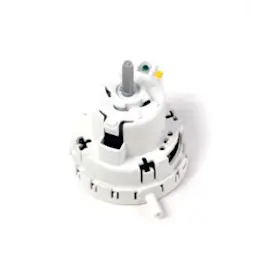
How to replace the water level pressure switch on a direct-drive top-load washer
Replace the water level pressure switch on your direct-drive top-load washer if the washer overfills or doesn’t fill.…
Repair time and Difficulty
15 minutes or less
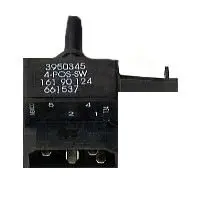
How to replace the water temperature switch on a direct-drive top-load washer
Replace the water temperature switch on your direct-drive top-load washer if the water temperature is wrong.…
Repair time and Difficulty
15 minutes or less
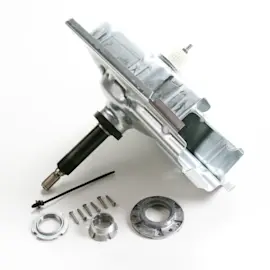
How to replace the gear case in a top-load washer
If the washer won't spin or agitate with the motor running, replace the gear case, following the steps in this repair gu…
Repair time and Difficulty
60 minutes or less
Articles and videos for top-load washers
A washer lid switch keeps cycles safe and moving. Find out how it works, how to spot failure signs, and when replacement…
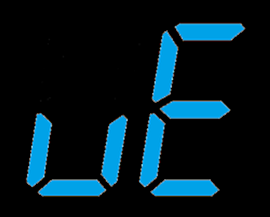
Learn what to do when your Kenmore washer displays the eE and UE error codes.…
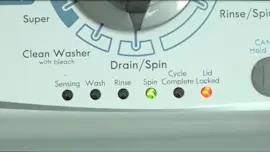
Learn how to enter diagnostic mode and view the error codes for Kenmore and Whirlpool vertical module washers (VMWs).…