- Kenmore refrigerator water filters
- Whirlpool refrigerator water filters
- Samsung refrigerator water filters
- GE refrigerator water filters
- LG refrigerator water filters
- Frigidaire refrigerator water filters
- KitchenAid refrigerator water filters
- Maytag refrigerator water filters
- Kenmore Elite refrigerator water filters
- Estate refrigerator water filters
- GE Profile refrigerator water filters
- Amana refrigerator water filters
- Bosch refrigerator water filters
- Dacor refrigerator water filters
- Electrolux refrigerator water filters
Top DIY repair help
View All Repair Categories
Appliances
Lawn & Garden
Power Tools
Home Improvement
Sports & Leisure
Heating & Cooling
Quick Links
How to replace the water level pressure switch on a direct-drive top-load washer
less than a minute readMay 20Lyle Weischwill
Repair time and Difficulty
15 minutes or less
Tools Required
- Phillips screwdriver
- Slot screwdriver
- Work gloves
This step-by-step washer repair guide shows how to replace the water level pressure switch on a direct-drive top-load washer. The water level pressure switch senses the water level through an air tube attached at the bottom of the tub. As water fills the tub, air pressure in the tube pushes against a diaphragm inside the switch, opening and closing contacts to control the water level and to stop the water once the tub is full. If the water level pressure switch is defective, the washer either won't fill or overfills. Replace the water level pressure switch with a manufacturer-approved washer part.
This repair procedure covers Kenmore, Whirlpool, Maytag, Crosley, Estate and Roper direct-drive, top-load washers.
If you're not sure if your top-load washer has a direct-drive motor, check out our washer FAQs to see how you can tell.
Instructions
- 1. Shut off the electricity
Unplug the power cord from the wall outlet.
Wear work gloves to protect your hands.
- 2. Remove the water level control knob
Pull the water level control knob off the stem of the water level pressure switch.
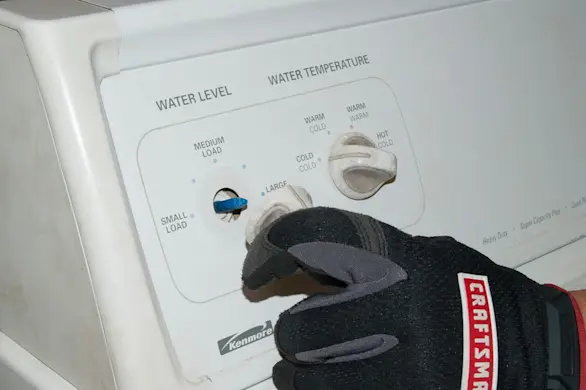
PHOTO: Pull the water level control knob off the stem.
- 3. Open the control console
Pull the plastic end caps off the sides of the control console.
Remove the screws at the base of the control console.
Pull the control console slightly forward and then swing it over the top of the back panel.
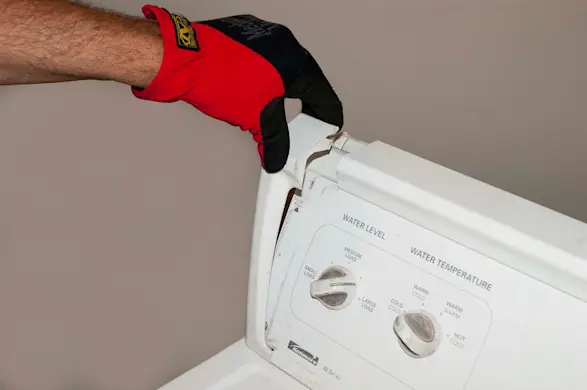
PHOTO: Remove the plastic endcaps from the control console. 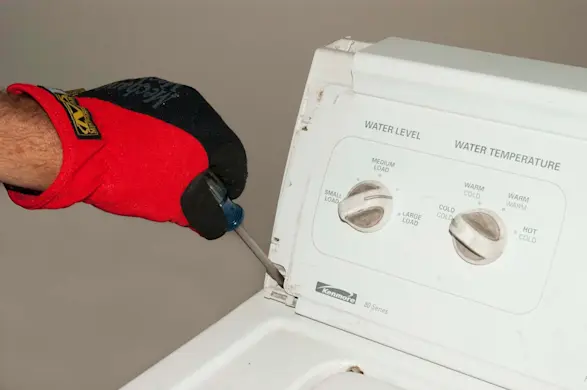
PHOTO: Remove the screws at the base of the control panel console. 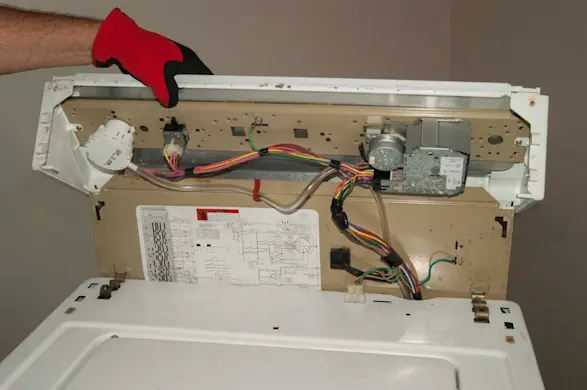
PHOTO: Flip the console up and back. Tip: Some models have the screws on the back of the end caps instead of on the front of the control console. Other models have spring clips under the end caps instead of screws. Remove the rear screws or use a putty knife to release the spring clips.
- 4. Remove the water level pressure switch
Disconnect the air hose from the water level pressure switch.
Press the locking tab to release the pressure switch and rotate the switch 1/8 turn counterclockwise to release it from the console panel.
Disconnect the wire harness from the pressure switch and pull the switch out of the console.
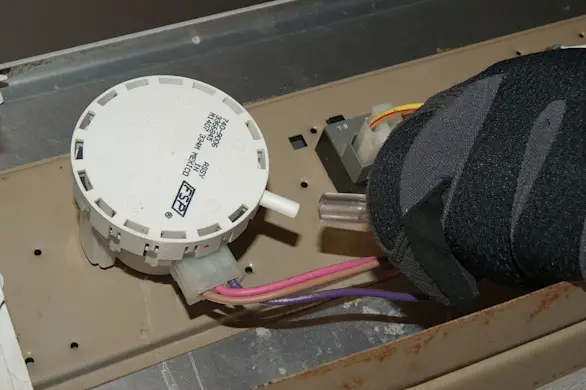
PHOTO: Disconnect the air hose from the water level pressure switch. 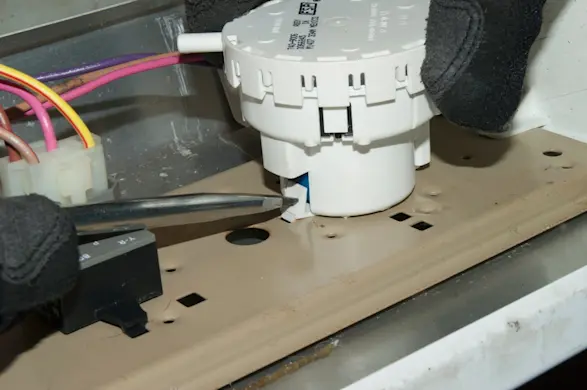
PHOTO: Release the pressure switch from the control panel. 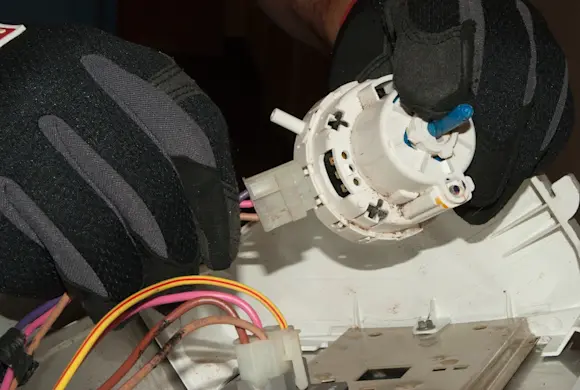
PHOTO: Disconnect the wire harness from the pressure switch.
- 5. Install the new water level pressure switch
Connect the wire harness to the new water level pressure switch.
Position the new pressure switch on the console panel with the air hose connection in the 3 o'clock position.
Push the pressure switch into the console panel and rotate the pressure switch 1/8 of a turn clockwise to engage the locking tab.
Connect the air hose to the new water level pressure switch.
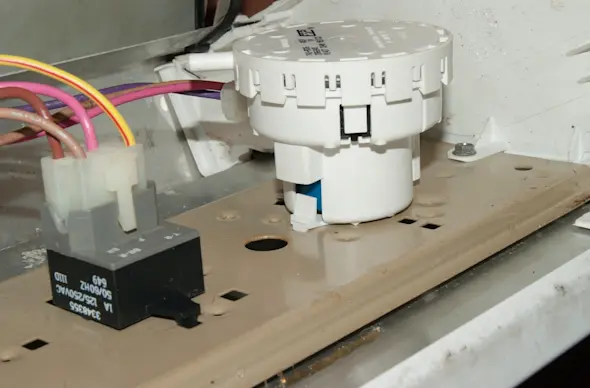
PHOTO: Install the new pressure switch. 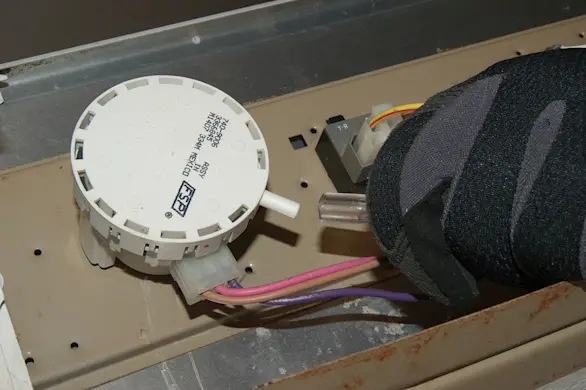
PHOTO: Connect the air hose to the new water level pressure switch.
- 6. Reinstall the control console
Position the control console on the top panel of the washer.
Reinstall the mounting screws at the base of the control console.
Snap the plastic end caps onto the sides of the control console.
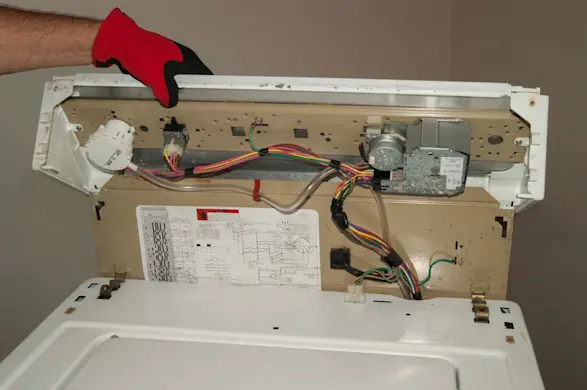
PHOTO: Close the console. 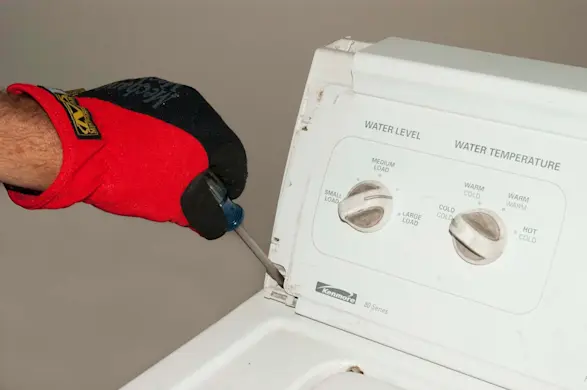
PHOTO: Reinstall the control console screws. 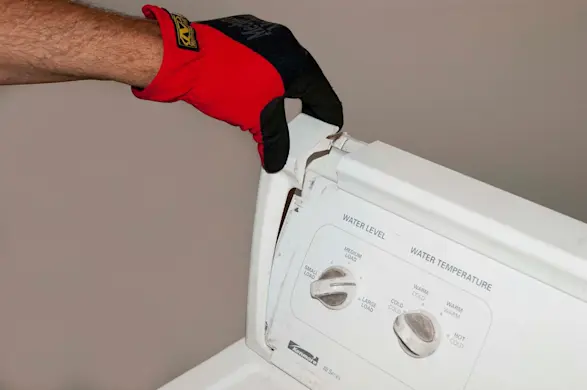
PHOTO: Reinstall the plastic endcaps.
- 7. Reinstall the water level control knob
Line up the flat side of the control knob with the flat side of the shaft on the new water level pressure switch.
Push the water level control knob down onto the water level pressure switch shaft.
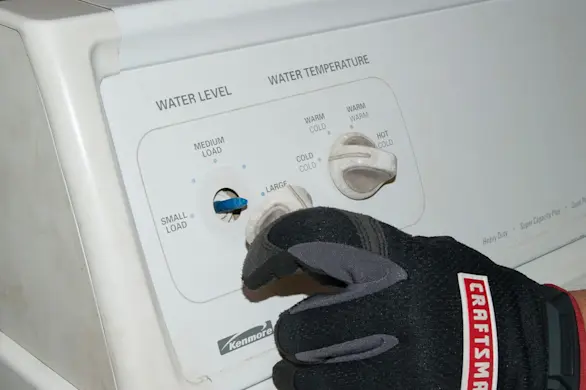
PHOTO: Reinstall the water level control knob.
- 8. Restore the power
Plug the washer into the electrical outlet.