- Kenmore refrigerator water filters
- Whirlpool refrigerator water filters
- Samsung refrigerator water filters
- GE refrigerator water filters
- LG refrigerator water filters
- Frigidaire refrigerator water filters
- KitchenAid refrigerator water filters
- Maytag refrigerator water filters
- Kenmore Elite refrigerator water filters
- Estate refrigerator water filters
- GE Profile refrigerator water filters
- Amana refrigerator water filters
- Bosch refrigerator water filters
- Dacor refrigerator water filters
- Electrolux refrigerator water filters
Top DIY repair help
View All Repair Categories
Appliances
Lawn & Garden
Power Tools
Home Improvement
Sports & Leisure
Heating & Cooling

KitchenAid cooktop
These error code explanations can help you diagnose a problem with your KitchenAid cooktop. For repair how-to help, visit the PartsDirect repair help section, which includes repair help for cooktops, as well as other major appliances, lawn and garden equipment, garage door openers, vacuum cleaners and more. Search for your model number to find a complete list of replacement parts for your cooktop.
Blinking lights signal the error code. Alternating LEDs blink on the rear burners to indicate that the cooktop is in failure mode. The LEDs on the front burners indicate the digits of the error code.
Error Codes
Error Code
03
Condition
One or more control keys are permanently pressed
Check / Repair
Clean the glass surface. If the code remains, disconnect electrical power for 1 minute and restore power. If the code returns, replace the touch control module.
Possible Parts Required
Touch control module
Error Code
12
Condition
Communication error between the touch control module and the electronic control board
Check / Repair
Disconnect electrical power for 1 minute and restore power. If the code returns, disconnect power and replace the control connection cable between the touch control module and the electronic control board. If the code persists, replace the electronic control board. If the code still remains, replace the touch control module.
Possible Parts Required
Wire harness, Touch control module, Electronic control board
Error Code
13
Condition
Defective touch control module
Check / Repair
Disconnect electrical power for 1 minute and restore power. If the code returns, disconnect power and replace the touch control module.
Possible Parts Required
Touch control module
Error Code
22
Condition
Defective touch control module
Check / Repair
Disconnect electrical power for 1 minute and restore power. If the code returns, disconnect power and replace the touch control module.
Possible Parts Required
Touch control module
Error Code
36
Condition
Defective sensor on the touch control module
Check / Repair
Disconnect electrical power for 1 minute and restore power. If the code returns, disconnect power and replace the touch control module.
Possible Parts Required
Touch control module

Most common symptoms to help you fix your cooktops
Choose a symptom to see related cooktop repairs.
Main causes: lack of electrical power, gas supply failure, bad pressure regulator, control system failure...
Most common repair guides to help fix your cooktops
Effective articles & videos to help repair your cooktops
Use the advice and tips in these articles and videos to get the most out of your cooktop.

Find out how to stay safe when repairing your appliances....

These 7 kitchen-cleaning tips are out of the ordinary and super helpful....
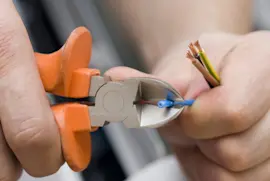
Learn how to repair broken, frayed or damaged wires in your appliances....