- Kenmore refrigerator water filters
- Whirlpool refrigerator water filters
- Samsung refrigerator water filters
- GE refrigerator water filters
- LG refrigerator water filters
- Frigidaire refrigerator water filters
- KitchenAid refrigerator water filters
- Maytag refrigerator water filters
- Kenmore Elite refrigerator water filters
- Estate refrigerator water filters
- GE Profile refrigerator water filters
- Amana refrigerator water filters
- Bosch refrigerator water filters
- Dacor refrigerator water filters
- Electrolux refrigerator water filters
Top DIY repair help
View All Repair Categories
Appliances
Lawn & Garden
Power Tools
Home Improvement
Sports & Leisure
Heating & Cooling
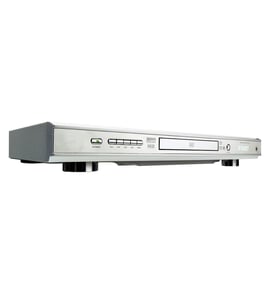
LXI Video equipment Parts — Browse All Models
Sears PartsDIrect is a leading supplier of LXI video equipment replacement parts. LXI video equipment uses dependable components but you can never tell when a failure will occur. When you find yourself in need of LXI video equipment replacement parts, trust Sears PartsDirect to have the parts you need to fix your video components.

LXI 53474950 vcr
Shop Parts
12 Parts
LXI 53032 vcr
Shop Parts
4 Parts
LXI 53484390 vcr
Shop Parts
10 Parts
LXI 52853485290 vcr
Shop Parts
19 Parts
LXI 53571 vcr
Shop Parts
6 Parts
Frequently bought LXI parts

Magnavox Part
Part #482249240854
This item is not returnable
In Stock
$7.85

Qty

Home Electronics Overlay
Part #483545917324
This item is not returnable
In Stock
$3.33
Qty
Lxi Adapter
Part #1003619205
This item is not returnable
In Stock
$2.16
Qty
Holder
Part #2010090747
This item is not returnable
In Stock
$3.90
Qty
Lxi Holder Tape
Part #2009071730
This item is not returnable
In Stock
$4.42
Qty
Lxi Remote
In Stock
$64.99
Qty
Popular maintenance items for Video Equipment
Filter
In Stock
$12.61
Qty
Magnavox Owner's Manual
Part #IB38330001
This item is not returnable
In Stock
$4.99
Qty
Cable Assembly
In Stock
$27.38
Qty
Sw Transf
In Stock
$33.23
Qty
Transformer
In Stock
$51.55
Qty
Tray Cover
In Stock
$14.54
Qty
Playing a disc on your LXI video equipment
- Turn on your television and select the video input mode that your video equipment is connected to on your television (HDMI In).
- If you connected the video equipment to an external audio system, turn on your audio system receiver and select the correct audio input on the receiver to play the video equipment's audio.
- Press the Open/Close button on the DVD player of the video equipment to open the disc tray.
- Position the DVD disc gently into the tray with the disc's label facing upward.
- Press the Open/Close button to close the disc tray.
- Press the Play button to play the DVD disc.
Troubleshooting your LXI video equipment when the remote control doesn't work
- Check the batteries in the remote control. Weak or dead batteries won't power up the remote device. Replace the remote control batteries if they're weak or dead.
- The remote control has an effective range of about 20-feet. Make sure that you're within range of the video equipment when attempting to use the remote.
- Check for items blocking the RF sensor on the video equipment and move any items out of the way to allow the video equipment to receive remote control RF signals.
- The microprocessor inside the remote can fill up its internal memory or the microprocessor can get the memory scrambled at times. Reset the microprocessor and drain the memory in the remote by removing the remote control batteries and holding down one or more buttons on the remote device for several minutes. Reinstall the batteries and the remote may work normally again.
- You may need to replace the remote if it won't work after resetting the microprocessor and it has good batteries.
Parts & More
Air Compressor
Bottom-Mount Refrigerator
Dehumidifier
Exercise Cycle
Front-Engine Lawn Tractor
Gas Cooktop
Grass Catcher Attachment
Parts
Riding Mowers & Tractors
Trash Compactor