- Kenmore refrigerator water filters
- Whirlpool refrigerator water filters
- Samsung refrigerator water filters
- GE refrigerator water filters
- LG refrigerator water filters
- Frigidaire refrigerator water filters
- KitchenAid refrigerator water filters
- Maytag refrigerator water filters
- Kenmore Elite refrigerator water filters
- Estate refrigerator water filters
- GE Profile refrigerator water filters
- Amana refrigerator water filters
- Bosch refrigerator water filters
- Dacor refrigerator water filters
- Electrolux refrigerator water filters
Top DIY repair help
View All Repair Categories
Appliances
Lawn & Garden
Power Tools
Home Improvement
Sports & Leisure
Heating & Cooling
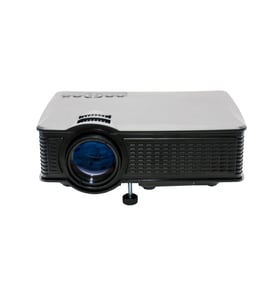
JVC Office Parts — Browse All Models
When you depend on JVC office products to keep your business going, you'll need to fix any equipment failures quickly. Although JVC office products rarely break down, you can never tell when a failure will occur. Sears PartsDirect has the JVC office product parts you need to fix any equipment failure.

Frequently bought JVC parts

Jvc Integrated Circuit
In Stock
$12.36

Qty

Jvc Integrated Circuit
In Stock
$18.80
Qty
A/c Head
In Stock
$33.11
Qty
Magnavox Fuse
Part #483525397109
This item is not returnable
In Stock
$3.78
Qty
Jvc Home Electronics Owner's Manual
In Stock
$54.99
Qty
Ac Cord
Part #483532117084
This item is not returnable
In Stock
$8.46
Qty
Popular maintenance items for Office
Remote Commander (rm-x400)
In Stock
$25.03
19% OFF Phone Price : $31.03
Qty

Agri-fab Lawn & Garden Equipment Washer
Part #44008
This item is not returnable
In Stock
$2.74
27% OFF Phone Price : $3.74
Qty
Sears Central Air Conditioner Wall Control Thermostat
In Stock
$25.59
25% OFF Was : $34.12
Qty
Sears White-rodgers Thermostat
In Stock
$16.80
40% OFF Was : $28.00
Qty
Spring(9142)
In Stock
$29.13
Qty
Refrigerator Drawer Slide Rail Assembly
In Stock
$42.92
12% OFF Phone Price : $48.92
Qty
Replacing the projector bulb in your JVC office equipment
- Unplug the power cord and let the lamp cool down completely before replacing it.
- Locate the lamp access panel and remove the access panel mounting screws. Remove the lamp access panel.
- Carefully reach in and pull the lamp out of the projector.
- Wear gloves to prevent finger prints and oils from depositing on the new bulb. Unpack the new bulb and carefully install it in the projector.
- Reinstall the lamp access panel and secure the panel with the mounting screws.
- Plug the equipment power cord back in.
Caring for JVC office equipment
- Keep office equipment in a dry, climate controlled space. Don't store or position office equipment near sources of excessive heat. Keep office equipment away from sources of liquids such as water coolers and coffee makers.
- Wipe the screens and control panels of office equipment regularly with a lint-free and static free cloth. Use only cleaners specifically designed to clean office equipment to avoid damaging screens and equipment finishes.
- Use dry, compressed air to clean debris from keyboards, control panels and controls boards. Keep ventilation slots on equipment clear and clean dust and debris from vents often.
- Protect all office equipment from harmful power surges by plugging all products into a surge protector.
- Turn office equipment power off when the equipment won't be used for an extended period of time.
Parts & More
Bottom-Mount Refrigerator
Dryer
Garage Door Opener
Microwave
Parts
Rear-Tine Tiller
Side-By-Side Refrigerator
Snowblower Attachment
Trash Compactor
Upright Freezer
Water Heater