- Kenmore refrigerator water filters
- Whirlpool refrigerator water filters
- Samsung refrigerator water filters
- GE refrigerator water filters
- LG refrigerator water filters
- Frigidaire refrigerator water filters
- KitchenAid refrigerator water filters
- Maytag refrigerator water filters
- Kenmore Elite refrigerator water filters
- Estate refrigerator water filters
- GE Profile refrigerator water filters
- Amana refrigerator water filters
- Bosch refrigerator water filters
- Dacor refrigerator water filters
- Electrolux refrigerator water filters
Top DIY repair help
View All Repair Categories
Appliances
Lawn & Garden
Power Tools
Home Improvement
Sports & Leisure
Heating & Cooling
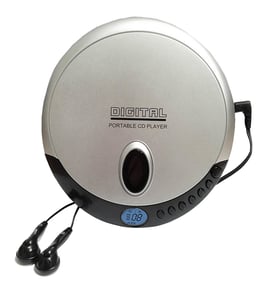
JC Penny Cd player Parts — Browse All Models
JC Penny CD players produce the digital sound that you expect from a compact disc. JC Penny CD players seldom break down but you can never tell when a failure will occur. Find the replacement parts you need to fix any JC Penny CD player failure at Sears PartsDirect.


Frequently bought JC Penny parts

Magnavox Home Electronics Service Manual
In Stock
$82.99

Qty

Jc Penny Cba Crt
In Stock
$75.96
Qty
Jc Penny Home Electronics Service Manual
In Stock
$86.49
Qty
Philips Door
Part #483543237084
This item is not returnable
In Stock
$4.98
Qty
Jc Penny Service Manual
In Stock
$81.99
Qty
Jc Penny Owner's Manual
Part #IB6964E001
This item is not returnable
In Stock
$4.99
Qty
Popular maintenance items for CD Players
Screw
Part #336309901
This item is not returnable
In Stock
$3.08
Qty
Mounted C.
In Stock
$201.96
Qty
Ac Cord
Part #483532117115
This item is not returnable
In Stock
$8.10
Qty
Remote
In Stock
$20.00
Qty
Ic
In Stock
$14.07
Qty
Wire(flat
In Stock
$39.39
Qty
Handling and care tips for compact discs used in your JC Penny CD player
- Handle the compact disc by grasping it on the outer edge and inner hole when removing the disc from its case or the CD player disc tray. Don't touch the media side of the compact disc with your fingers because oil and dirt from your fingers can interfere with compact disc playback.
- Don't expose compact discs to direct sunlight or extreme heat sources such as heater air ducts or a car parked in direct sunlight.
- Insert and remove compact discs in the CD player disc tray carefully to avoid scratching the media side of the compact disc. Make sure the compact disc is properly inserted in the disc tray before pressing the button to insert the disc tray into the player to avoid marring the compact disc.
- After removing the compact disc from the CD player, store the disc in its storage case.
- Don't use tape or labels on the top of compact discs. Use a non-solvent-based felt-tip marker to label the top side of the disc.
Troubleshooting your JC Penny CD player when it won't power up
- If you're using the remote control to attempt to power up the CD player, try using the power button on the CD player to power it up.
- If the CD player won't power up when you press the power button on the player, check the power cord. Plug the CD player power cord securely into the electrical wall outlet if the outlet cord plug is loose.
- If the CD player power cord is properly plugged into the electrical wall outlet, check the electrical outlet for power by plugging a different item into the wall outlet. If the wall outlet is dead, reset the house circuit breaker for the wall outlet. Have an electrician repair the wall outlet if it remains dead after resetting the house circuit breaker.
- If you have the CD player plugged into a surge protector, check for a tripped circuit breaker on the surge protector. Reset the surge protector circuit breaker if it's tripped.
- If the CD player is getting power through the power cord but won't power up, you may need to replace the power supply board in the CD player.
Parts & More
Bottom-Mount Refrigerator
Electric Cooktop
Front-Engine Lawn Tractor
Humidifier
Laundry Center
Microwave/Hood Combo
Power Pruner
Refrigerator
Riding Mowers & Tractors
Room Air Conditioner
Tool Cabinet