- Kenmore refrigerator water filters
- Whirlpool refrigerator water filters
- Samsung refrigerator water filters
- GE refrigerator water filters
- LG refrigerator water filters
- Frigidaire refrigerator water filters
- KitchenAid refrigerator water filters
- Maytag refrigerator water filters
- Kenmore Elite refrigerator water filters
- Estate refrigerator water filters
- GE Profile refrigerator water filters
- Amana refrigerator water filters
- Bosch refrigerator water filters
- Dacor refrigerator water filters
- Electrolux refrigerator water filters
Top DIY repair help
View All Repair Categories
Appliances
Lawn & Garden
Power Tools
Home Improvement
Sports & Leisure
Heating & Cooling
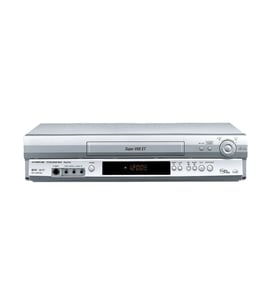
Soundesign Vhs players & vcrs Parts — Browse All Models
Soundesign VHS players are dependable and affordable units that rarely break down. Rugged drive components and reliable electronics inside Soundesign VHS players typically last for years without having problems. When parts do wear out or break on your Soundesign VHS player, find the replacement parts you need to get the player up and running at Sears PartsDirect.

Frequently bought Soundesign parts

Fisher Integrated Circuit
In Stock
$51.62

Qty

Popular maintenance items for VHS Players & VCRs
Cover
In Stock
$31.99
Qty
Magnavox Part
In Stock
$25.71
Qty
Magnavox Ir Rcvr
Part #483521027018
This item is not returnable
In Stock
$7.40
Qty
Vcr Transmitter
In Stock
$25.71
Qty
Txmtr Ir Mx
In Stock
$118.99
Qty
Assembly
In Stock
$28.32
Qty
Common replacement parts for Soundesign VHS players
- Drive belt. The drive belt connects the motor pulley to the video cassette tape drive pulley to spin the tape drive.
- Cassette tape compartment. The cassette tape compartment supports and hold the video cassette tape inside the VHS player.
- Transformer. The transformer converts high voltage AC current to low voltage DC current to supply electrical current to components inside the VHS player.
- Power cord. The power cord plugs into the electrical wall outlet and supplies the VHS player with electrical power.
Replacing the control panel assembly on your Soundesign VHS player
- Unplug the VHS player's power cord from the electrical wall outlet to disconnect electrical power.
- Remove the cabinet cover mounting screws then pull the cabinet cover off the VHS player.
- Unplug the control panel ribbon cable from the control panel.
- Remove the control panel mounting screws and pull the control panel off the front cover of the VHS player.
- Install the new control panel in the front cover and secure it with the mounting screws. Plug in the control panel ribbon cable to the new control panel.
- Reinstall the VHS player cabinet cover and secure it with the mounting screws.
- Plug the VHS player's power cord back into the electrical wall outlet to restore power.
Parts & More
Boating
Electric Range
Front-Engine Lawn Tractor
Lawn & Garden
Lawn Edger
Line Trimmer
Parts
Side-By-Side Refrigerator
Television
Upright Vacuum
Walk-Behind Mower
Weight System
Wine & Beverage Cooler