- Kenmore refrigerator water filters
- Whirlpool refrigerator water filters
- Samsung refrigerator water filters
- GE refrigerator water filters
- LG refrigerator water filters
- Frigidaire refrigerator water filters
- KitchenAid refrigerator water filters
- Maytag refrigerator water filters
- Kenmore Elite refrigerator water filters
- Estate refrigerator water filters
- GE Profile refrigerator water filters
- Amana refrigerator water filters
- Bosch refrigerator water filters
- Dacor refrigerator water filters
- Electrolux refrigerator water filters
Top DIY repair help
View All Repair Categories
Appliances
Lawn & Garden
Power Tools
Home Improvement
Sports & Leisure
Heating & Cooling
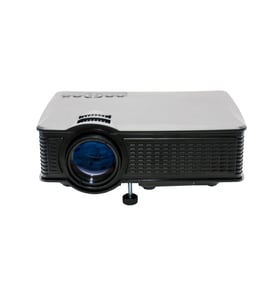
Citizen Office Parts — Browse All Models
Citizen office products help you get all your administrative chores done quickly. Citizen makes office equipment such as printers, fax machines, copiers and projectors. When your Citizen office equipment breaks down, get the repair parts you need to fix the products at Sears PartsDirect.

Citizen 200 DP calculator
Citizen CX 56 calculator
Citizen HSP 500/550 printer
Citizen 220 DP calculator
Citizen CX 75 calculator
Citizen MSP-15E printer
Popular maintenance items for Office
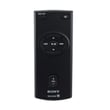
Remote Commander (rm-x400)
In Stock
$25.03
19% OFF Phone Price : $31.03

Qty


Agri-fab Lawn & Garden Equipment Washer
Part #44008
This item is not returnable
In Stock
$2.74
27% OFF Phone Price : $3.74
Qty
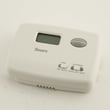
Sears Central Air Conditioner Wall Control Thermostat
In Stock
$25.59
25% OFF Was : $34.12
Qty
Sears White-rodgers Thermostat
In Stock
$16.80
40% OFF Was : $28.00
Qty

Spring(9142)
In Stock
$29.13
Qty
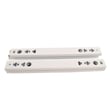
Refrigerator Drawer Slide Rail Assembly
In Stock
$42.92
12% OFF Phone Price : $48.92
Qty
Top Citizen office equipment failures
- No power. Lack of power can be caused by a tripped overload switch in the equipment. Check for an overload switch and reset the switch if it's tripped. If you're unsure whether your equipment has an overload switch, check the owner's manual for information about switches in the equipment. A failed transformer, bad control board or faulty power cord can also prevent office equipment from powering up.
- Paper jam. Don't overload paper bins and refill paper bins when they're nearly empty to help prevent paper jams. Monitor the machine as it's running and clear any paper jams quickly to avoid equipment damage. Have a service technician remove jammed paper if you're unable to clear the paper jam yourself.
- Stuck button. A stuck button on the control panel can prevent the equipment from operating. Try to free up a stuck button by pressing firmly around the edges of the button. If you're unable to free up a stuck button, you'll likely need to replace the user interface or control panel. Have a service technician replace the control panel or user interface if you're unable to complete the repair yourself.
Caring for Citizen office equipment
- Keep office equipment in a dry, climate controlled space. Don't store or position office equipment near sources of excessive heat. Keep office equipment away from sources of liquids such as water coolers and coffee makers.
- Wipe the screens and control panels of office equipment regularly with a lint-free and static free cloth. Use only cleaners specifically designed to clean office equipment to avoid damaging screens and equipment finishes.
- Use dry, compressed air to clean debris from keyboards, control panels and controls boards. Keep ventilation slots on equipment clear and clean dust and debris from vents often.
- Protect all office equipment from harmful power surges by plugging all products into a surge protector.
- Turn office equipment power off when the equipment won't be used for an extended period of time.
Parts & More
Electric Range
Lawn Edger
Microwave
Parts
Riding Mowers & Tractors
Side-By-Side Refrigerator
Treadmill
Wet/Dry Vacuum