- Kenmore refrigerator water filters
- Whirlpool refrigerator water filters
- Samsung refrigerator water filters
- GE refrigerator water filters
- LG refrigerator water filters
- Frigidaire refrigerator water filters
- KitchenAid refrigerator water filters
- Maytag refrigerator water filters
- Kenmore Elite refrigerator water filters
- Estate refrigerator water filters
- GE Profile refrigerator water filters
- Amana refrigerator water filters
- Bosch refrigerator water filters
- Dacor refrigerator water filters
- Electrolux refrigerator water filters
Top DIY repair help
View All Repair Categories
Appliances
Lawn & Garden
Power Tools
Home Improvement
Sports & Leisure
Heating & Cooling
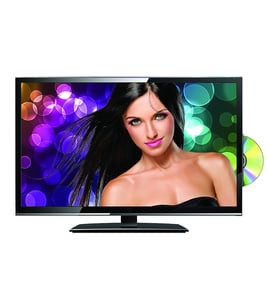
Toshiba Lcd television Parts — Browse All Models
Toshiba is a leading manufacturer of LCD televisions in the United States. Toshiba LCD televisions are known for top performance in video reproduction. When your Toshiba television goes out, you'll want to fix it fast. Find the Toshiba repair parts you need to fix any television failure at Sears PartsDirect.
Browse by Category
LCD Televisions

 Owner’s manual
Frequently bought Toshiba parts

Toshiba Txstr Npn
In Stock
$25.43

Qty

Toshiba Picture Tube
In Stock
$118.00
Qty
Cathode Ray Tube
In Stock
$911.63
Qty
Toshiba Cathode Ray Tube
In Stock
$148.80
Qty
Magnavox Control
In Stock
$15.36
Qty
Montgomery Ward Transistor
In Stock
$11.00
Qty
Popular maintenance items for LCD Televisions
Resistor
Part #124588811
This item is not returnable
In Stock
$3.81
Qty
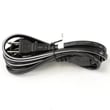
Television Power Cord
In Stock
$10.49
Qty
Ic Memory
In Stock
$55.81
Qty
Diode
Part #650173401
This item is not returnable
In Stock
$4.51
Qty
Ic Reg
In Stock
$31.86
Qty
Ic
In Stock
$10.01
Qty
Installing the table-top stand on your Toshiba LCD television
- Remove all packing materials from the table-top television stand. Find a screwdriver to use when installing the stand on the television cabinet.
- Wear work gloves to protect your hands when installing the television stand.
- Position the stand on the entertainment center or table. Using a helper, carefully lift the television and slide the base of the television cabinet onto the stand. Support the television as you install the stand mounting screws. Tighten the mounting screws firmly. Don't put stress on the LCD display panel or the cabinet frame around the LCD display panel. Be careful not to pinch your hands or the power cord as you install the television on the table-top stand.
- Tighten the stand mounting screws firmly. Check the television for stability after installing the stand.
Preventing your Toshiba LCD television from toppling
- Use a sturdy home entertainment center stand for the television that can adequately support the weight of the television.
- Secure the home entertainment center stand to the wall behind the television. Use 2 angle braces to secure the home entertainment center stand to the wall. Attach one side of the angle brace to the home entertainment center stand and attach the other side of the angle brace to a wall stud. Repeat that process for the angle brace on the other side of the home entertainment center stand.
- Secure the television to the home entertainment center stand. Screw the television stand base directly to the home entertainment center stand using machine screws or use a television support kit to attach a support strap to the television stand and home entertainment center stand to anchor the television in place and keep it from tipping over.
Parts & More
Air Handler
Bottom-Mount Refrigerator
Front-Engine Lawn Tractor
Gas Walk-Behind Mower
Kubota W5021-SC gas walk-behind mower partsSouthern States Parts Gas walk-behind mowerNoma Parts Gas walk-behind mowerAriens Parts Gas walk-behind mowerRyobi Parts Gas walk-behind mowerSteele Parts Gas walk-behind mowerWestern Auto Parts Gas walk-behind mowerHusqvarna LC221RH-96145003200 gas walk-behind mower parts
Go-Kart
Upright Vacuum
Vacuum Cleaner
Weight System
Wet/Dry Vacuum