- Kenmore refrigerator water filters
- Whirlpool refrigerator water filters
- Samsung refrigerator water filters
- GE refrigerator water filters
- LG refrigerator water filters
- Frigidaire refrigerator water filters
- KitchenAid refrigerator water filters
- Maytag refrigerator water filters
- Kenmore Elite refrigerator water filters
- Estate refrigerator water filters
- GE Profile refrigerator water filters
- Amana refrigerator water filters
- Bosch refrigerator water filters
- Dacor refrigerator water filters
- Electrolux refrigerator water filters
Top DIY repair help
View All Repair Categories
Appliances
Lawn & Garden
Power Tools
Home Improvement
Sports & Leisure
Heating & Cooling
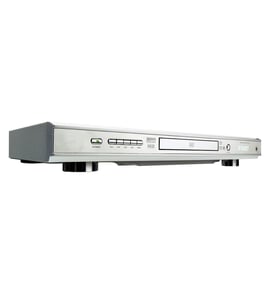
Sony Video equipment Parts — Browse All Models
Sears PartsDIrect is a leading supplier of Sony video equipment replacement parts. Sony video equipment uses dependable components but you can never tell when a failure will occur. When you find yourself in need of Sony video equipment replacement parts, trust Sears PartsDirect to have the parts you need to fix your video components.
Browse by Category
Video Equipment
Video Equipment
 Owner’s manual

Sony CDRTRV8 video
Shop Parts
1 Parts
Sony VTX-1000R vcr
Shop Parts
10 Parts
Sony HVL80D video
Shop Parts
3 Parts
Sony HP610A video
Shop Parts
3 Parts
Frequently bought Sony parts

Sony Instruction Manual
In Stock
$15.67

Qty

Pcb Lcd-02
Part #188445211
This item is not returnable
In Stock
$5.65
Qty
Sony Service Manual
In Stock
$75.99
Qty
Base Assembly
Part #X20244601
Replaced by #X-2024-460-1
Manufacturer substitution
This part replaces X20244601. Substitute parts can look different from the original.
This item is not returnable
In Stock
$6.36
Qty
Sony Fr Block
In Stock
$67.31
Qty
Gear
Part #329835501
This item is not returnable
In Stock
$2.30
Qty
Popular maintenance items for Video Equipment
Pcb Assembly
In Stock
$161.04
Qty
Thermistor
In Stock
$17.87
Qty
Holder
In Stock
$29.10
Qty
Cover
In Stock
$31.99
Qty
Magnavox Part
In Stock
$25.71
Qty
Ant-008sm
In Stock
$62.37
Qty
Playing a disc on your Sony video equipment
- Turn on your television and select the video input mode that your video equipment is connected to on your television (HDMI In).
- If you connected the video equipment to an external audio system, turn on your audio system receiver and select the correct audio input on the receiver to play the video equipment's audio.
- Press the Open/Close button on the DVD player of the video equipment to open the disc tray.
- Position the DVD disc gently into the tray with the disc's label facing upward.
- Press the Open/Close button to close the disc tray.
- Press the Play button to play the DVD disc.
Care and handling tips for DVD and CD discs used in your Sony video equipment
- Handle DVD and CD discs by the outer edge or the center hole. Don't touch the media surface of the discs.
- Keep dirt, liquids and other foreign matter away from discs. Remove any dirt, fingerprints, smudges, liquids or other foreign material from the discs by wiping discs with a clean cotton fabric in a straight line from the center of the disc to the outer disc edge. Use DVD/CD cleaning detergent, isopropyl alcohol or methanol to clean stubborn dirt or deposits from discs.
- Store DVD and CD discs upright. Don't bend discs. Don't expose discs to extreme heat or high humidity.
- Don't use adhesive labels to mark DVD or CD discs. Use a non-solvent-based felt-tip marker to label the top side of the disc.
Parts & More
Electric Cooktop
Front-Engine Lawn Tractor
Garage Door Opener
Gas Line Trimmer
Outdoor Smoker
Power Screwdriver
Range
Refrigerator
Side-By-Side Refrigerator
Top-Mount Refrigerator