- Kenmore refrigerator water filters
- Whirlpool refrigerator water filters
- Samsung refrigerator water filters
- GE refrigerator water filters
- LG refrigerator water filters
- Frigidaire refrigerator water filters
- KitchenAid refrigerator water filters
- Maytag refrigerator water filters
- Kenmore Elite refrigerator water filters
- Estate refrigerator water filters
- GE Profile refrigerator water filters
- Amana refrigerator water filters
- Bosch refrigerator water filters
- Dacor refrigerator water filters
- Electrolux refrigerator water filters
Top DIY repair help
View All Repair Categories
Appliances
Lawn & Garden
Power Tools
Home Improvement
Sports & Leisure
Heating & Cooling
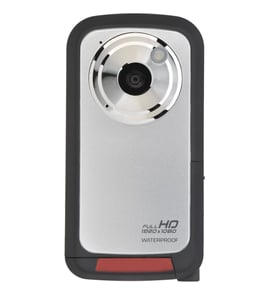
Sears Camcorder Parts — Browse All Models
Sears camcorders are packed with the advanced features that you look for in a recording device. Precision lenses in Sears camcorders help capture images and action accurately and clearly. When your Sears camcorder needs repair, find the replacement parts you need at Sears PartsDirect.

Sears RP9340 camcorder
Shop Parts
29 Parts
Sears GX70 camcorder
Shop Parts
28 Parts
Frequently bought Sears parts
Lg Refrigerator Filter Dryer
In Stock
$108.25
10% OFF Phone Price : $120.25

Qty

Whirlpool Dryer Drum Belt, 92-1/4-inch
In Stock
$10.01
17% OFF Phone Price : $12.01
Qty
Refrigerator Filter Dryer
In Stock
$93.42
6% OFF Phone Price : $99.42
Qty
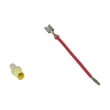
Dryer Heating Element Wire Kit
In Stock
$10.72
16% OFF Phone Price : $12.72
Qty
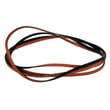
Dryer Drum Belt
Part #661570
Replaced by #661570V
Manufacturer substitution
This part replaces 661570. Substitute parts can look different from the original.
In Stock
$16.20
11% OFF Phone Price : $18.20
Qty
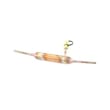
Refrigerator Filter Dryer
In Stock
$127.64
9% OFF Phone Price : $139.64
Qty
Popular maintenance items for Camcorders

Integrated Circuit
In Stock
$40.74
Qty
Ns-016 Pcb
In Stock
$86.07
Qty
Frame L Vc
Part #425772501
This item is not returnable
In Stock
$7.22
Qty
Ic Njm2406f
Part #875971082
This item is not returnable
In Stock
$8.17
Qty
Panel
In Stock
$115.21
Qty
Metal Sheet
Part #441213301
Replaced by #4-412-133-01
Manufacturer substitution
This part replaces 441213301. Substitute parts can look different from the original.
This item is not returnable
In Stock
$7.22
Qty
Cleaning the eyepiece on your Sears camcorder
- Turn the camcorder power off and unplug the power cord. Pull the battery pack off the camcorder.
- Turn the eyepiece 1/8 of a turn counterclockwise to release it from the camcorder body and pull the eyepiece free from the camcorder. Set the eyepiece on a padded surface.
- Remove any lint or dust particles from the eyepiece lens using a soft, clean, lint-free cloth. Be careful not to scratch the eyepiece lens surface while cleaning.
- Clean the body of the eyepiece using a soft cloth moistened with mild detergent and water. Rinse off detergent residue from the eyepiece body using a damp cloth moistened with plain water. Dry the eyepiece body thoroughly with a dry, soft cloth.
- Position the eyepiece on the camcorder body and line up the marks on the eyepiece body with the grooves in the eyepiece receptacle on the camcorder body. Attach the eyepiece to the camcorder and rotate the eyepiece 1/8 turn clockwise to lock the eyepiece in place.
Cleaning tips for your Sears camcorder
- Use a commercial camcorder lens cleaning solution and lens paper when cleaning the camcorder lens to avoid scratching the lens and distorting video capture. Don't touch the lens surface with your bare fingers or hand while cleaning.
- Don't use strong or abrasive detergents when cleaning the camcorder body. Use only mild detergent and water to moisten a non-abrasive cloth and wipe down the camcorder body. Wipe off detergent residue using a lint-free cloth moistened with plain water. Dry the camcorder body thoroughly with a non-abrasive, lint-free cloth.
- To protect the finish of the camcorder body, wash your hands and face to remove any chemical products such as make-up or suntan lotion that can damage the finish.
- Protect the lens by keeping the lens cover installed on the camcorder then you're not using the device.
Parts & More
Drill Press
Household Fan
Laundry Center
Parts
Top-Mount Refrigerator
Treadmill