- Kenmore refrigerator water filters
- Whirlpool refrigerator water filters
- Samsung refrigerator water filters
- GE refrigerator water filters
- LG refrigerator water filters
- Frigidaire refrigerator water filters
- KitchenAid refrigerator water filters
- Maytag refrigerator water filters
- Kenmore Elite refrigerator water filters
- Estate refrigerator water filters
- GE Profile refrigerator water filters
- Amana refrigerator water filters
- Bosch refrigerator water filters
- Dacor refrigerator water filters
- Electrolux refrigerator water filters
Top DIY repair help
View All Repair Categories
Appliances
Lawn & Garden
Power Tools
Home Improvement
Sports & Leisure
Heating & Cooling
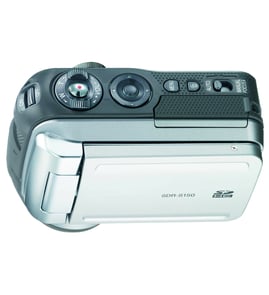
Sanyo Digital camcorder Parts — Browse All Models
Sanyo digital camcorders have a long track record for rugged dependability. Although Sanyo digital camcorders rarely break down, those infrequent failures can occur at any time. When a camcorder failure happens, get the repair parts you need to fix your Sanyo digital camcorder at Sears PartsDirect.


 Owner’s manual
Frequently bought Sanyo parts

Sanyo Picture Tube
In Stock
$72.99

Qty

Cathode Ray Tube
In Stock
$224.99
Qty
Picture Tube
In Stock
$128.00
Qty
Sanyo Integrated Circuit
In Stock
$47.96
Qty
Sanyo Vcr Belt K
Part #VKR9220AM001
This item is not returnable
In Stock
$5.55
Qty
Sanyo Owner's Manual
Part #46-722427-3
This item is not returnable
In Stock
$6.88
Qty
Popular maintenance items for Digital Camcorders
Piece F
Part #420877501
This item is not returnable
In Stock
$7.74
Qty
Ic
In Stock
$62.37
Qty
Washer A
Part #420873901
This item is not returnable
In Stock
$3.54
Qty
Piece F
Part #420875001
This item is not returnable
In Stock
$7.22
Qty
Im Rubber,
Part #427728001
This item is not returnable
In Stock
$5.80
Qty
Light
In Stock
$25.27
Qty
Dubbing video from your Sanyo digital camcorder to a VCR
- Connect the audio/video cord to the audio and video outlet jacks on your camcorder. Connect the other end of the audio/video cord to the audio in and video in jacks on the back of your VCR.
- Insert a pre-recorded take into the camcorder and power the camcorder on.
- Turn the VCR on and set the input signal selector to the Line In source.
- Press Play and Record then Pause on the VCR to set up the VCR for recording the video signal from the camcorder.
- Find the beginning of the video that you want to record on the tape in the camcorder. Press Play on the camcorder then press the Pause button on the VCR to play the camcorder video and record the camcorder video signal on the VCR.
Top replacement parts for Sanyo digital camcorders
- Len cover. The lens cover protects the camcorder lens from scratches, spills, dirt and debris when you're not using the device.
- Carrying strap. The carrying strap attaches to the camcorder and allows you keep control of the camcorder so you don't drop it when filming video.
- Battery. The battery provides electrical current to operate the camcorder control board and video capture components.
- USB cable. The camcorder USB cable connects the camcorder to a computer, television or home theater system so you can store or watch recorded video.
Parts & More
Circular Saw
Cooktop
Countertop Microwave
Grass Catcher Attachment
Lawn Sweeper
Outdoor Grill
Parts
Power Nailer
Range
Side-By-Side Refrigerator
Walk-Behind Mower