 Installation guide
 Owner’s manual





What is the life expectancy of a GE microwave?
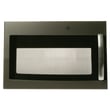
A GE microwave typically lasts about 7 to 10 years with normal household use. For your GE JVM3160EF2ES microwave/hood combo, heavy daily cooking, poor airflow over the range, and door wear can shorten life; consistent cleaning and proper use help it reach the full range.
Typical lifespan and what changes it
Most over-the-range microwaves like the JVM3160EF2ES land in the same general lifespan range, but these factors make the biggest difference:
- Daily run time (reheating a few minutes a day vs. long cook cycles)
- Heat and grease exposure from the cooktop below (more heat equals more stress)
- Door closing habits (slamming can wear latches and interlock parts)
- Ventilation and filters (restricted airflow raises internal temperatures)
- Cleaning routine (grease buildup can lead to odors, arcing, and premature failures)
What “end of life” usually looks like
If the microwave is nearing the end of its service life, we commonly see one of these symptoms:
- Runs but does not heat
- Intermittent power loss or goes dead
- Stops when the door is moved or will not start
- Loud humming, burning smell, or repeated shutdowns
- Vent fan behavior changes (for example, running more often due to heat)
For operating and care guidance that helps maximize lifespan, follow the maintenance and safety sections in the owner's manual.
Quick decision guide: repair vs. replace
Use this as a practical way to decide what to do next.
| Situation | What it usually means | Typical next step |
|---|---|---|
| Unit is 0 to 5 years old | Repair often makes sense | Diagnose and replace the failed part |
| Unit is 6 to 10 years old | Depends on part cost and condition | Repair if it is a simple electrical or door issue |
| Unit is 10+ years old | Wear is widespread | Replacement is often more cost-effective |
Why it matters
A microwave/hood combo sits above the range, so heat, steam, and grease can accelerate wear compared with a countertop unit. Keeping airflow clear and avoiding door stress helps protect key safety and heating components.
Last updated: February 2026
Is the JVM3160EF2ES easy to use?
Yes. The GE JVM3160EF2ES microwave/hood combo is designed for straightforward everyday use with a simple keypad and common one-touch functions (cook time, defrost, add 30 seconds, vent fan, and surface light). For the exact button functions and settings, use the owner's manual.
What “easy to use” looks like on this model
Most owners find this style of GE over-the-range microwave easy because the controls focus on the most-used tasks:
- One-touch time adds (such as add 30 seconds)
- Cook time entry with a numeric keypad
- Weight/time defrost options
- Vent fan control for the hood function
- Surface light control for the cooktop
- Turntable on/off option for different dish sizes
Quick start: common everyday tasks
Here are the simplest ways to use the most common features (button names can vary slightly by revision, so confirm in the manual):
| Task | What you typically do | What to watch for |
|---|---|---|
| Heat leftovers | Enter cook time, press Start | Use a lower power level for delicate foods |
| Add time | Press Add 30 Sec. | Repeated presses usually add more time |
| Defrost | Choose Weight/Time Defrost | Rotate or stir food partway through |
| Use the hood fan | Press Vent to select speed | Clean filters regularly for best airflow |
| Use the cooktop light | Press Surface Light | Let the bulb cool before handling |
Why it matters
Simple, consistent controls reduce mis-keys and help prevent common microwave issues like overheating food, running the oven empty, or using the wrong container. That also helps protect key safety components such as door interlocks.
If the controls feel “hard to use” or don’t respond
If the keypad seems confusing or the microwave does not start reliably, check these common causes:
- Confirm the clock and basic settings in the owner's manual
- Make sure the door closes firmly and latches fully
- If the unit acts dead or resets, a blown fuse is a common cause (see microwave fuse WB27X11138)
- If it starts only when you lift or push the door, a door switch or latch issue is common (see microwave door interlock switch WB24X10146)
Last updated: February 2026
How do I do a hard reset on my GE microwave?
To hard reset your GE JVM3160EF2ES microwave/hood combo, we recommend doing a full power cycle: disconnect power for about 1 to 2 minutes, then restore power and reset the clock. This clears many control glitches, lockups, and “won’t start” situations.
Hard reset steps (power cycle)
- Unplug the microwave from the outlet (or switch the circuit breaker off).
- Wait 1 to 2 minutes.
- Restore power.
- Set the clock and try a simple cook cycle.
- If the display is on but it still will not start, open and close the door firmly, then press a cook selection and press START/PAUSE.
For control locations and normal operation details, use the JVM3160EF2ES owner's manual.
Soft reset and quick clears (no unplugging)
Many GE over-the-range microwaves clear a stuck keypad entry by pressing CANCEL/OFF. If the unit is acting “busy” or unresponsive, try:
- Press CANCEL/OFF once to cancel the current selection.
- Re-enter the cook time and press START/PAUSE.
- Open and close the door to re-seat the door switches.
If it still will not start after a reset
A reset helps when the issue is a power surge or a control logic glitch. If the problem returns immediately, focus on the most common “no start” causes:
| Symptom | Most likely area to check | What it points to |
|---|---|---|
| Display is blank | House power, outlet, breaker | No power to microwave |
| Display works, won’t run | Door not closing, door switch circuit | Interlock problem |
| Dead after surge, then returns | Internal fuse | Fuse opened to protect circuit |
Common parts involved on this model include the microwave fuse WB27X11138 and door interlock components such as the microwave door interlock switch WB24X10146.
Why it matters
Microwaves use door interlock switches and protective fusing to prevent operation with the door open and to protect the control and high-voltage system. A proper reset is a safe first step before deeper troubleshooting.
Last updated: February 2026
What does F2 mean on a microwave?
On the GE JVM3160EF2ES microwave/hood combo, an F2 code indicates a shorted thermal sensor. This safety-related fault can stop heating or shut the unit down to prevent overheating; we recommend addressing it promptly using the checks below and the wiring guidance in the JVM3160EF2ES owner's manual.
What to do first (safe, quick checks)
- Press CLEAR/OFF to stop the cycle and let the microwave cool.
- Unplug the microwave (or switch off the breaker) for 1 minute, then restore power.
- Make sure the door closes fully and nothing is pinched in the door area.
- Confirm the microwave is on a properly grounded outlet and not on an extension cord.
- If the code returns immediately after power-up, plan on sensor circuit troubleshooting.
What F2 usually points to
F2 is most often caused by an electrical problem in the thermal-sensor circuit, such as:
- A shorted thermal sensor
- A pinched or damaged wire in the harness
- A loose connector at the sensor or control
Because this is an over-the-range microwave, heat and vibration can also contribute to connector and harness issues over time.
Parts that are commonly involved
If troubleshooting shows a failed safety device or related wiring issue, these model-matched parts are commonly checked:
| Symptom with F2 | Common area to inspect | Example part on this model page |
|---|---|---|
| F2 returns quickly after cooling | Sensor/safety circuit connections | Main harness WB18X10523 |
| Shuts down after running, then faults | Overheat protection devices | Microwave thermostat WB27X11210 |
| No power or intermittent operation after a fault | Line protection component | Microwave fuse WB27X11138 |
Why it matters
The thermal sensor and related safety devices help prevent excessive heat conditions. When the control detects a shorted sensor signal (F2), it can disable operation to reduce the risk of damage to internal components.
Last updated: February 2026


