 Owner’s manual


What type of appliance is a JVM3160RFSS?
The GE JVM3160RF8SS is an over-the-range microwave oven with a built-in vent hood (a microwave/hood combo). It mounts above your cooktop and provides microwave cooking plus a vent fan and cooktop lighting; see the JVM3160RF8SS owner’s manual for feature and control details.
Model numbers can look similar, so we recommend verifying the exact tag inside the oven before ordering parts or using model-specific instructions.
- Open the microwave door and look for the model/serial label inside the oven
- Match the full model number character-for-character (example: JVM3160RF8SS)
- If your model ends in different letters/numbers, parts and features can vary
- Use the model number when searching for filters, bulbs, and door switches
This appliance combines two functions in one unit.
| Function | What it does | Common related items |
|---|---|---|
| Microwave oven | Heats, cooks, defrosts food | Turntable parts, control components |
| Vent hood | Pulls steam, smoke, and odors from the cooktop area | Grease filter, charcoal filter (recirculating setups) |
Knowing it is an over-the-range microwave/hood combo helps you choose the right maintenance tasks and parts, such as vent filters and cooktop lights, not just internal microwave components.
Last updated: January 2026
Is the JVM3160RFSS easy to use?
Yes. The GE JVM3160RF8SS is designed to be straightforward for everyday cooking, with dedicated buttons for common tasks like Cook Time, Express Cook (1–6 minutes), Popcorn, Reheat, Defrost, and Add 30 Sec. For the exact button layout and feature steps, use the JVM3160RF8SS owner’s manual.
These are the controls most customers use daily on the GE JVM3160RF8SS:
- Express Cook: one-touch time presets (1–6 minutes)
- Add 30 Sec: adds time in 30-second increments (and can start immediately)
- Cook Time + Power Level: manual control for more precise heating
- Reheat: preset options for common leftovers
- Weight/Time Defrost: two defrost methods depending on food type
- Vent fan and surface light: quick access for cooktop ventilation and lighting
| Task | Fastest button choice | When to use it |
|---|---|---|
| Heat something for 1–6 minutes | Express Cook | Simple reheats with no power changes |
| Add a little more time | Add 30 Sec | When food is almost done |
| Gentle heating | Power Level (lower than 10) | Sauces, simmering, avoiding boil-overs |
| Frozen foods | Defrost (Weight/Time) | Meat/poultry/fish by weight; others by time |
- Set the clock once so the display is more useful day to day.
- Use Power Level for better results on delicate foods (lower power heats more evenly).
- If the display shows the timer but you want cook time (or the reverse), toggle between Cook Time and Timer.
- Keep the turntable installed and turning for the most even heating.
Using the right preset (Express Cook, Reheat, Defrost) reduces guesswork and helps prevent overcooking, boil-overs, and uneven heating, which is especially helpful on a microwave/hood combo used multiple times per day.
Last updated: January 2026
What is the average lifespan of a GE microwave?
Most GE microwaves, including the GE JVM3160RF8SS microwave/hood combo, typically last about 7 to 10 years with normal home use. Lifespan varies most with heat and grease management, door use habits, and whether routine maintenance items (especially filters) are serviced on schedule.
- Ventilation and grease buildup: restricted airflow makes the microwave run hotter
- Door use and alignment: slamming or misalignment can stress the interlock system
- Cleaning habits: residue can cause odors, arcing, and overheating
- Power quality: surges can shorten the life of the control and electrical components
- Usage pattern: heavy daily use and long cook times usually reduce service life
We follow the care guidance in the JVM3160RF8SS owner’s manual. For recirculating (non-vented) setups, the manual notes the charcoal filter should be replaced when it’s noticeably dirty or discolored, usually every 6 to 12 months depending on usage.
- Clean the reusable grease filters about monthly (or sooner with heavy cooking)
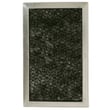
- Replace the charcoal filter on recirculating installs: typically every 6 to 12 months
- Keep door seals and sealing surfaces clean
- Avoid running the microwave empty
- Use microwave-safe cookware to reduce arcing risk
| Item | What it impacts | Typical symptom when neglected/failed |
|---|---|---|
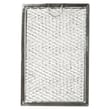
| Microwave grease filter WB02X35491 | Airflow and heat management | More smoke/odor, hotter operation |
| Microwave charcoal filter WB02X35687 | Odor removal (recirculating) | Lingering cooking smells |
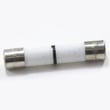
| Microwave fuse WB27X25389 | Electrical protection | Microwave suddenly won’t run |
If your JVM3160RF8SS is near the 7 to 10 year range and develops heating or power issues, compare repair cost to the unit’s age and overall condition. For heating complaints, why is my microwave not heating can help you narrow likely causes.
A microwave/hood combo has extra heat and grease exposure from the cooktop. Keeping airflow parts clean and replacing filters on time reduces heat stress on the control board, switches, and high-voltage components.
Last updated: January 2026
How do I do a hard reset on my GE microwave?
To hard reset your GE JVM3160RF8SS microwave/hood combo, disconnect power at the plug or circuit breaker for about 1 minute, then restore power and reset the clock. If the display shows LOCKED or an “L”, hold CANCEL/OFF for 3 seconds to unlock controls.
- Power reset (hard reset): Unplug or switch the breaker OFF, wait about 1 minute, then restore power.
- Control lock toggle: Hold CANCEL/OFF for 3 seconds.
- Stop and clear a cooking program: Press CANCEL/OFF once.
- After any reset: Set the time using Set Clock (see the JVM3160RF8SS owner’s manual).
- Press CANCEL/OFF to stop any cycle.
- Unplug the microwave; if you can’t access the plug, turn the kitchen microwave breaker OFF.
- Wait about 1 minute.
- Restore power.
- Set the clock.
On the JVM3160RF8SS, “won’t start” is often caused by a door-latch or interlock issue, or a blown internal fuse. Use these checks to narrow it down:
- Make sure the door closes firmly and latches fully.
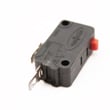
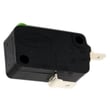
- If the display is on but it won’t run, door interlock switches are a common cause; this model uses more than one switch, including the microwave primary interlock switch WB24X10047 and the microwave door interlock switch WB24X25397.
- If the unit is completely dead (no display), check the outlet and breaker first; if power is good, the internal fuse or fuse assembly may be involved. For this model, compatible options include the microwave fuse WB27X25389 and the fuse asm WB27X35672.
| Symptom | What it often points to | What to check next |
|---|---|---|
| Display works, won’t start | Door not fully latched or controls locked | Re-close door; hold CANCEL/OFF 3 sec |
| Completely dead | No power, or internal fuse opened | Check outlet/breaker; then internal fuse/fuse asm |
| Starts then stops | Door interlock/latch problem | Inspect latch alignment; test interlock switches |
A hard reset clears a “stuck” control state after a power surge and helps you tell the difference between a simple control lock or power issue and a repair that may involve the door interlock switches or internal fuse.
Last updated: January 2026


