 Installation guide
 Owner’s manual



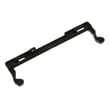
How much is it to replace a microwave handle?
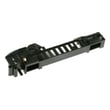
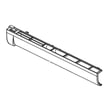
For your GE JVM7195SK6SS microwave/hood combo, replacing a door handle typically costs $15 to $60 for the handle (part only). If you hire a technician, total repair commonly runs $150 to $300+ once the service call and labor are included. Use the JVM7195SK6SS owner’s manual to confirm door and latch handling.
Typical cost breakdown
- Handle price (varies by finish and availability)
- Shipping and tax
- Labor (service call plus installation time)
- Extra door hardware if mounts or trim are cracked/stripped
- Diagnostic time if the door also has latching or “won’t start” symptoms
DIY vs. professional replacement
| Option | What you pay for | Typical total | Best choice when |
|---|---|---|---|
| DIY handle swap | Handle only | $15 to $60 | Door is solid and only the handle is loose/broken |
| Technician repair | Handle + labor | $150 to $300+ | Door is misaligned, mounts are damaged, or you want full diagnosis |
Before you order a handle
A loose handle is often just loose mounting screws, but cracks around the handle mounts can require additional door parts.
- Check for wobble and tighten accessible screws (if applicable)
- Inspect for cracks in the door skin/trim near the handle
- Confirm the door closes and latches firmly
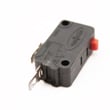
- If the microwave intermittently will not start after a door issue, the interlock system may be involved; a failed switch such as the microwave door interlock switch WB24X25397 can prevent operation
Why it matters
The microwave must be securely latched to run; a broken handle or damaged mounting area can keep the door from closing correctly and can accelerate wear on the latch and interlock components.
Last updated: February 2026
How to order GE appliance parts?
For your GE JVM7195SK6SS microwave/hood combo, we recommend ordering parts by matching the full model number and the exact part ID or part number; this prevents fit issues and helps you get the right door, fuse, or control components the first time. Use the JVM7195SK6SS owner's manual to confirm part names and safe servicing guidance.
The fastest way to order the correct part
- Find the complete model number: JVM7195SK6SS (use the full number, not a partial).
- Identify the failed part by symptom (no power, door won’t latch, not heating, light out).
- Match the exact part ID and description before you buy.
- Order from the parts list for model JVM7195SK6SS and confirm the part fits your exact version.
- If you need help identifying the right part, contact Sears PartsDirect support.
Common parts customers order for this model
| Symptom | What to check first | Example part for JVM7195SK6SS |
|---|---|---|
| Dead/no display | Fuse or door interlock circuit | Microwave fuse WB27X25389 |
| Door won’t start unit | Door interlock switch or latch parts | Microwave door interlock switch WB24X25397 |
| Door not closing/latching | Latch components | Body latch asm WB10X35573 |
Why it matters
Microwave/hood combos use door interlock switches and fuses as key safety devices. Ordering by exact model number and part ID helps ensure proper fit and safe operation, and it reduces returns and repeat repairs.
Last updated: March 2026
What are common problems with GE profile microwaves?
Common problems we see with GE Profile microwaves (including the GE JVM7195SK6SS microwave/hood combo) are no power, not heating, turntable issues, sparking/arcing, and vent fan or light problems. Many “won’t start” complaints trace back to power supply issues or the door not closing securely, as outlined in the JVM7195SK6SS owner’s manual.
Most common symptoms and what they usually point to
- Microwave won’t start or looks dead: tripped breaker, blown house fuse, loose plug, or a failed safety circuit (door interlock switches, internal fuse).
- Runs but does not heat: high-voltage components (magnetron, diode, capacitor, transformer) or control issues.
- Turntable not spinning: tray support not seated, coupler/shaft issue, or turntable drive problem.
- Sparking or burning smell: metal in the cavity, food splatter buildup, damaged waveguide cover, or arcing from a damaged interior surface.
- Control panel problems: stuck keys, moisture/cleaner damage, or control board/display issues.
Quick checks we recommend first (safe, no disassembly)
- Confirm the outlet has power; reset the breaker if needed.
- Unplug for 1 minute, then plug back in (helps after a power surge).
- Open and close the door firmly; a door that is not fully latched can prevent starting.
- If you see “LOCKED”, press and hold SET CLOCK for about 3 seconds to unlock.
- Clean correctly: avoid abrasive cleaners and never use commercial oven cleaner on any microwave surfaces.
Parts that commonly fix “won’t start” on this model
If basic power checks are good and the door is closing properly, these model-matched parts are common suspects:
| Symptom | Common part to check | What it does |
|---|---|---|
| No start with door closed | Microwave primary interlock switch WB24X10047 | Confirms door is safely latched |
| Intermittent start/no start | Microwave door interlock switch WB24X25397 | Secondary door safety switch |
| Completely dead/no response | Microwave fuse WB27X25389 | Protects the microwave from overload |
Why it matters
Microwaves use door interlocks and fusing to prevent unsafe operation. When a switch, latch, or fuse starts failing, the unit may act “random,” go dead, or refuse to start even though the display sometimes works.
Last updated: February 2026
What does JVM7195SK6SS do?
The GE JVM7195SK6SS is an over-the-range microwave/hood combo that heats and defrosts food and also works as a range hood to vent or recirculate cooking smoke and odors. It includes multiple power levels, sensor-style cooking features, and a multi-speed exhaust fan (venting depends on how it’s installed). See the JVM7195SK6SS owner’s manual for the full feature list and control details.
What you can do with this microwave/hood combo
- Microwave cooking and reheating using selectable power levels
- Defrosting by time or by weight
- Using sensor features for certain foods (best for single servings)
- Running the hood exhaust fan to help clear steam, smoke, and odors
- Using the cooktop light and the interior light for visibility
Venting options (what “hood combo” means)
Your JVM7195SK6SS can be set up to either vent to the outside or recirculate air back into the kitchen, depending on your ducting and installation.
| Setup | Where air goes | What you typically need |
|---|---|---|
| Outside venting | Through ductwork to outdoors | Proper duct prep and correct vent path |
| Recirculating | Back into the kitchen | A recirculating charcoal filter kit (when outside venting is not possible) |
For clearances, cabinet depth guidance, and duct preparation steps, follow the JVM7195SK6SS installation guide.
Important installation and use notes
- Keep the vent openings clear; blocked airflow reduces hood performance.
- Plan cabinet depth correctly; 15-inch deep cabinets can require an additional installation kit.
- Follow the minimum mounting height requirements so the microwave is safely positioned above the cooking surface.
Why it matters
Knowing whether your JVM7195SK6SS is configured for outside venting or recirculating helps you choose the right filters, improve odor removal, and avoid performance issues like weak airflow or excess moisture around the cabinet area.
Last updated: February 2026
What is the average lifespan of a GE microwave?
Most GE microwaves last about 7 to 10 years with normal household use; your GE JVM7195SK6SS microwave/hood combo typically falls in that same range. Lifespan depends most on daily run time, ventilation, and how gently the door and controls are used.
What affects lifespan the most
- Heavy use (multiple long cook cycles per day) shortens life faster than reheating only
- Door wear from slamming or pulling the door open while running can damage latches and interlocks
- Grease and heat buildup from cooktop venting can stress internal components
- Power issues (surges, loose outlet) can damage the control board
- Running empty can overheat the cavity and internal parts
Maintenance that helps a JVM7195SK6SS last longer
Use the care and cleaning guidance in the JVM7195SK6SS owner’s manual.
- Clean the cavity and door seals regularly; avoid abrasive cleaners
- Keep the vent area clear and clean the grille as needed
- Wash or replace the grease filter on schedule (a clogged filter traps heat)
- Use microwave-safe cookware; avoid metal and foil contact
- Stop cooking if you see arcing (sparks) and inspect the waveguide cover area
Common “end-of-life” symptoms and what they usually point to
| Symptom | What it often means | Typical next step |
|---|---|---|
| Runs but does not heat | High-voltage system issue | Service diagnosis recommended |
| Dead display, no response | Power supply or fuse issue | Check power, then inspect fuse |
| Starts then stops when door moves | Door latch or interlock issue | Inspect latch and switches |
| Loud buzzing or burning smell | Electrical or component failure | Stop using and have it serviced |
If the door is not closing or the unit stops when the door is touched, the interlock system is a common wear area; for this model, examples include the microwave primary interlock switch WB24X10047 and the microwave door interlock switch WB24X25397.
Why it matters
A microwave/hood combo like the GE JVM7195SK6SS also handles cooking fumes and grease; keeping airflow and filters clean reduces heat stress, improves performance, and helps you avoid premature failures.
Last updated: February 2026
Who created JVM7195SK6SS?
The GE JVM7195SK6SS microwave/hood combo was created and manufactured by GE Appliances (a Haier company) under the GE trademark license. For model-specific identification details (model and serial label location), use the JVM7195SK6SS owner's manual.
What “created by” means for this model
When customers ask who created a microwave model, it usually refers to the brand and the company responsible for manufacturing and support.
- Brand on the product: GE
- Manufacturer/support organization: GE Appliances (a Haier company)
- Product type: Over-the-range microwave/hood combo
- Where to confirm your exact unit: Model and serial label inside the oven
How to confirm you have the exact JVM7195SK6SS
Model numbers can look similar (for example, JVM7195SKSS vs. JVM7195SK6SS). We recommend verifying the full model number from the label inside the microwave cavity.
Quick check steps:
- Open the door and look for the rating label inside the oven.
- Match the model number exactly: JVM7195SK6SS.
- Record the serial number as well for parts compatibility.
- Use the manual to match features and control layout.
Common look-alike model numbers (why confusion happens)
| What you see | What it can mean | What to do |
|---|---|---|
| JVM7195SKSS | Similar family/model styling | Verify the full model tag inside the oven |
| JVM7195SK6SS | Exact Sears PartsDirect model page | Use this model number when ordering parts |
Why it matters
Using the exact model number ensures you get the right GE parts (such as a door interlock switch, fuse, or vent grille) and the correct installation and operating instructions for your microwave/hood combo.
Last updated: February 2026





