



How can I tell what wattage my microwave is?
For your GE CVM721M2N8S5 microwave/hood combo, the most reliable way to find wattage is to read the rating label (usually on the oven frame behind the door or on the back of the unit). If the label is missing, you can estimate wattage with a simple 1-cup water heating test.
Where to find the wattage on the microwave
Check these common locations first:
- Open the door and look for a rating label on the oven frame (often near the latch area)
- Check the back of the microwave for a serial and rating label
- Look along the inside edge of the door for a label (less common)
- If the unit is installed over the range, use a flashlight to look up at the underside edges for any secondary label
Quick “time-to-heat” wattage estimate (no tools)
This is a practical way to compare performance if you cannot read the label.
- Measure 1 cup (8 oz) of room-temperature water in a microwave-safe glass measuring cup
- Heat on HIGH for 2 minutes
- Stir carefully and measure the temperature (or note how close it is to a near-boil)
- Repeat once for consistency
What the results usually mean
| Result after 2 minutes (1 cup water) | Typical microwave output range |
|---|---|
| Barely hot to warm | 600 to 800 watts |
| Hot, steaming | 800 to 1000 watts |
| Very hot, close to boiling | 1000 to 1200 watts |
Why it matters
Wattage affects cook times, sensor cooking results, and how well foods reheat. If your microwave suddenly seems “weak,” the issue is often not wattage at all; it can be a heating-system problem (high-voltage components) or a door/interlock safety issue.
When to suspect a problem instead of low wattage
If the display works but food stays cold, check these common symptoms:
- Runs but does not heat (fan and light may still work)
- Stops when you close the door or press Start
- Blows a fuse or goes dead after pressing Start
- Door does not feel like it latches firmly
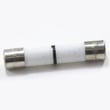
For no-heat troubleshooting steps, use why is my microwave not heating. If the unit is completely dead or keeps blowing fuses, a common service item is the microwave fuse WB27X25389.
Last updated: January 2026
How do I troubleshoot my CVM721M2N8S5?
To troubleshoot your GE CVM721M2N8S5 microwave/hood combo, start with the symptom (no power, no heat, turntable not turning, fan or light issues) and check the simplest causes first: power supply, door latch closure, filters, and basic settings. Then move to part-level checks.
Safety first
- Unplug the microwave or switch off the breaker before removing any panels.
- Do not touch high-voltage components; they can retain a dangerous charge.
- If you smell burning or see arcing, stop using the unit until it is repaired.
Quick symptom checklist
- No power/display: outlet, breaker, then fuse and door switches
- Runs but no heat: door interlocks, then high-voltage system
- Turntable not turning: tray support/shaft alignment, coupler issues
- Loud buzzing/humming: fan motor, stirrer area, or high-voltage component
- Poor venting/smoke stays: grease filter and vent grille restrictions
Most common fixes by symptom
1) Microwave is dead (no lights, no display)
- Confirm the outlet works (test with a lamp).
- Check for a blown microwave fuse WB27X25389.
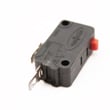
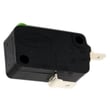
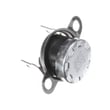
- Inspect door-latch alignment; a worn latch can prevent proper switch engagement. Consider the body latch asm WB10X35573 and door switches such as the microwave primary interlock switch WB24X10047.
2) Microwave runs but does not heat
- Make sure the door closes firmly and consistently.
- If heating is intermittent, test/replace the interlock switch set (common cause).
- If the unit always runs but never heats, high-voltage parts are suspects (service-level repair), including the transformer, hight voltage WB27X37960.
3) Turntable does not rotate
- Reseat the glass tray and support; clean debris under the roller ring area.
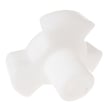
- Check the microwave turntable shaft WB06X10873 for damage or stripping.
- Replace a cracked or warped microwave glass turntable tray WB48X35496.
Helpful “what to check” table
| Symptom | First checks | Parts often involved |
|---|---|---|
| Dead unit | Breaker, outlet, door closure | Microwave fuse WB27X25389, microwave primary interlock switch WB24X10047 |
| No heat | Door latches, interlocks | Microwave door interlock switch WB24X25397, transformer, hight voltage WB27X37960 |
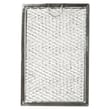
| Weak venting | Grease buildup, blocked grille | Microwave grease filter WB02X35491, microwave vent grille WB63X35497 |
Why it matters
On over-the-range microwaves, many “random” problems trace back to door interlock alignment or restricted airflow. Fixing those early prevents nuisance fuse blows, overheating, and repeat shutdowns.
Last updated: March 2026
What is the average lifespan of CVM721M2N8S5?
A GE microwave/hood combo like model CVM721M2N8S5 typically lasts 9 to 10 years with normal household use. Keeping airflow clear, cleaning filters, and fixing door-latch issues early helps you reach that lifespan.
What affects lifespan most
- Door use and slamming (wears latches and interlock switches)
- Grease buildup and restricted venting (runs hotter, stresses electronics)
- Frequent high-power cooking (more heat load)
- Power surges and repeated breaker trips
- Running the hood fan and lights for long periods
Maintenance that extends life
- Wash or replace the grease filter regularly; use the correct microwave grease filter WB02X35491.
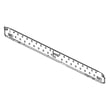
- Keep the vent grille clear of dust and grease; replace a damaged microwave vent grille WB63X35497.
- Wipe the cavity and door seals so the door closes smoothly.
- Do not run the microwave empty; it overheats internal components.
- If the unit goes dead or resets, address electrical issues promptly (fuse, door switches, wiring).
Common “end-of-life” symptoms and likely causes
| Symptom | What it often points to | Example part on this model |
|---|---|---|
| Dead, no display | Blown fuse, door switch issue | Microwave fuse WB27X25389 |
| Runs but does not heat | High-voltage component problem | Transformer, hight voltage WB27X37960 |
| Stops when door moves | Worn latch or interlock switch | Microwave door interlock switch WB24X25397 |
Why it matters
Microwave/hood combos rely on door interlocks and ventilation to run safely and cool. When airflow is restricted or the door does not latch consistently, the microwave can blow a fuse, overheat, or stop mid-cycle, shortening overall service life.
Last updated: March 2026


