



Is GE profile considered high end?
Yes. GE Profile is generally considered a higher-end tier within GE’s mainstream appliance lineup; it typically adds more premium finishes, stronger feature sets (like sensor cooking and smart features), and upgraded controls compared to basic GE models.
How GE Profile fits in the GE lineup
GE organizes products into tiers; GE Profile usually sits above standard GE models and below GE’s true luxury lines.
- Standard GE: core features and value-focused designs
- GE Profile: upgraded features, styling, and performance-focused options
- Luxury lines: highest-end design and specialty features (varies by product category)
What “high end” means for a microwave/hood combo like GE JVM7195RW1SS
For over-the-range microwave/hood combos, “high end” usually shows up as better cooking sensors, quieter venting, more refined controls, and nicer exterior finishes. If you are comparing models, focus on the features you will actually use day to day.
Common “step-up” features to look for:
- Sensor or humidity-based cooking and reheat
- More vent fan speeds and better grease filtration
- Brighter, longer-lasting cooktop lighting
- More precise time/weight defrost options
- Better fit and finish (handle, door feel, trim)
Parts support matters too
Even premium models need maintenance. For the GE JVM7195RW1SS, common service-related parts you can match by model include:
| Need | What it affects | Example part for this model |
|---|---|---|
| Door safety switching | Unit runs only when door is fully latched | Microwave primary interlock switch WB24X10047 |
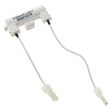
| No power after a surge or door issue | Protects the circuit | Microwave fuse WB27X25389 |
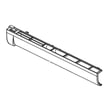
| Poor venting over the range | Captures grease from cooking | Microwave grease filter WB02X35491 |
Why it matters
“High end” should translate into features you notice (cooking results, noise level, lighting, and usability). It also helps to choose a model with readily available replacement parts so you can keep it running for years.
For replacement parts for GE JVM7195RW1SS, we recommend ordering from the parts list for this model, or searching by model number on Sears PartsDirect.
Last updated: February 2026
Is it worth repairing a GE microwave?
Yes, repairing a GE microwave can be worth it, especially for an over-the-range model like GE JVM7195RW1SS where replacement also involves removal and reinstallation. In most cases, simple electrical or door-related failures are good repair candidates; major heating or control failures usually cost more.
Quick way to decide (cost and symptom)
Use this checklist to decide if repair makes sense for your microwave/hood combo:
- Worth repairing when the problem is intermittent power, door not latching, or it will not start (often a switch, latch, or fuse).
- Worth repairing when the unit is in good physical shape (door closes squarely, no heavy interior damage).
- Worth repairing when the fix is a common, accessible part you can replace safely.
- Consider replacement when it runs but does not heat (often high-voltage components).
- Consider replacement when the display or keypad is failing and the repair involves expensive electronics.
- Consider replacement when multiple symptoms show up at once (for example, dead display plus no heat).
Common repairs for JVM7195RW1SS (and parts that often solve them)
These are frequent, practical fixes for this model family:
| Symptom | Common cause | Example part on this model page |
|---|---|---|
| Microwave will not start, or stops when door moves | Door interlock switch issue | Microwave door interlock switch WB24X25397 |
| No power after a pop, surge, or door slam | Blown fuse | Microwave fuse WB27X25389 |
| Door will not close or latch feels loose | Latch or latch board problem | Body latch asm WB10X35573 |
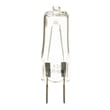
| Cooktop light out | Burned-out lamp | Halogen lamp WB02X35488 |
For heating complaints, we use symptom-based troubleshooting first; see why is my microwave not heating to narrow down whether you are dealing with a door-safety issue, a control issue, or a high-voltage heating problem.
Why it matters
A microwave/hood combo is part of your ventilation setup, lighting, and daily cooking routine. Repairing a targeted failure (switch, fuse, latch, lamp) often restores safe operation quickly and avoids the extra work of uninstalling and remounting an over-the-range unit.
Ordering the right part
To avoid returns and delays:
- Match the model number exactly: JVM7195RW1SS.
- Compare the failed part to the replacement by shape, terminals, and mounting points.
- Use the parts list for this model first; for broader model searches, use Sears PartsDirect.
Last updated: February 2026
What's the average lifespan of a GE microwave?
A GE microwave, including over-the-range microwave/hood combo models like JVM7195RW1SS, typically lasts 8 years. In normal household use, most units fall in the 5 to 10 year range; heavy daily cooking, poor ventilation, and grease buildup shorten life.
Typical lifespan range (what to expect)
Most microwave failures show up as heating problems, door-switch issues, or power interruptions.
- Average: about 8 years
- Common range: 5 to 10 years
- Longer life happens when: vents and filters stay clean, the door closes smoothly, and the unit is not run empty
- Shorter life happens when: the hood filters clog with grease, the door is slammed, or the microwave is frequently overheated
What usually wears out first
On GE microwave/hood combos, these parts and systems commonly drive “end of life” symptoms:
- Door safety switches and latch alignment (no-start, intermittent running)
- Fuses (dead unit, no display)
- Control board or display (buttons not responding, blank display)
- Vent fan motor (poor ventilation, overheating)
- High-voltage heating circuit (runs but does not heat)
If your microwave will not start or stops when the door moves, the door-switch system is a top suspect; see the microwave primary interlock switch WB24X10047.
Quick “repair vs. replace” guide
Use this as a practical rule of thumb for JVM7195RW1SS.
| What you see | Most likely direction | Why |
|---|---|---|
| Dead, no display | Check fuse and door switches first | Lower-cost parts can restore power safely when installed correctly |
| Runs but does not heat | Repair only if cost-effective | Heating-circuit repairs can be more expensive |
| Door won’t latch or feels loose | Repair | Latch and switch issues are common and usually fixable |
| Multiple symptoms at once | Consider replacement | Often points to broader electrical wear |
Why it matters
Microwave/hood combos work harder than countertop units because they also manage cooking steam and grease. Keeping airflow clear reduces heat stress on the control and heating components, which directly extends service life.
Helpful DIY reading
If your unit runs but food stays cold, follow our troubleshooting steps in why is my microwave not heating.
For replacement parts for GE JVM7195RW1SS, order from the parts list for this model or search by model number on Sears PartsDirect.
Last updated: February 2026
Who created JVM7195RW1SS?
The JVM7195RW1SS microwave/hood combo was created by GE. If you are confirming you have the right unit before ordering parts, match the full model number JVM7195RW1SS on the rating label to the parts list for this model, or search by model on Sears PartsDirect.
What “created by” means for parts and service
For appliance parts, “created by” typically means the brand/manufacturer that engineered and sold the model line. For JVM7195RW1SS, that is GE, and that matters because GE microwaves use GE-specific door interlock, fuse, control, and venting components.
Quick ways we verify the model before buying parts
- Check the rating label for the exact model number: JVM7195RW1SS
- Confirm it is an over-the-range microwave/hood combo (vent fan and cooktop light underneath)
- Compare your symptom to common failure areas (door switches, fuse, control)
- Use the model-specific parts list to avoid look-alike parts
- If your unit powers on but will not run, start with the door interlock system parts
Common “creator-related” parts families for this GE model
These are examples of GE OEM replacement parts commonly tied to brand-specific design:
| System | What it affects | Example part on this model page |
|---|---|---|
| Door interlock | Starts and stops cooking safely | Microwave primary interlock switch WB24X10047 |
| Door interlock | Detects door closed state | Microwave door interlock switch WB24X25397 |
| Line protection | No power, dead unit symptoms | Microwave fuse WB27X25389 |
| Venting | Airflow and grease capture | Microwave grease filter WB02X35491 |
Why it matters
Using the correct manufacturer and exact model number helps prevent ordering a part that fits a similar-looking microwave but has different mounting tabs, electrical terminals, or door latch geometry. That is especially important for interlock switches, latch assemblies, and fuses.
Last updated: February 2026


