
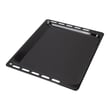



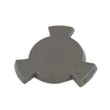

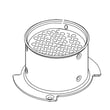
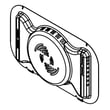
What are the parts of a microwave oven?
A microwave oven (including the microwave section of your KitchenAid KOEC530PSS01 wall oven/microwave combo) uses a high-voltage system to create microwave energy, then directs that energy into the cooking cavity while safety interlocks and cooling airflow keep operation controlled.
Main microwave components (what they do)
- Magnetron: generates microwave energy that heats food.
- High-voltage power system: typically includes an inverter or transformer/capacitor/diode set that powers the magnetron.
- Waveguide and waveguide cover: channels energy into the cavity and shields the waveguide opening.
- Door and interlock switches: prevent the microwave from running with the door open.
- Cooling fan or blower: moves air to cool internal components.
- Turntable system: motor and coupler rotate the tray for more even heating.
- Control board and keypad/display: manages timing, power levels, and sensor functions.
KOEC530PSS01 parts you may see in the microwave section
If you are troubleshooting a no-heat, no-start, arcing, or no-turntable issue, these model-matched parts are common starting points:
| Symptom | Common related part | What it affects |
|---|---|---|
| Microwave will not start (door shuts but nothing runs) | Switch W10211972 | Door interlock safety circuit |
| Turntable does not rotate | Microwave turntable motor W10911403 | Tray rotation |
| Turntable slips or does not engage | Microwave turntable motor coupler W11179756 | Coupling between motor and tray |
| Sparking or burning at the waveguide area | O mica plate W10915651 | Waveguide opening protection |
| No heat (with other functions working) | Inverter W11578579 | High-voltage power to magnetron |
Why it matters
Knowing which system is involved (door interlock, turntable drive, waveguide cover, or high-voltage power) helps you troubleshoot faster and avoid replacing the wrong part.
Last updated: February 2026
What is the error code F1E5 on a KitchenAid microwave oven combo?
On the KitchenAid KOEC530PSS01 electric oven/microwave combo, error code F1E5 points to a control-detected fault that’s commonly tied to an overheat condition, a door-interlock sensing issue, or a problem in the microwave’s electronic control circuit. We start by resetting power and then checking the door and airflow-related items.
What to do first (safe, quick checks)
- Turn the unit off, then reset power at the breaker for 1 minute and restore power.
- Open and close the microwave door firmly; confirm it latches smoothly and evenly.
- Remove any packaging, foil, or racks that could cause arcing or abnormal heating.
- Make sure vents are not blocked; keep the area around the combo clear.
- If the code returns immediately, stop using the microwave function until the cause is found.
Parts that commonly relate to F1E5 on this model
If the door is not being sensed correctly, the interlock circuit is a top suspect. If the unit is overheating, airflow components matter.
| Symptom you notice | Most likely area | Example part on this model |
|---|---|---|
| Code appears when closing or starting | Door interlock sensing | Switch W10211972 |
| Unit runs hot, shuts down, code returns | Cooling/air movement | Blower W11598119 |
| Turntable not moving, odd heating patterns | Turntable drive | Microwave turntable motor W10911403 |
How to narrow it down (before replacing parts)
- Door check: If you have to lift, push, or slam the door to start cooking, focus on the interlock switch and latch alignment.
- Heat check: If the code appears after longer cook times, verify airflow and listen for the blower running.
- Power reset result: If a reset clears it briefly but it returns under load, the issue is usually in sensing, cooling, or control electronics.
Why it matters
F1E5 is the microwave control protecting the unit when it detects an unsafe or out-of-range condition. Addressing door-interlock sensing and cooling issues helps prevent repeat shutdowns and protects key components like the inverter and control board.
Last updated: February 2026
Why is the display not working on my KitchenAid microwave oven combo?
If the display on your KitchenAid KOEC530PSS01 wall oven/microwave combo is completely blank, the most common causes are a power issue to the unit or a failed electronic control (control board). If only part of the display is missing or dim, the display circuitry is typically the problem.
Quick checks first (no parts needed)
- Confirm the unit has power: check the house breaker (and reset it fully OFF then ON).
- If the microwave section is dead but the oven works (or vice versa), suspect a control or wiring issue inside the combo.
- Try a simple reset: turn the breaker OFF for 2 minutes, then restore power.
- Check for a stuck key on the touch panel (a stuck key can make the control act “dead”).
- If the display goes out when you open or close the microwave door, the door interlock circuit is a strong suspect.
Microwave door switch issues that can kill the display
On many KitchenAid microwave combos, a misaligned or failed door interlock switch can prevent normal operation and may leave the display blank or erratic.
What to look for:
- Display changes when the door is moved slightly
- Unit works only when you lift or push on the door
- Intermittent power, random beeping, or no response
If those symptoms match, replacing the switch W10211972 is a common repair path.
What usually fails (and how the symptoms differ)
| Symptom | Most likely area | What it means |
|---|---|---|
| Display totally blank, no response | Main control/power feed | Control is not powering up or has failed |
| Partial digits/segments missing | Display circuitry | Display board or display connection issue |
| Works sometimes, changes with door movement | Door interlock circuit | Switch mount, switch, or latch alignment problem |
| Random resets or flicker | Wiring/connection | Loose connector, heat-related connection issue |
Why it matters
A dead or unstable display is often a sign the control system is not getting consistent power or is being interrupted by a safety circuit (like the microwave door interlocks). Fixing the root cause restores safe operation and prevents repeat failures.
For safe electrical testing practices, we recommend using a meter and following the steps in our how to use a multimeter to test electrical parts video.
Last updated: February 2026

