- Kenmore refrigerator water filters
- Whirlpool refrigerator water filters
- Samsung refrigerator water filters
- GE refrigerator water filters
- LG refrigerator water filters
- Frigidaire refrigerator water filters
- KitchenAid refrigerator water filters
- Maytag refrigerator water filters
- Kenmore Elite refrigerator water filters
- Estate refrigerator water filters
- GE Profile refrigerator water filters
- Amana refrigerator water filters
- Bosch refrigerator water filters
- Dacor refrigerator water filters
- Electrolux refrigerator water filters
Top DIY repair help
View All Repair Categories
Appliances
Lawn & Garden
Power Tools
Home Improvement
Sports & Leisure
Heating & Cooling
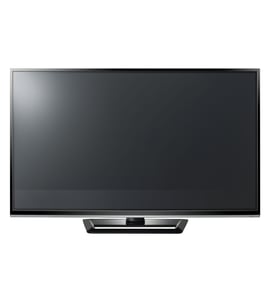
LG Plasma television Parts — Browse All Models
LG plasma televisions are top performers that use the latest technology to produce crystal clear video reproduction at the fastest refresh rates possible. LG plasma televisions are available in many different types and sizes so you can find the model that's best for your home. When your LG plasma television needs repair, trust Sears PartsDirect to have the replacement parts you need to fix the television fast.


 Owner’s manual
Frequently bought LG parts
Lg Refrigerator Filter Dryer
In Stock
$108.25
10% OFF Phone Price : $120.25

Qty

Drain Pump Motor (4681ea2001t) - Washer Part By Lg Electronics
In Stock
$43.13
12% OFF Phone Price : $49.13
Qty
Lg Refrigerator Compressor
In Stock
$616.58
$12.00 OFF Phone Price : $628.58
Qty
Lg Refrigerator Compressor
In Stock
$430.63
12% OFF Was : $487.91
Qty
Lg Washer Single-solenoid Water Inlet Valve
In Stock
$29.41
17% OFF Phone Price : $35.41
Qty

Lint Filter - Dryer Part By Lg
Part #ADQ56656401
Replaced by #ADQ56656403
Manufacturer substitution
This part replaces ADQ56656401. Substitute parts can look different from the original.
In Stock
$56.62
10% OFF Phone Price : $62.62
Qty
Popular maintenance items for Plasma Televisions

Tr&ic
Part #482213060373
This item is not returnable
In Stock
$9.44
Qty
Fuse 5a
In Stock
$27.22
Qty
Ic
In Stock
$27.22
Qty
Filter
In Stock
$26.75
Qty
Integrated Circuit
Part #932208697676
This item is not returnable
In Stock
$8.33
Qty
Ic Vreg
In Stock
$31.04
Qty
Preventing your LG plasma television from toppling
- Use a sturdy home entertainment center stand for the television that can adequately support the weight of the television.
- Secure the home entertainment center stand to the wall behind the television. Use 2 angle braces to secure the home entertainment center stand to the wall. Attach one side of the angle brace to the home entertainment center stand and attach the other side of the angle brace to a wall stud. Repeat that process for the angle brace on the other side of the home entertainment center stand.
- Secure the television to the home entertainment center stand. Screw the television stand base directly to the home entertainment center stand using machine screws or use a television support kit to attach a support strap to the television stand and home entertainment center stand to anchor the television in place and keep it from tipping over.
Connecting your LG plasma television to a Wi-Fi network
To connect your television to the Wi-Fi network using Wi-Fi Protected Setup (WPS) button, go to the Network Setup menu and select Wireless Setup. Select the WPS method of Wi-Fi connection from the Wireless Setup menu. Start the WPS wireless setup method on your television then pus the WPS button on your Wi-Fi router to connection your television to the Wi-Fi network.To connect your television to the Wi-Fi network using the router password, follow the same steps as described above to reach the Wireless Setup menu on your television. Select the Scan for available Wi-Fi networks option. Select your Wi-Fi network from the list of available Wi-Fi networks and enter the router password to connect the television to your Wi-Fi router.
Parts & More
Air Compressor
Dishwasher
Electric Chainsaw
Freestanding Freezer
Front-Engine Lawn Tractor
Furnace
Parts
Pressure Washer
Rear-Engine Riding Mower
Sewing Machine
Small Appliance
Snow Blade
Table Saw
Top-Mount Refrigerator