- Kenmore refrigerator water filters
- Whirlpool refrigerator water filters
- Samsung refrigerator water filters
- GE refrigerator water filters
- LG refrigerator water filters
- Frigidaire refrigerator water filters
- KitchenAid refrigerator water filters
- Maytag refrigerator water filters
- Kenmore Elite refrigerator water filters
- Estate refrigerator water filters
- GE Profile refrigerator water filters
- Amana refrigerator water filters
- Bosch refrigerator water filters
- Dacor refrigerator water filters
- Electrolux refrigerator water filters
Top DIY repair help
View All Repair Categories
Appliances
Lawn & Garden
Power Tools
Home Improvement
Sports & Leisure
Heating & Cooling
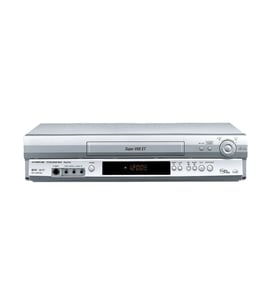
Toyomenka Vhs players & vcrs Parts — Browse All Models
Toyomenka VHS players use the latest technology to produce the best video and audio playback possible from video cassette tapes. Toyomenka VHS players automatically adjust tracking when playing video cassette tapes to the playback is always clear. When your Toyomenka VHS player acts up and needs repairs, find the replacement parts you need to fix the problem at Sears PartsDirect.

Toyomenka VCR2020 vcr
Shop Parts
12 Parts
Toyomenka 3033 vcr
Shop Parts
8 Parts
Popular maintenance items for VHS Players & VCRs

Switch Slide
In Stock
$16.50

Qty

Magnavox Owner's Manual
In Stock
$10.03
Qty
Lever Slide
In Stock
$17.76
Qty
Mode Button
Part #483541027243
This item is not returnable
In Stock
$4.74
Qty
Wa Slit
Part #483553087147
This item is not returnable
In Stock
$3.21
Qty
Magnavox Pcb Assembly
In Stock
$89.49
Qty
Replacing the control panel assembly on your Toyomenka VHS player
- Unplug the VHS player's power cord from the electrical wall outlet to disconnect electrical power.
- Remove the cabinet cover mounting screws then pull the cabinet cover off the VHS player.
- Unplug the control panel ribbon cable from the control panel.
- Remove the control panel mounting screws and pull the control panel off the front cover of the VHS player.
- Install the new control panel in the front cover and secure it with the mounting screws. Plug in the control panel ribbon cable to the new control panel.
- Reinstall the VHS player cabinet cover and secure it with the mounting screws.
- Plug the VHS player's power cord back into the electrical wall outlet to restore power.
Adjusting the picture tracking on your Toyomenka VHS player
Although the VHS player automatically adjusts the tracking when playing a video cassette tape, picture distortion may occur if the tape is in poor condition.
To adjust tracking, press Tracking +/- to display the tracking meter on your VHS player. Press the + or – buttons to adjust tracking until picture distortion disappears.
To resume automatic tracking adjustment of video cassette tapes, eject the tape. When you insert a tape into the VHS player, automatic tracking will be enabled.
Parts & More
Bottom-Mount Refrigerator
Chipper/Shredder
Compact Refrigerator
Front-Engine Lawn Tractor
Generator
Lawn Edger
Parts
Refrigerator
Sewing Machine
Side-By-Side Refrigerator
Washer