- Kenmore refrigerator water filters
- Whirlpool refrigerator water filters
- Samsung refrigerator water filters
- GE refrigerator water filters
- LG refrigerator water filters
- Frigidaire refrigerator water filters
- KitchenAid refrigerator water filters
- Maytag refrigerator water filters
- Kenmore Elite refrigerator water filters
- Estate refrigerator water filters
- GE Profile refrigerator water filters
- Amana refrigerator water filters
- Bosch refrigerator water filters
- Dacor refrigerator water filters
- Electrolux refrigerator water filters
Top DIY repair help
View All Repair Categories
Appliances
Lawn & Garden
Power Tools
Home Improvement
Sports & Leisure
Heating & Cooling
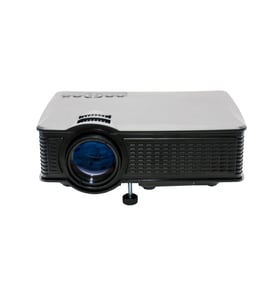
Advent Office Parts — Browse All Models
You rely on your Advent office products to keep your business running efficiently. It's frustrating when your Advent printer or projector stops working. Fortunately, Sears PartsDirect has the replacement parts you need to fix any Advent office product failure.

Popular maintenance items for Office
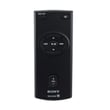
Remote Commander (rm-x400)
In Stock
$25.03
19% OFF Phone Price : $31.03

Qty


Agri-fab Lawn & Garden Equipment Washer
Part #44008
This item is not returnable
In Stock
$2.74
27% OFF Phone Price : $3.74
Qty
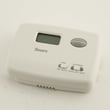
Sears Central Air Conditioner Wall Control Thermostat
In Stock
$25.59
25% OFF Was : $34.12
Qty
Sears White-rodgers Thermostat
In Stock
$16.80
40% OFF Was : $28.00
Qty

Spring(9142)
In Stock
$29.13
Qty
Refrigerator Drawer Slide Rail Assembly
In Stock
$42.92
12% OFF Phone Price : $48.92
Qty
Top-selling Advent office product parts
- Printer ink cartridges. Printer ink cartridges provide the ink to print documents and images.
- Projector bulb. The projector bulb provides light for the projector display.
- Printer cable. The printer cable connects the computer to the printer.
- Computer monitor power supply board. The power supply board provides power to the computer monitor components.
Troubleshooting tips for your Advent printer when it won't print documents
- Check printer power supply. Make sure that the printer is plugged into a working electrical outlet or power strip. Make sure the printer is powered on.
- Check the printer data connection. Make sure that the printer cable is plugged into the computer and the printer or that the Blue Tooth settings for the printer are configured properly and working.
- Check your computer settings. Make sure that you're sending the data to the correct printer.
- Reboot the computer and printer to reset controls on both devices.
Parts & More
Bottom-Mount Refrigerator
Dishwasher
Electric Chainsaw
Elliptical Machine
Front-Engine Lawn Tractor
Gas Line Trimmer
Grass Catcher Attachment
Household Fan
Parts
Rolling Tool Cart
Table Saw