- Kenmore refrigerator water filters
- Whirlpool refrigerator water filters
- Samsung refrigerator water filters
- GE refrigerator water filters
- LG refrigerator water filters
- Frigidaire refrigerator water filters
- KitchenAid refrigerator water filters
- Maytag refrigerator water filters
- Kenmore Elite refrigerator water filters
- Estate refrigerator water filters
- GE Profile refrigerator water filters
- Amana refrigerator water filters
- Bosch refrigerator water filters
- Dacor refrigerator water filters
- Electrolux refrigerator water filters
Top DIY repair help
View All Repair Categories
Appliances
Lawn & Garden
Power Tools
Home Improvement
Sports & Leisure
Heating & Cooling
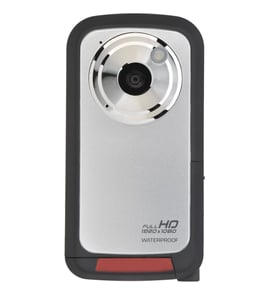
Soundesign Camcorder Parts — Browse All Models
Soundesign is a leading manufacturer of camcorders used in the United States. Soundesign camcorders offer convenient features and accurate video recording so you can easily capture the memories that you want to preserve forever. When your Soundesign camcorder isn't working as it should, find the replacement parts you need to fix the problem at Sears PartsDirect.


Frequently bought Soundesign parts

Fisher Integrated Circuit
In Stock
$51.62

Qty

Popular maintenance items for Camcorders
Motor
In Stock
$92.51
Qty
Adaptor, A
In Stock
$44.19
Qty
Ret.claw
Part #417181801
This item is not returnable
In Stock
$7.22
Qty
Panasonic Br Frame
Part #VYK5J70
Replaced by #VYK5J70-1
Manufacturer substitution
This part replaces VYK5J70. Substitute parts can look different from the original.
In Stock
$20.50
Qty
Base Assembly
Part #X20244601
Replaced by #X-2024-460-1
Manufacturer substitution
This part replaces X20244601. Substitute parts can look different from the original.
This item is not returnable
In Stock
$6.36
Qty
Ic
In Stock
$43.10
Qty
Playing Soundesign camcorder video using the audio/video cable
- Connect the audio/video cable to audio/video out jacks on your camcorder. Connect the other end of the audio/video cable to audio/video in jacks on your television.
- Turn on your television and select line input to play video from the camcorder.
- Connect your camcorder to a power source such as a battery pack, AC adapter or car battery cord.
- Turn on the camcorder power button and select the VCR or Camera playback mode on the camcorder.
- Start playback or begin recording to send the video signal to the television.
Dubbing video from your Soundesign camcorder to a VCR
- Connect the audio/video cord to the audio and video outlet jacks on your camcorder. Connect the other end of the audio/video cord to the audio in and video in jacks on the back of your VCR.
- Insert a pre-recorded take into the camcorder and power the camcorder on.
- Turn the VCR on and set the input signal selector to the Line In source.
- Press Play and Record then Pause on the VCR to set up the VCR for recording the video signal from the camcorder.
- Find the beginning of the video that you want to record on the tape in the camcorder. Press Play on the camcorder then press the Pause button on the VCR to play the camcorder tape and record the camcorder video signal on the VCR.
Parts & More
Bottom-Mount Refrigerator
Dishwasher
Dump Cart Attachment
Engine & Drivetrain
Gas Range
Household Fan
Laundry Center
Parts
Router
Side-By-Side Refrigerator
Top-Mount Refrigerator