- Kenmore refrigerator water filters
- Whirlpool refrigerator water filters
- Samsung refrigerator water filters
- GE refrigerator water filters
- LG refrigerator water filters
- Frigidaire refrigerator water filters
- KitchenAid refrigerator water filters
- Maytag refrigerator water filters
- Kenmore Elite refrigerator water filters
- Estate refrigerator water filters
- GE Profile refrigerator water filters
- Amana refrigerator water filters
- Bosch refrigerator water filters
- Dacor refrigerator water filters
- Electrolux refrigerator water filters
Top DIY repair help
View All Repair Categories
Appliances
Lawn & Garden
Power Tools
Home Improvement
Sports & Leisure
Heating & Cooling
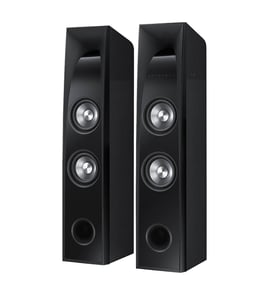
Hitachi Speaker Parts — Browse All Models
Hitachi makes loudspeakers that deliver clear, crisp sound to any space. These high-quality speakers are built to last but speaker parts can break down at any time. When you need Hitachi speaker replacement parts, count on Sears PartsDirect to have what you need.


Hitachi AVA800 audio speakers
Frequently bought Hitachi parts

Hitachi Home Electronics Transistor
In Stock
$10.36

Qty

Hitachi Sq Cut Bel
In Stock
$10.26
Qty
Picture Tube
Part #510HJB22NEW
Replaced by #510HJB22R
Manufacturer substitution
This part replaces 510HJB22NEW. Substitute parts can look different from the original.
In Stock
$128.00
Qty
Hitachi Home Electronics Integrated Circuit
In Stock
$10.74
Qty
Hitachi Cathode Ray Tube Assembly
In Stock
$131.49
Qty
Symphonic Transistor
Part #483513047911
This item is not returnable
In Stock
$3.27
Qty
Popular maintenance items for Speakers
Pcb Assembly
In Stock
$303.54
Qty
Speaker
In Stock
$87.00
Qty
Pcb Front
In Stock
$134.64
Qty
Rr Cover
In Stock
$136.20
Qty
Cap
In Stock
$23.63
Qty
Pcb Asy,sm
In Stock
$191.88
Qty
Troubleshooting the stereo system when your Hitachi speakers won't play
- Check the output settings on your receiver's control panel first. Make sure that you have the correct speaker output selected. Adjust the audio output settings if necessary.
- Check to see if you have the headphones plugged into the headphone jack. Unplug the headphones to play the speakers if you find the headphones plugged into the headphone jack.
- Check the speaker wire connections. Make sure that speaker wires are plugged fully into the speaker jacks on the back of the receiver. Make sure that the speaker wires are securely connected to the speakers. Reconnect any loose wiring connection.
- Check speaker wires for damage. Repair or replace any damaged speaker wire.
Cleaning the speaker wire terminals on Hitachi speakers
- Turn off the amplifier or receiver that you have the speakers connected to.
- Disconnect all speaker wires from the backs of the speakers.
- Use a vacuum cleaner hose with a narrow hose attachment to vacuum dust and debris from all speaker wire terminals.
- Use a cotton swab moistened with isopropyl alcohol to thoroughly clean deposits from all speaker wire terminals.
- Allow the terminals to dry completely then reconnect all speaker wires.
Parts & More
Air Compressor
Angle Grinder
Bottom-Mount Refrigerator
Front-Engine Lawn Tractor
Gas Leaf Blower
Lawn & Garden Engine
Miter Saw
Side-By-Side Refrigerator
Television
Wet/Dry Vacuum