- Kenmore refrigerator water filters
- Whirlpool refrigerator water filters
- Samsung refrigerator water filters
- GE refrigerator water filters
- LG refrigerator water filters
- Frigidaire refrigerator water filters
- KitchenAid refrigerator water filters
- Maytag refrigerator water filters
- Kenmore Elite refrigerator water filters
- Estate refrigerator water filters
- GE Profile refrigerator water filters
- Amana refrigerator water filters
- Bosch refrigerator water filters
- Dacor refrigerator water filters
- Electrolux refrigerator water filters
Top DIY repair help
View All Repair Categories
Appliances
Lawn & Garden
Power Tools
Home Improvement
Sports & Leisure
Heating & Cooling
Quick Links
How to replace a water softener rotor position switch
less than a minute readMay 20Lyle Weischwill
Repair time and Difficulty
30 minutes or less
Tools Required
- Phillips screwdriver
- Work gloves
This DIY repair guide explains how to replace the rotor position switch in a water softener. The rotor position switch tells the timer what position the rotor is in, so the timer knows when to start the motor that turns the valve rotor through cycles. If the position switch breaks, the motor runs constantly. Replace a broken rotor position switch with the manufacturer-approved water softener part.
Use these steps to replace the rotor position switch in Kenmore, GE and Whirlpool water softeners.
Instructions
- 1. Disconnect electrical power
Unplug the water softener to disconnect power.
- 2. Remove the top cover
Open the lid and release the 2 front clips on the cover.
Lift the front of the cover up and push it back to release the rear tabs.
Pull the top cover off.
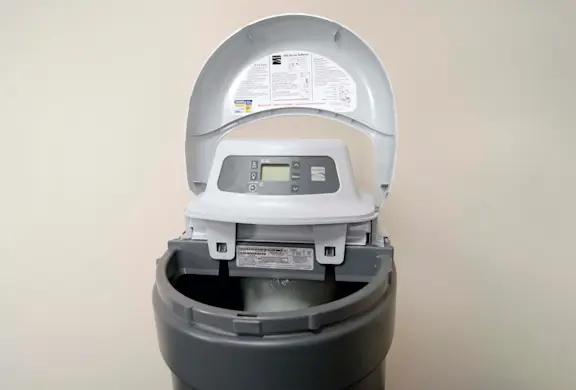
PHOTO: Open the lid. 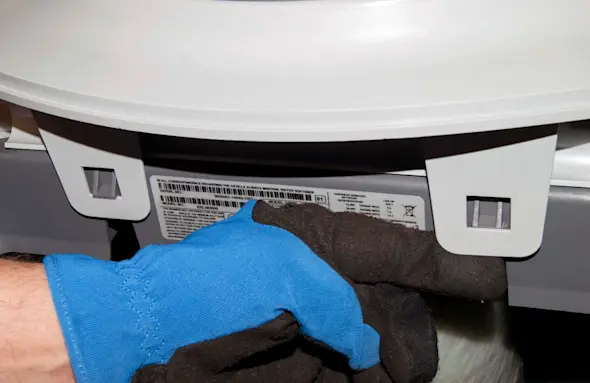
PHOTO: Release the front clips. 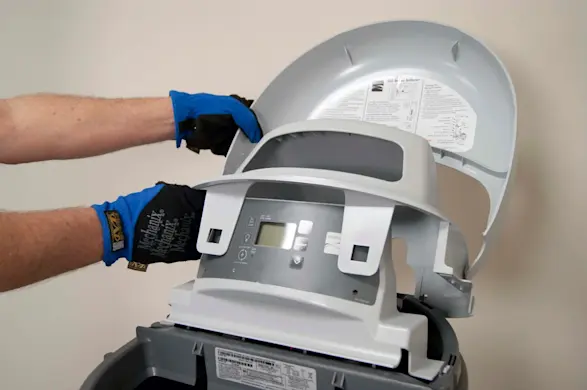
PHOTO: Remove the top cover.
- 3. Remove the valve motor
Remove the valve motor mounting screws and lift the valve motor off of the rotor.
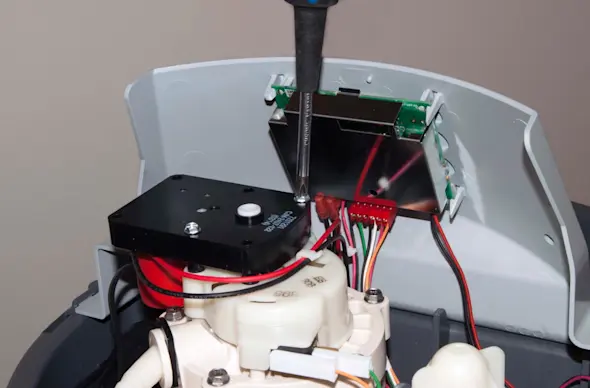
PHOTO: Remove the valve motor screws. 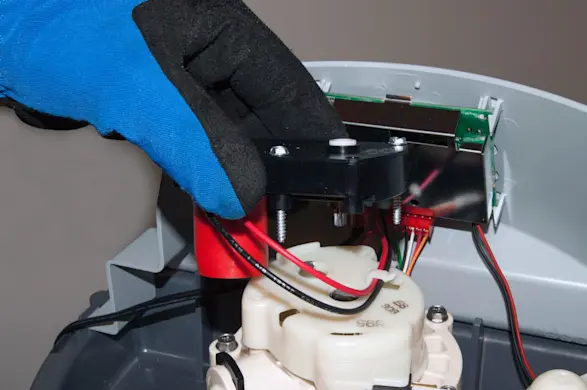
PHOTO: Lift off the valve motor.
- 4. Remove the rotor position switch
Remove the plastic cover.
Lift the rotor position switch off of the mounting pins.
Disconnect the wires.
Remove the rotor position switch.
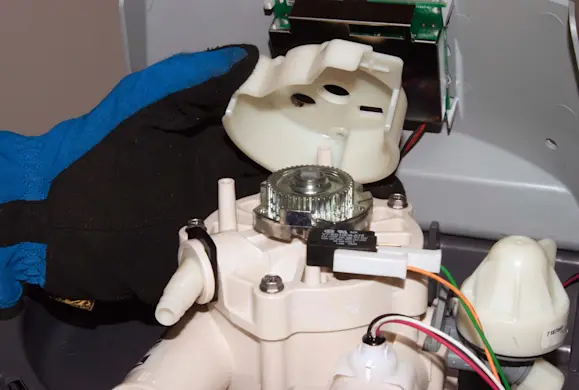
PHOTO: Lift off the plastic rotor cover. 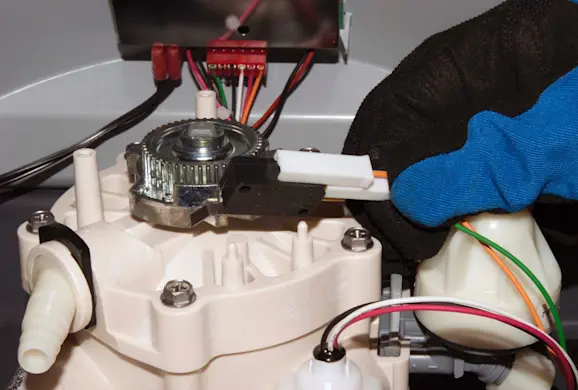
PHOTO: Lift the switch off the mounting pins. 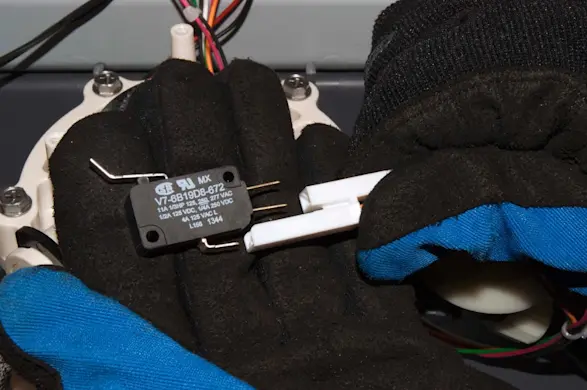
PHOTO: Disconnect the switch wires.
- 5. Install the new rotor position switch
Connect the wires to the new rotor position switch.
Push the new rotor position switch onto the mounting pins and reinstall the plastic cover.
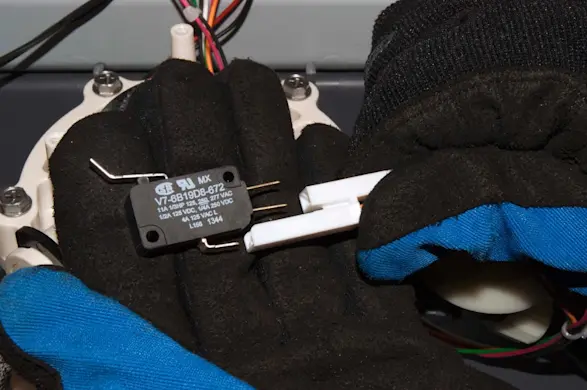
PHOTO: Connect the switch wires. 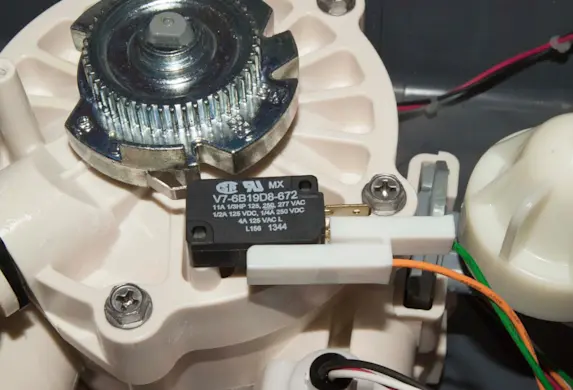
PHOTO: Install the new switch.
- 6. Reinstall the valve motor
Position the valve motor and screw it into place.
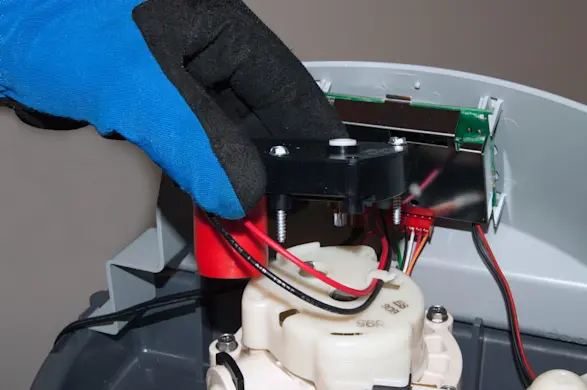
PHOTO: Reinstall the valve motor.
- 7. Reinstall the top cover
Position the back of the top cover into the rear tabs and then push the front of the top cover down into the front locking clips.
Close the lid.
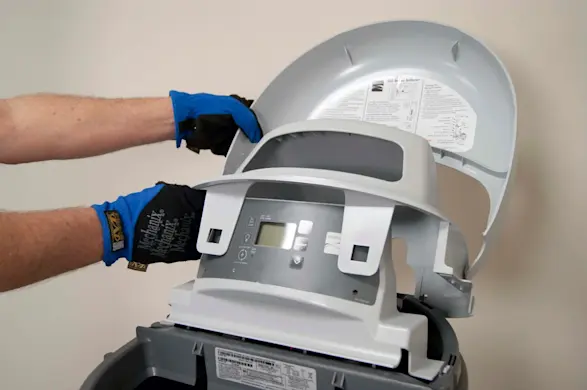
PHOTO: Reinstall the top cover.
- 8. Restore power
Plug in the power cord.