- Kenmore refrigerator water filters
- Whirlpool refrigerator water filters
- Samsung refrigerator water filters
- GE refrigerator water filters
- LG refrigerator water filters
- Frigidaire refrigerator water filters
- KitchenAid refrigerator water filters
- Maytag refrigerator water filters
- Kenmore Elite refrigerator water filters
- Estate refrigerator water filters
- GE Profile refrigerator water filters
- Amana refrigerator water filters
- Bosch refrigerator water filters
- Dacor refrigerator water filters
- Electrolux refrigerator water filters
Top DIY repair help
View All Repair Categories
Appliances
Lawn & Garden
Power Tools
Home Improvement
Sports & Leisure
Heating & Cooling
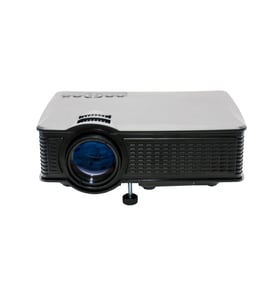
Wards Office Parts — Browse All Models
Wards makes office products that help keep your business running smoothly. Whether its fax machines or copiers, Wards office products are essential tools for your business. When your Wards office equipment breaks down, find the repair parts you need to fix the products at Sears PartsDirect.

Wards TM-STYELRIIS stylus color iis stylus 820
Popular maintenance items for Office
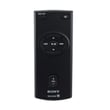
Remote Commander (rm-x400)
In Stock
$25.03
19% OFF Phone Price : $31.03

Qty


Agri-fab Lawn & Garden Equipment Washer
Part #44008
This item is not returnable
In Stock
$2.74
27% OFF Phone Price : $3.74
Qty
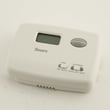
Sears Central Air Conditioner Wall Control Thermostat
In Stock
$25.59
25% OFF Was : $34.12
Qty
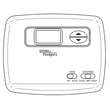
Sears White-rodgers Thermostat
In Stock
$16.80
40% OFF Was : $28.00
Qty

Spring(9142)
In Stock
$29.13
Qty
Refrigerator Drawer Slide Rail Assembly
In Stock
$42.92
12% OFF Phone Price : $48.92
Qty
Caring for Wards office equipment
- Keep office equipment in a dry, climate controlled space. Don't store or position office equipment near sources of excessive heat. Keep office equipment away from sources of liquids such as water coolers and coffee makers.
- Wipe the screens and control panels of office equipment regularly with a lint-free and static free cloth. Use only cleaners specifically designed to clean office equipment to avoid damaging screens and equipment finishes.
- Use dry, compressed air to clean debris from keyboards, control panels and controls boards. Keep ventilation slots on equipment clear and clean dust and debris from vents often.
- Protect all office equipment from harmful power surges by plugging all products into a surge protector.
- Turn office equipment power off when the equipment won't be used for an extended period of time.
Replacing the projector bulb in your Wards office equipment
- Unplug the power cord and let the lamp cool down completely before replacing it.
- Locate the lamp access panel and remove the access panel mounting screws. Remove the lamp access panel.
- Carefully reach in and pull the lamp out of the projector.
- Wear gloves to prevent finger prints and oils from depositing on the new bulb. Unpack the new bulb and carefully install it in the projector.
- Reinstall the lamp access panel and secure the panel with the mounting screws.
- Plug the equipment power cord back in.
Parts & More
Bottom-Mount Refrigerator
Dehumidifier
Electric Range
Electric Walk-Behind Mower
Front-Engine Lawn Tractor
Front-Tine Tiller
Gas Walk-Behind Mower
Parts
Range Hood
Refrigerator
Table Saw