- Kenmore refrigerator water filters
- Whirlpool refrigerator water filters
- Samsung refrigerator water filters
- GE refrigerator water filters
- LG refrigerator water filters
- Frigidaire refrigerator water filters
- KitchenAid refrigerator water filters
- Maytag refrigerator water filters
- Kenmore Elite refrigerator water filters
- Estate refrigerator water filters
- GE Profile refrigerator water filters
- Amana refrigerator water filters
- Bosch refrigerator water filters
- Dacor refrigerator water filters
- Electrolux refrigerator water filters
Top DIY repair help
View All Repair Categories
Appliances
Lawn & Garden
Power Tools
Home Improvement
Sports & Leisure
Heating & Cooling
Quick Links
How to replace a dishwasher vent and fan assembly
less than a minute readMar 11Lyle Weischwill
Repair time and Difficulty
30 minutes or less
Tools Required
- Torx screwdriver
- Slot screwdriver
- Work gloves
This DIY repair guide gives step-by-step instructions for replacing the dishwasher vent and fan assembly. The vent opens during the drying cycle, and the dishwasher fan exhausts hot air through the vent opening at the bottom of the dishwasher door. If the dishwasher fan fails, the control panel goes blank and the dishwasher stops in the middle of the cycle. Replace the vent and fan assembly with a manufacturer-approved dishwasher part.
Use these steps to replace the vent and fan assembly in Kenmore, KitchenAid, Whirlpool, Maytag, Amana and JennAir dishwashers. You also can use the same basic process to replace the vent and fan assembly in some GE, Frigidaire, Electrolux, LG and Samsung dishwashers.
Instructions
- 1. Shut off electrical power
Unplug the dishwasher or shut off the house circuit breaker for the dishwasher.
To verify that power is disconnected, make sure the control panel doesn’t light up when you press a control button or the power button.
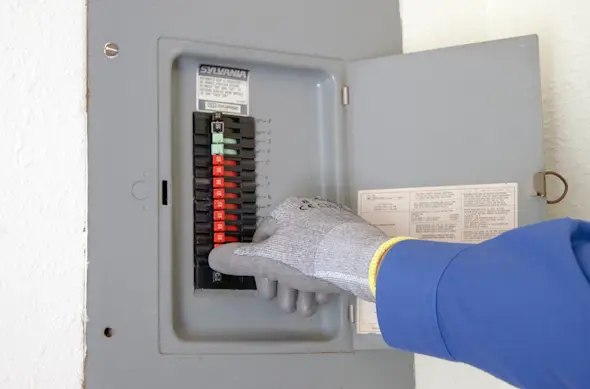
PHOTO: Shut off the house circuit breaker. Tip: If you want to confirm that the fan is the problem, do steps 1 through 4 and 6 through 8, skipping step 5. If the control panel lights up with the fan unplugged, the fan is the problem.
- 2. Remove the door vent grille
Open the dishwasher door.
Using a slot screwdriver, carefully push the vent grille counterclockwise to release and remove it.
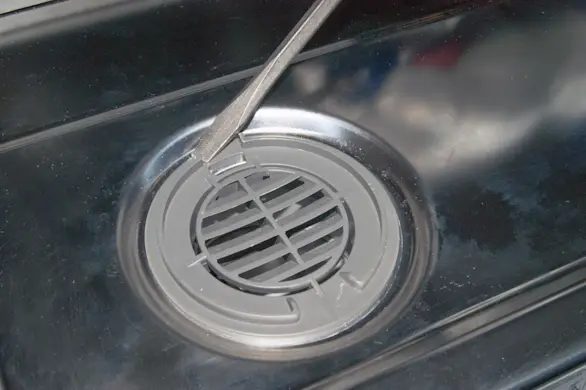
PHOTO: Remove the door vent grill.
- 3. Remove the outer door panel and control panel
With the dishwasher door open, remove the Torx screws from the inner door panel. Support the outer door panel with one hand as you remove the final 2 screws so the outer door panel doesn't fall.
Separate the outer door panel and control panel slightly from the inner door panel and rest the outer panel on the floor while you disconnect the user interface control wire harness from the control panel.
Pull off the outer door panel and control panel.
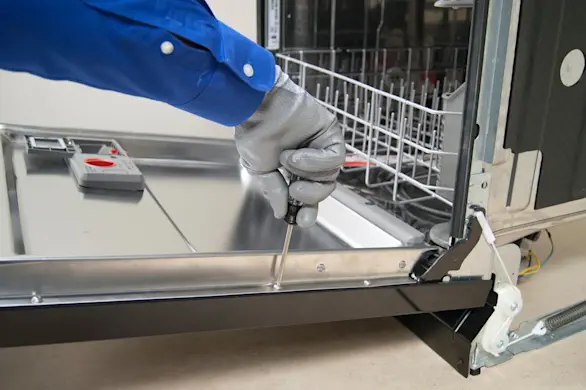
PHOTO: Remove the outer dishwasher door panel.
- 4. Remove the vent and fan assembly
Disconnect the wire harness from the vent and the fan.
Release the mounting clips and pull the vent and fan assembly off the vent duct and out of the dishwasher door.
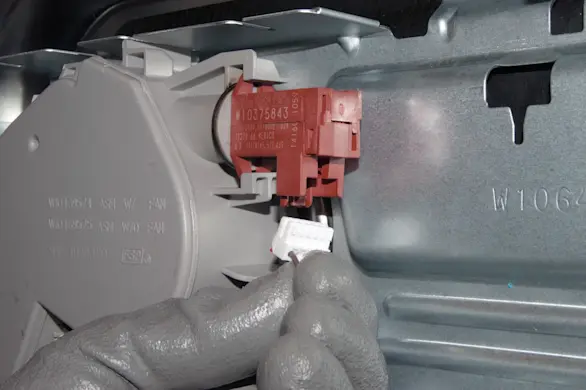
PHOTO: Disconnect the wire harness.
- 5. Install the new vent and fan assembly
Attach the new vent and fan assembly to the vent duct.
Snap the vent and fan assembly into the mounting clips on the door.
Connect the fan and vent wire harnesses to the new vent and fan assembly.
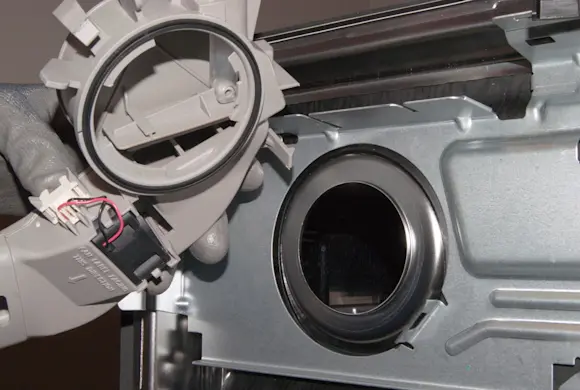
PHOTO: Install the new vent and fan assembly.
- 6. Reinstall the outer door panel and control panel
Position the outer door panel and control panel close enough to the inner door so you can reconnect the user interface control wire harness.
Reconnect the user interface control wire harness and attach the outer door panel and control panel to the inner door panel.
Reinstall the mounting screws.
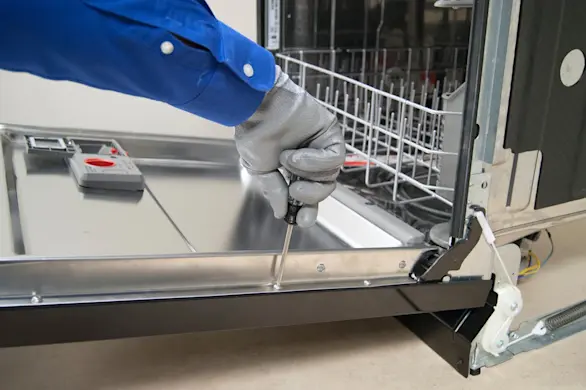
PHOTO: Reinstall the outer door panel. Tip: Use the longer screws to secure the control panel.
- 7. Reinstall the door vent grille
Open the dishwasher door.
Push the door vent grille into the opening and carefully rotate the vent grille clockwise to fully engage the vent and fan assembly, locking the vent grill in place. You may need to use a slot screwdriver to push the vent grille.
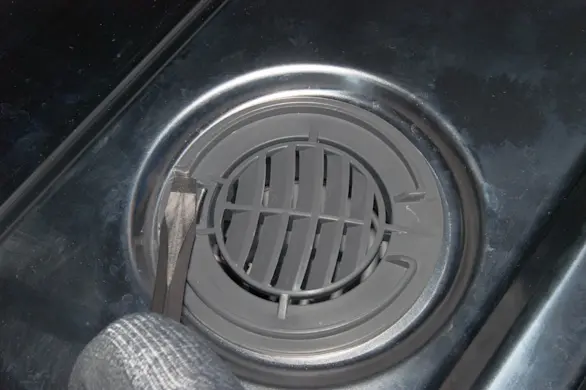
PHOTO: Reinstall the vent grill.
- 8. Restore electrical power
Reset the house circuit breaker or plug in the dishwasher to restore electrical power.