- Kenmore refrigerator water filters
- Whirlpool refrigerator water filters
- Samsung refrigerator water filters
- GE refrigerator water filters
- LG refrigerator water filters
- Frigidaire refrigerator water filters
- KitchenAid refrigerator water filters
- Maytag refrigerator water filters
- Kenmore Elite refrigerator water filters
- Estate refrigerator water filters
- GE Profile refrigerator water filters
- Amana refrigerator water filters
- Bosch refrigerator water filters
- Dacor refrigerator water filters
- Electrolux refrigerator water filters
Top DIY repair help
View All Repair Categories
Appliances
Lawn & Garden
Power Tools
Home Improvement
Sports & Leisure
Heating & Cooling
Can't get that filter light off? Here's how to reset your Whirlpool fridge
less than a minute readJun 30Kim Hillegass
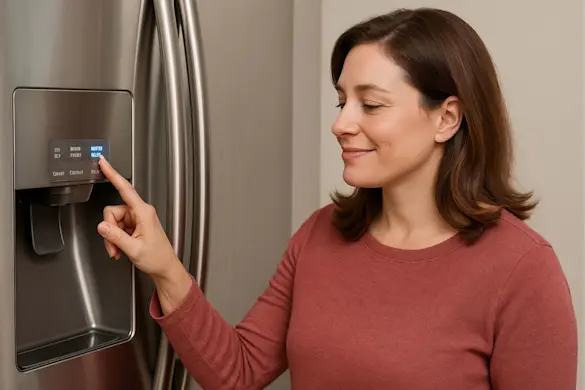
Smart fridges are great, until they make you feel like you've failed at the simple task of replacing a water filter. You followed the instructions, popped in the new one, and...that little light won't turn off.
It's a common moment of confusion: how to reset the water filter light on a Whirlpool fridge. The fix is easy, if you know where to look.
We'll walk you through the different ways to reset that light (depending on your model), how to tell if the new filter is actually installed correctly, and when it's time to try a replacement. We'll also link to helpful guides on choosing the right Whirlpool water filter, changing it properly, and using our Water Filter Finder tool if you're not sure which one you need.
Let's get that light off, so you can get back to trusting what comes out of the dispenser.
Why the water filter light turns on in the first place
That little indicator light isn't there to frustrate you. It's there to help. Whirlpool refrigerators track either how long the filter has been in use or how much water has flowed through it. Once you hit the preset threshold (usually about 6 months or 200 gallons), the water filter light flips on to remind you it's time for a change.
Here's the catch: in many Whirlpool refrigerator models, swapping in a new filter doesn't automatically reset the system. Your fridge can't detect the physical change; it's waiting for a manual reset.
That's why so many people get stuck wondering how to reset the water filter light on a Whirlpool fridge. The good news? Once you know your model's reset method, it usually takes just a few seconds. We'll break that down for you.
How to reset the water filter light on a Whirlpool refrigerator
Whirlpool uses a few different control panel designs across its refrigerator lineup, so the steps to reset the filter light can vary. Whether your fridge has a sleek touchscreen or a simple button interface, one of these methods should do the trick.
Reset using the "Options" or "Filter Reset" button
Some Whirlpool refrigerators make it easy with a dedicated reset. Look for a button labeled "Filter Reset", "Reset Filter", or "Options" on your control panel. Press and hold it for about 3 seconds until the indicator light flashes or turns off. That's it; you're good to go.
Reset using the "Max Cool" and "Max Ice" buttons
On certain side-by-side models, the reset involves holding down the "Max Cool" and "Max Ice" buttons together. Press and hold both for approximately 3 seconds until the light blinks or disappears. This method is a common default when no filter-specific button is present.
Reset using "Light" and "Lock" or other combinations
Some models require a less intuitive combo, like pressing "Light" and "Lock" at the same time. If your control panel uses icon buttons or lacks a labeled reset, this might be your solution. Press and hold the pair for a few seconds and watch for the light to respond.
Still stuck? Check your refrigerator's user manual or look inside the fridge; many models include a quick-reset guide printed near the filter or control panel.
Still seeing the light? Double-check your filter
If you've followed the reset instructions and that filter light is still glowing, don't panic. It might not be a reset issue at all. In many cases, the problem is with the filter itself.
The most common culprit? The filter isn't fully seated. If it's not locked firmly into place, your refrigerator might not recognize that a new one has been installed. Remove the filter, reinstall it with a firm push and twist (or click, depending on your model), and then try the reset steps again.
Another possibility: the filter isn't compatible with your Whirlpool model. Some off-brand filters don't align properly with the housing, even if they claim to fit. This can lead to leaks, weak water flow, or a filter light that won't turn off. This is just one reason why buying a quality, OEM water filter matters.
Need help getting it right? Follow our step-by-step guide on how to replace the water filter in your Whirlpool refrigerator to make sure everything's properly installed.
Not sure which filter your Whirlpool fridge needs?
Not all Whirlpool refrigerators use the same water filter. Some filters twist in at the grille, others click into place inside the fridge, and a few hide behind panels. Even if two filters look alike, using the wrong one can cause poor performance or just not fit at all.
If you're unsure, start by identifying the type of water filter your Whirlpool refrigerator uses, including the different filter styles and where they're typically located.
Still need help narrowing it down? The Water Filter Finder tool lets you search by brand, refrigerator type, filter location, and removal method. You can match your filter with a few clicks, without digging for a model number. If you do have your model number handy, you can use the search bar at the top of the page to locate the right filter number.
More Whirlpool fridge issues? We've got help
If the filter light still won't reset, or your Whirlpool refrigerator is acting up in other ways, it might be time to dig a little deeper. A stuck indicator could be just one symptom of a larger issue, especially if you're also noticing cooling problems, strange noises, or leaking.
Head over to our DIY refrigerator repair help page for step-by-step resources. You'll find everything from error code explanations to symptom-based troubleshooting guides and part replacement instructions, all designed to help you fix the problem fast.
Whether it's a filter light or a bigger repair, we've got the tools (and the parts) to get your fridge running right again.