Owner’s manual
 Error Codes
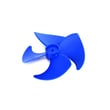


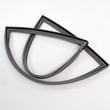

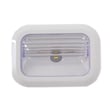

Do you remove cardboard from the bottom of a Whirlpool refrigerator?
No. For Whirlpool model WRV986FDEM01, any cardboard-like panel or cover at the bottom rear is typically a protective air-flow and component shield and should stay in place during normal use. Remove only loose shipping materials; keep fixed covers installed (see the WRV986FDEM01 user manual).
What to remove vs. what to leave
Use this quick check before pulling anything off the refrigerator.
- Remove loose tape, foam blocks, plastic film, and cardboard spacers used for shipping
- Remove any cardboard placed under the unit only to protect your floor during moving
- Leave installed any panel that is screwed on, clipped in, or fits like a permanent cover
- Leave installed the base grille/toe grille unless you are cleaning or servicing
- Leave installed any rear lower cover that directs air across the condenser area
Why that bottom cover matters
That lower cover helps protect wiring and refrigeration components and helps manage airflow for efficient cooling. Removing it can lead to:
- Reduced cooling efficiency
- More dust and pet hair reaching the condenser area
- Higher operating noise in some situations
- Greater risk of bumping or damaging components during cleaning
Quick identification guide
| What you see | Usually means | What to do |
|---|---|---|
| Loose cardboard/foam you can lift out by hand | Shipping packaging | Remove and recycle/dispose |
| Cardboard/fiberboard panel that looks “built-in” | Airflow/component shield | Leave it installed |
| Slotted grille at the very bottom front | Base grille/toe grille | Remove only for cleaning/service |
If you need access for cleaning
For WRV986FDEM01, condenser cleaning is typically done from the front by removing the base grille, then vacuuming with a soft brush. Follow the steps in the WRV986FDEM01 user manual.
Why it matters
Keeping the correct panels in place helps your Whirlpool refrigerator cool properly, run efficiently, and stay protected from dust and accidental damage.
Last updated: January 2026
Why is my Whirlpool bottom freezer frosting up?
Frost buildup in the freezer on your Whirlpool WRV986FDEM01 is usually caused by warm, humid air leaking in through a poor door seal or from the drawer being left open. Less commonly, a defrost system problem can let ice build up on the evaporator and restrict airflow; see the WRV986FDEM01 user manual for operating and troubleshooting guidance.
Quick checks we recommend first
- Make sure the freezer drawer closes fully every time (no food packages or bins blocking it).
- Check the gasket for gaps, tears, or areas that are not touching the cabinet.
- Clean sticky gaskets with mild soap and warm water; dry completely.
- Reduce long or frequent drawer openings (humidity quickly turns into frost).
- Confirm the freezer set point is at the recommended 0°F.
What the frost pattern can tell you
| What you see | Most likely cause | What to do next |
|---|---|---|
| Frost mainly around the drawer edges | Air leak at gasket or drawer not sealing | Inspect/clean gasket; check alignment |
| Heavy frost on the back wall or inside panel | Possible defrost airflow restriction | Defrost manually, then monitor |
| Frost after a power outage or long open-door event | Temporary humidity event | Clear frost, improve closing habits |
Parts that are commonly involved (when it is not a sealing issue)
If the freezer keeps frosting up again within days after you fully defrost it, we start looking at the defrost circuit and airflow components:
- Refrigerator defrost heater WP12729128: warms the evaporator during defrost to melt ice.
- Refrigerator defrost bi-metal WP627985: helps control defrost operation based on temperature.
- Refrigerator evaporator fan and temperature sensor assembly W11087438: moves cold air; weak airflow can worsen icing symptoms.
Why it matters
Frost buildup can block airflow across the evaporator, which makes the WRV986FDEM01 run longer, warm up in the fresh food section, and eventually lead to poor ice production and temperature swings.
Last updated: January 2026
How to reset Whirlpool bottom freezer?
To reset the freezer section on your Whirlpool WRV986FDEM01 bottom-mount refrigerator, we recommend doing a power reset: turn Cooling Off (if available), unplug the refrigerator for about 5 minutes, then restore power and turn Cooling back on. Use the steps in the WRV986FDEM01 user manual for your exact control buttons.
Quick reset steps (WRV986FDEM01)
- Press and hold LOCK and MEASURED FILL together for 3 seconds to turn Cooling Off.
- Unplug the refrigerator (or switch off the breaker).
- Wait about 5 minutes.
- Plug back in (or turn breaker on).
- Press and hold LOCK and MEASURED FILL together for 3 seconds to turn Cooling On.
- Wait 24 hours for temperatures to stabilize after any reset or temperature change.
If the control panel is frozen or unresponsive
Sometimes the display is in “sleep” mode or the controls did not initialize correctly after a power event.
- Press any control button once to wake the display.
- If it still will not respond: unplug for 5 seconds, plug back in, then wait 30 seconds before opening doors or touching the controls.
- Check that Cooling Off is not enabled (Cooling Off disables most controls).
What a “reset” will and won’t fix
| What you’re trying to fix | Reset helps? | What to check next |
|---|---|---|
| Display glitches, odd behavior after outage | Yes | Confirm “PO” (power outage) message if shown |
| Freezer too warm/too cold | Sometimes | Air vents blocked, door sealing, set points |
| Ice maker not making ice | Sometimes | Water supply, filter, ice maker switch/bin |
| Repeated errors or no cooling | Not usually | Use diagnostics and consider service |
Why it matters
A proper reset clears minor control logic issues and forces the WRV986FDEM01 to reinitialize its cooling system. If temperatures or ice production don’t improve after 24 hours, the issue is usually airflow, a door seal problem, or a component such as the control board.
If you’re troubleshooting ice production after a reset, the refrigerator ice maker assembly W11658802 is one of the model-matched parts we commonly see involved.
Last updated: January 2026
How to remove Whirlpool ice maker bottom freezer?
On Whirlpool model WRV986FDEM01, the ice maker is typically mounted in the refrigerator (not the bottom freezer), so removal steps depend on which ice maker style your unit has. Use the WRV986FDEM01 user manual to confirm the ice maker location and shutoff method before you remove any screws or wiring.
Before you start (important safety steps)
- Unplug the refrigerator or disconnect power at the breaker.
- Turn off the ice maker (switch or shutoff arm, depending on style).
- Remove the ice bin and dump ice to prevent spills.
- Protect the floor with towels; melting ice and water are common.
- Use a container for screws so nothing falls into the freezer drawer tracks.
If your WRV986FDEM01 ice maker is in the refrigerator door area (common on this model family)
The manual describes an ice maker located at the left-hand ceiling of the refrigerator compartment with a storage bin in the left door.
- Open the ice compartment door.
- Turn the ice maker OFF (move the switch to OFF).
- Remove the ice storage bin by squeezing the latch and pulling the bin straight out.
- If you’re removing the full ice maker assembly, support it while you loosen the mounting screws; then lift the assembly up and off the screw heads.
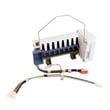
If you need the replacement assembly for this model, match it by model number and part ID, such as the refrigerator ice maker assembly W11658802.
If your ice maker is actually in the bottom freezer
Some Whirlpool designs use a freezer-mounted ice maker with a shutoff arm. If your WRV986FDEM01 has that configuration, the general removal approach is:
- Turn the ice maker OFF (raise the shutoff arm or switch OFF).
- Remove the ice bin.
- Remove the mounting screws.
- Lift the ice maker up and off the mounting tabs/screws.
- Disconnect the wiring harness plug.
Quick comparison: what you should see
| What you see | Likely configuration | First step |
|---|---|---|
| Ice bin in left refrigerator door | Refrigerator ice maker | Turn ice maker switch OFF |
| Ice maker sitting above a bin in freezer | Freezer ice maker | Raise shutoff arm / switch OFF |
Why it matters
Using the correct removal method prevents stripped screw holes, broken plastic mounts, and damaged wiring connectors. It also helps avoid water spills from a partially filled ice mold.
Last updated: January 2026