 Error Codes



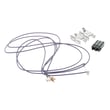

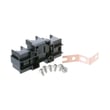
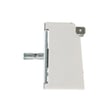
How do you reset a Kenmore electric stove?
To reset your Kenmore electric range model 36292212301, shut off power at the breaker (or unplug the range) for about 1 minute, then restore power. This clears many control glitches and can restore normal oven and surface burner operation.
Quick reset steps (safe and effective)
- Turn all surface element knobs to OFF.
- If the range is plugged in, unplug it; if it is hardwired, switch OFF the range breaker.
- Wait 60 seconds (a full minute is best).
- Restore power.
- Set the clock and test Bake and one surface element.
If the reset does not fix the problem
A reset helps with temporary electronic lockups; it will not fix a failed heating circuit, switch, or wiring connection.
Common next checks on an electric range:
- Oven will not heat: a failed bake or broil element, or a control issue.
- One surface burner not heating: a bad infinite switch, burned receptacle, or failed coil element.
- No power or intermittent power: a loose or heat-damaged power connection.
Parts that commonly relate to these symptoms (for this model)
| Symptom | What to inspect | Example part for model 36292212301 |
|---|---|---|
| Surface burner will not regulate heat | Surface element control switch | Range surface element control switch, 1,250-watt WB24T10022 |
| Burner cuts in and out, arcing at plug-in | Receptacle/terminal connection | Range terminal block WB17T10011 |
| Oven not heating evenly or at all | Bake element | Range bake element WB30X46987 |
Why it matters
Resetting power is the fastest way to clear a stuck relay or control logic error. If symptoms return quickly after a reset, we treat that as a sign to troubleshoot a specific component (element, switch, or terminal connection) instead of repeating resets.
Helpful DIY reference
If you are seeing an error code on the display, use Kenmore 362 freestanding range error codes to match the code to the most likely failed part or wiring issue.
Last updated: February 2026
What Kenmore stove do I have?
You have a Kenmore electric range, and the fastest way to identify the exact stove is to match the model number on the appliance ID tag to your paperwork or parts list. For this page, the model is Kenmore 36292212301.
Where to find the model number on a Kenmore range
Check these common locations first (use a flashlight if needed):
- Open the oven door and look along the door frame (front rim of the oven cavity)
- Check the lower drawer frame (storage or broiler drawer area)
- Look behind the control panel area (less common)
- Check the back panel of the range (if it is accessible)
The tag typically shows Model No., MOD, or MO followed by the full model number.
How to confirm you are on the right parts list
Once you find the tag, compare what you see to these identifiers:
| What to match | What it should look like | Example for this range |
|---|---|---|
| Brand | Kenmore | Kenmore |
| Model number | Numbers (sometimes with letters) | 36292212301 |
| Appliance type | Range | Electric range |
If your tag reads 36292212301, you are using the correct parts list for your stove.
Why it matters
Kenmore ranges can look similar across many model numbers, but parts like surface element switches, terminal blocks, and oven door components can vary. Using the exact model number helps us match the correct replacement part the first time.
Quick example: a part that depends on the exact model
If you are checking oven light parts for this model, we list items such as the range light socket WB08T10026. Matching by model number helps ensure the socket style and mounting match your range.
Last updated: February 2026
Why is my Kenmore Elite stove not working?
If your Kenmore electric range model 36292212301 is completely dead or not heating, the most common causes are a power supply problem (tripped breaker, loose cord connection), a burned terminal block, or a failed heating control component such as a surface element switch or oven element.
Quick checks first (no disassembly)
- Confirm the range has 240V power: reset the double breaker fully OFF, then ON.
- If the clock/display is off, test the outlet or try another 240V appliance (if available).
- If only one burner fails, swap pans and try a different burner position to rule out cookware or a loose coil.
- If the oven will not bake or broil, test both modes separately.
- If you smell burning or see scorch marks at the back where the cord connects, stop and inspect the power connection.
Most likely causes and what to look for
| Symptom | Most likely cause | What you’ll notice |
|---|---|---|
| Entire range dead | House breaker, cord/connection, terminal block | No lights, no heat, no display |
| One surface burner not heating | Burner, receptacle, or switch | Burner stays cold or cycles incorrectly |
| Oven not heating (bake or broil) | Failed element or control | No glow/heat from element, long preheat |
Parts that commonly fix “not working” problems
These are model-relevant parts we often replace when symptoms match:
- Range terminal block WB17T10011 for burned or loose power connections at the cord.
- Range surface element control switch WB24T10027 when a burner stays on high, won’t turn on, or won’t regulate.
- 8" burn unit WB30T10071 when a coil surface element will not heat or heats unevenly.
- Range bake element WB30X46987 if the oven won’t bake or takes far too long to heat.
- Range broil element WB30X46986 if broil won’t heat at all.
Why it matters
A range that “isn’t working” can be a simple reset, but it can also be a high-current wiring failure (like a damaged terminal block) that overheats and causes intermittent power loss. Matching the symptom to the right part prevents repeat failures and protects the wiring.
Helpful DIY reference
If you’re seeing an error code on the display, use Kenmore 362 freestanding range error codes to match the code to the most likely failed component.
Last updated: February 2026




