Owner’s manual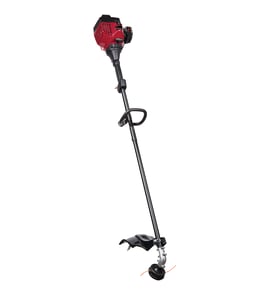

Where can I buy replacement parts for Ryobi?
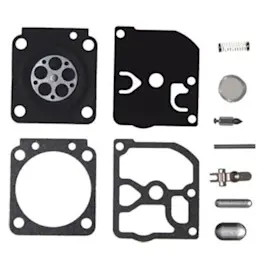
You can buy replacement parts for your Ryobi 825R gas line trimmer through Sears PartsDirect by using the model-based parts listing for 825R and matching the part to your exact assembly. For diagrams, maintenance intervals, and part identification, use the 825R owner's manual.
How to make sure you get the right part
Using the correct model number and the correct diagram callout prevents ordering the wrong carburetor, fuel line, or trimmer head component.
- Confirm the model number is 825R on the unit’s ID label
- Use the exploded-view diagrams in the manual to identify the exact assembly
- Match the part by description and diagram position (not just by appearance)
- Check whether your trimmer uses a specific version of a grip, shield, or head style
- Replace wear items together when it makes sense (for example, fuel lines and fuel filter)
Common 825R part categories people replace
The 825R is a gas trimmer, so the most common replacements are fuel/ignition and cutting-head wear items.
| System | Common parts you may need | Typical symptom |
|---|---|---|
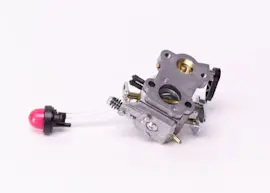
| Fuel delivery | Fuel lines, fuel pick up/fuel filter, primer | Hard starting, stalls, won’t stay running |
| Ignition | Spark plug, ignition module | No start, weak spark |
| Cutting head | Inner reel, bump head knob, springs, eyelets | Line won’t feed, head binds, excessive vibration |
| Emissions-related | Air filter, carburetor, muffler | Runs rough, poor power, excessive smoke |
Why it matters
Small-engine parts are sensitive to fit and routing. A slightly different fuel line length, primer style, or trimmer head component can cause leaks, poor performance, or line-feed problems. The 825R owner's manual helps you identify the correct components and shows how assemblies stack together.
Last updated: February 2026
What is the code 825 mean?
On a Ryobi 825R gas line trimmer, “825” is the model identifier used to match the correct operator information and parts breakdown for that specific trimmer family. For repairs and maintenance, always use the full model number 825R so you get the right specifications and parts list from the 825R owner's manual.
Where you’ll see “825” used
You’ll typically run into “825” in these places:
- The model name (825R) on the trimmer’s model tag
- The operator’s manual and parts list sections
- Parts diagrams that group multiple versions under the 825R model family
- Service topics like carburetor adjustment, spark plug replacement, and troubleshooting
“825” vs. other numbers on the trimmer
It’s easy to mix up model numbers with other identifiers. Use this quick guide:
| What you’re looking at | What it usually means | What to do with it |
|---|---|---|
| 825 / 825R | Model identifier | Use it to match the correct manual and parts list |
| Part number (example format: 753-XXXX or 791-XXXXX) | Identifies a specific replacement part | Use it when ordering the exact part |
| PPN (example shown in manuals) | Production/parts grouping number used in diagrams | Helpful for diagram matching, not a model number |
Why it matters
Using the correct model identifier prevents ordering the wrong parts and helps you follow the right procedures for your exact Ryobi trimmer, especially for engine-related maintenance (fuel system, ignition, and cutting attachment setup).
Quick tips to avoid mix-ups
- Match 825R exactly when searching parts or documentation.
- If your tag shows extra letters or numbers, use the full string as printed.
- When doing tune-ups, follow the maintenance intervals and specs listed in the 825R owner's manual.
Last updated: February 2026
Why does my Ryobi trimmer stall when I give it gas?
Your Ryobi 825R gas line trimmer typically stalls when you squeeze the throttle because the engine is not getting the right fuel-air mix under load. The most common causes are stale fuel, a restricted fuel pickup or fuel line, a dirty carburetor, or a clogged air filter or spark arrestor.
Quick checks that fix most stalling under throttle
- Replace old fuel with fresh, properly mixed fuel (use the mix ratio listed in your owner's manual).
- Make sure the fuel cap vent is open; a plugged vent can create vacuum in the tank and starve fuel.
- Inspect the fuel lines for cracks, soft spots, or kinks; replace any damaged line.
- Check the air filter; clean or replace it if it is oily or packed with debris.
- Check the muffler spark arrestor screen (if equipped); clean carbon buildup so exhaust can flow.
What is happening mechanically
When you “give it gas,” the carburetor has to deliver more fuel instantly. If fuel flow is restricted or the carburetor passages are varnished, the engine leans out and dies instead of accelerating.
Common symptoms and likely causes
| Symptom | Most likely cause | What to do first |
|---|---|---|
| Idles OK, dies on throttle | Carburetor dirty or fuel restriction | Fresh fuel, then clean carburetor |
| Runs a few seconds, then stalls | Fuel cap venting issue | Loosen cap briefly to test, then correct venting |
| Bogging, weak power | Clogged air filter or spark arrestor | Clean filter and arrestor |
| Surging at high speed | Air leak or carb adjustment off | Check fuel lines, intake connections, then adjust per manual |
Safety and setup reminders
Our Ryobi guidance is to make adjustments and repairs before using the unit, and to confirm the throttle control returns automatically to idle. Also keep bystanders at least 50 feet away and stop the engine if anyone approaches (details in the owner's manual).
Why it matters
Repeated stalling under throttle can overheat the engine, foul the spark plug, and make starting harder. Fixing fuel delivery and airflow restores stable acceleration and helps protect the ignition and emission-related components.
Last updated: February 2026
How to replace ryobi gas trimmer head?
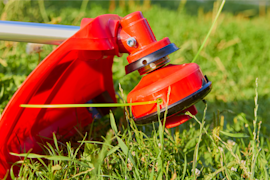
To replace the trimmer head on your Ryobi 825R gas line trimmer, shut the engine off, let it cool, and remove the head by unthreading it from the shaft using standard threads (loosen counterclockwise, tighten clockwise). Use the 825R owner's manual for the exact head style and any model-specific hardware order.
Safety first
- Stop the engine and wait for all moving parts to stop
- Let the muffler and engine cool before touching the gearhead area
- Keep children, bystanders, and pets at least 50 feet away
- Wear eye protection, gloves, long pants, and sturdy shoes
- Make adjustments and repairs before operating the trimmer again
Steps to replace the trimmer head (standard threading)
- Disable the trimmer: Switch it off and disconnect the spark plug wire.
- Stabilize the unit: Lay the trimmer on a flat surface with the cutting head supported.
- Remove the old head: Hold the gearhead steady and turn the head counterclockwise to loosen, then spin it off.
- Keep the hardware in order: If your setup uses a flanged washer, spacer, or spring, set them aside in the exact order removed.
- Install the new head: Start the threads by hand, then turn clockwise until snug and secure.
- Reload line and test: Reconnect the spark plug wire, start the trimmer, and verify smooth operation.
Quick check: bump-feed behavior after replacement
The 825R commonly uses a bump-feed head; you advance line by tapping the head on the ground while running at high speed.
| What you do | What should happen | If it does not |
|---|---|---|
| Bump the head on bare ground at high speed | About 1 inch of line releases | Check for tangled line, incorrect winding, or worn head parts |
Why it matters
Correct thread direction prevents stripped threads and keeps the cutting attachment secure. A properly installed head reduces vibration and helps the line feed consistently, which improves cutting performance.
Last updated: February 2026